
-
Marketplace
-
Free Stuff
-
Galleries
-
Community
Forums General
- News
- Deals
- Poser
- Contact
Renderosity Forums / Bryce
Welcome to the Bryce Forum
Bryce F.A.Q (Last Updated: 2025 Feb 17 1:22 pm)

Subject: help with bryce screen

Report Post

Then click "save as..." and name the file default ans save it in your Bryce folder. This will open automatically everytime you open Bryce. You can also set everything you like it to open to, say you want it always to open with a certain sky, resolution, etc....you set it all up then save it as default.

-
- Renderosity Page
- Renderosity Communities
- Blender 3D
- iClone
- Poser Users
- Poser Software
- Become an Affiliate
- Memorials
-
About
- About Us
- Contact Us
- Team
- Policies
- Terms of Service
- Copyright Policy
- Refund Policy
- Licenses
- Standard License
- Extended License

Privacy Notice
This site uses cookies to deliver the best experience. Our own cookies make user accounts and other features possible. Third-party cookies are used to display relevant ads and to analyze how Renderosity is used. By using our site, you acknowledge that you have read and understood our Terms of Service, including our Cookie Policy and our Privacy Policy.
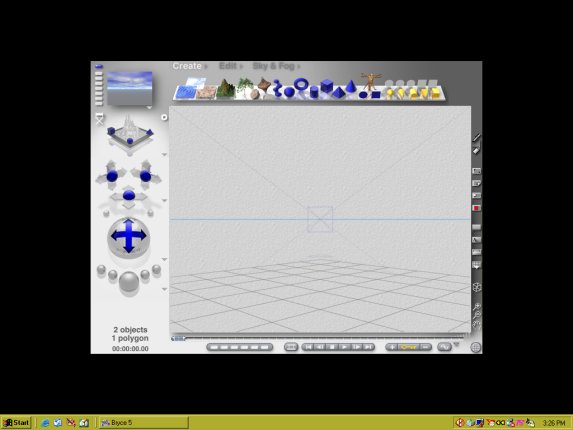
my screen keeps coming up like this. how do i get it to go full screen?