
Renderosity Forums / Poser - OFFICIAL
Welcome to the Poser - OFFICIAL Forum
Forum Moderators: RedPhantom Forum Coordinators: Anim8dtoon
Poser - OFFICIAL F.A.Q (Last Updated: 2026 Mar 05 8:06 pm)

Subject: How big is too big?


What chance is there that your brick texture, is going to fill a whole final image of 3200x3200? For example, if your brick texture is going to be on a distant object, that will only take up 10% of your final image (for example), there would be little point in mapping that object with a 3200x3200 texture.
On the other hand, if the object was in the foreground, stretching to the horizon, it wouldn't be practical to make an image map, of that scale, and then you would have to resort to procedural or seamless tilable texture.
3200x3200 isn't too heavy, certainly hi-res, but not heavy - for the jpeg don't be worried to compress it a little. Even at 80% quality it will drop the size of it a fair amount, with no discernable drop in visual quality.
Website: The 3D Scene - Returning Soon!
Twitter: Follow @the3dscene
--------------- A life?! Cool!! Where do I download one of those?---------------

I have 16gb of ram and the most I ever hit was like 9gb usage. If you have the memory capacity then by all means GO BIG and spoil yourself, use the highest quality textures possible.
Then do a comparison render of a 30mb texture vs a 4mb texture.
You probably already know this but if you do test between 30mb and 4mb texture, then set shading rate as low as you can go. Render from a distance and compare the 30 against the 4, then render again from up close and compare the 30 to 4 again.
I've been wanting to do this for a while now but never found the time unfortunately :(***

No chance I'd ever need the full size, but the bump on the bricks, in povray, more or less dictate that if I want it to show up as a brick texture, the map is going to have to be pretty big. Just how big I don't know, and I know it's increasing the file size to have it there. Still doesn't show like I wish it did, but it's a lot better than the first one was. Now it looks like bricks instead of a tan with white blurry streaks. I may have to run one without the bump and do that in the material room. It would reduce the bit count a lot.
Doric.
The "I" in Doric is Silent.
I played with the brick node, Laurie. Didn't like it. Don't ask me why, I can't really say other than I didn't like it. Working on an update to the little building I put up on sharecg, and the way the mortar looked, I didn't like that either. Bigger map made it look better, but I also did a couple other things while I was writing the code. None of which I think worked. Square one again.
Doric.
The "I" in Doric is Silent.
You can see it on my Little Houses in my freebies. I quite like it. LOL. You can even displace it and dirty it up with a global cloud node if you like ;). I didn't because I was going for the look of the little lit houses you put under the christmas tree ;).
Laurie
http://www.renderosity.com/mod/forumpro/media/folder_10/file_489750.jpg
 I've been sitting all night with one on my desk, measuring and trying to get the scaling halfway close, and all I am is, halfway close.
I routinely create and use maps @ 8192x8192, for both color and disp if I need it. Clean up edges around uv islands with about a 6 px overage. get rid of everything else. Its not the size that makes the image so large as much as the varience in the pixels, Textures tend to make for large maps. You can cut 5 to 6 mb out of a 8192 map by getting rid of unnessary textures. Ive never had a problem with using many maps of this size. The issue with maintaning detail is not the over all size of the map, but how many pixels (data) are being used to create an object. In a brick wall you need each brick to look good. each brick has to look good or the entire wall will not. A good sized wall maybe 20ft x 30ft textured with a 8192 map will provide about 65x14 pixels per brick. thats not a lot of pixels. In a high quality piece its the details that make all the difference. Consider that V4 is textured with what 3 4000 maps. How much surface area does the human body have compared to a brick wall, not much. Dont be afraid of big maps, todays computers can handle it.
One way to test your image detail is to apply text to your map. Text will quickly show loss of detail. Image quality is pixels per sq ft. if you have a lot of sq footage your going to need a big map. I have rarely found tiling to give really good results. Having said that "really good" is subjective
Why not use a smaller texture and tile it?
On figures I also experiment with 8192x8192 textures, but on buildings, clothing and so, I usually tile a small texture to keep memory under control.
Poser 1, 2, 3, 4, 5, 7,
P8 and PPro2010, P9 and PP2012, P10 and PP2014 Game
Dev
"Do not drive
faster then your angel can fly"!
As far as tiling is concerned, it probably boils down to how you like to work and what your used to. I like to create Uv maps, bring them into Photoshop and create my textures, then go to zbrush and fix seams. Its just always the way Ive worked. Plus Ive always struggled with tiling, I feel I have more control over textures when I map them.
I used to make the websites for the company I worked for and always found tiling images a pain so perhaps its partly psychological
"No, tiling a smaller texture map is the solution for brick textures here."
Dont you think it depends on what effect your going after? I like to weather surfaces with dirt rundown etc. You dont want repeating patterns for this effect. Perhaps it boils down to how much varience there is across the surface.
Separate the color maps from the bump/displace. With something like brick you can blow a lot of resources on even an 8k^2 bump/displace and get away with a much smaller color map.
mo·nop·o·ly [muh-nop-uh-lee]
noun, plural mo·nop·o·lies.
1. exclusive control of a commodity or service in a particular market,
or a control that makes possible the manipulation of prices

Quote - Plus Ive always struggled with tiling, I feel I have more control over textures when I map them.
I used to make the websites for the company I worked for and always found tiling images a pain so perhaps its partly psychological
Do you mean struggled with making a texture tilable, or with using it?
Quote - I'm almost 60, I guess I'm getting old, stubborn and set in my ways.
Sometimes when your trying to get production out, you stick to what you know
Sure, but sometimes sticking to what you know can be limiting. Sometimes one doesn't have the luxury of not using tiling textures, it isn't always possible to photograph what you need in a texture.
I was going to offer some pointers for turning a photo into a tiling texture, but if you're too old and stubborn I'll pass ;-)
I'm not quite as old, but probably just as stubborn.

Echoing Laurie, I love the brick procedural. You don't have to stick with straight colours, either, you can add all sorts of shader tricks to get your bricks looking, uh, bricky. :)
Use a monochrome version for displacement and you're golden.
Coppula eam se non posit acceptera jocularum.
I should never,ever, post after ten in the evening. FIrst, no, I'm not making a uv map, I'm applying the texture to the whole thing, as in all of the walls of the exterior.
Second, taking the bumps out of povray dropped the file size a lot, reapplying them in the material room looks pretty good, to my failing eyes anyhow.
Trying, and not succeeding too well to reproduce the color of a brick that was once locally produced, as I said, not too well.
Taking a break for a while, when everything looks like a multicolored blur, that should give me a hint that if I keep going I'm only making more work for myself.
Chris, I got probably twelve years on you, you ain't started to learn what stubborn is yet.
Doric
The "I" in Doric is Silent.
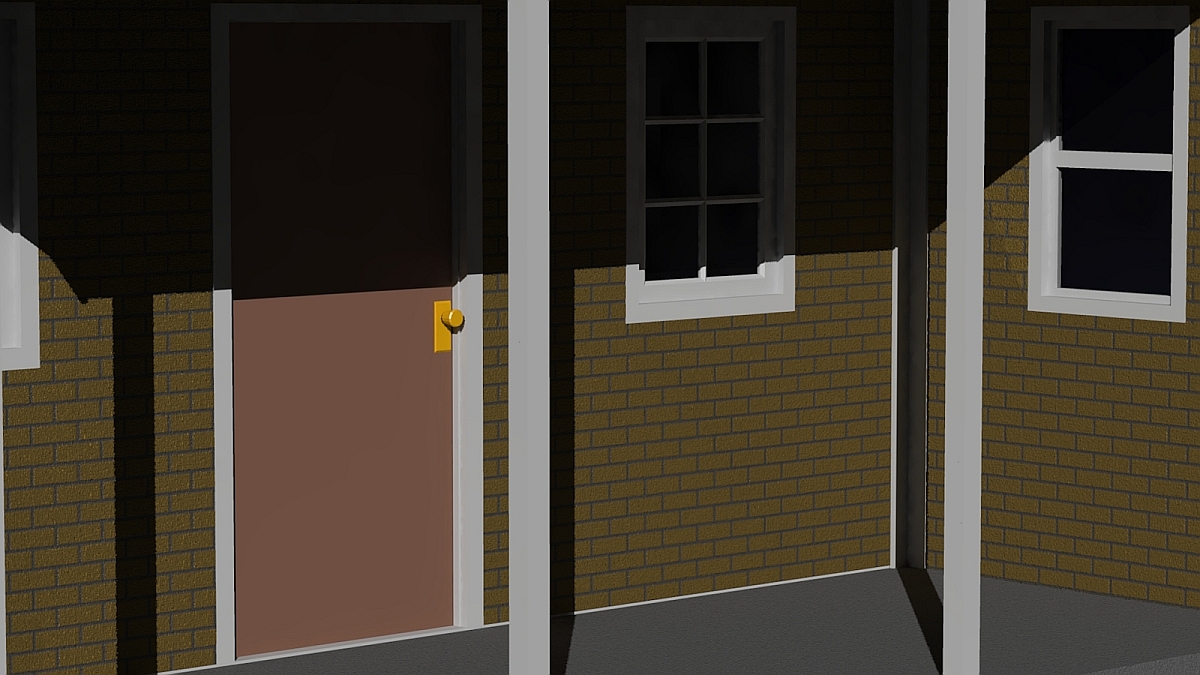
I grew up doing oil paintings and pencil drawings, long before personal computers existed.
So I guess for me the computer is an extension of that. A canvas with little mess and no drying time. I think much of how we work is determined by how we approached the art.
This is an entire science unto itself that incorporates many dissaplines (spellings not one of them) Its really impossible for one person to know everything about CG and there is always more than one way to skin a cat. It is our uniqueness and individuality that makes this interesting. If eveyones work was made the same way, using the same techniques, it would be a boring world in CG land

My involvement with art before computers would be with tee square and triangles, three point perspective,with all the associated "goodies" to go with them.
That was probably easier, with computers, fix one problem, create six more. Down to nudging things around now, and every time I do, I see something else that needs to be nudged a little. Just about to call it good and not see what nobody else will, things hidden inside where I'm the only one that's really going to see them. Leave one stray vertex and Wings will run all over the place with it.
Doric.
The "I" in Doric is Silent.
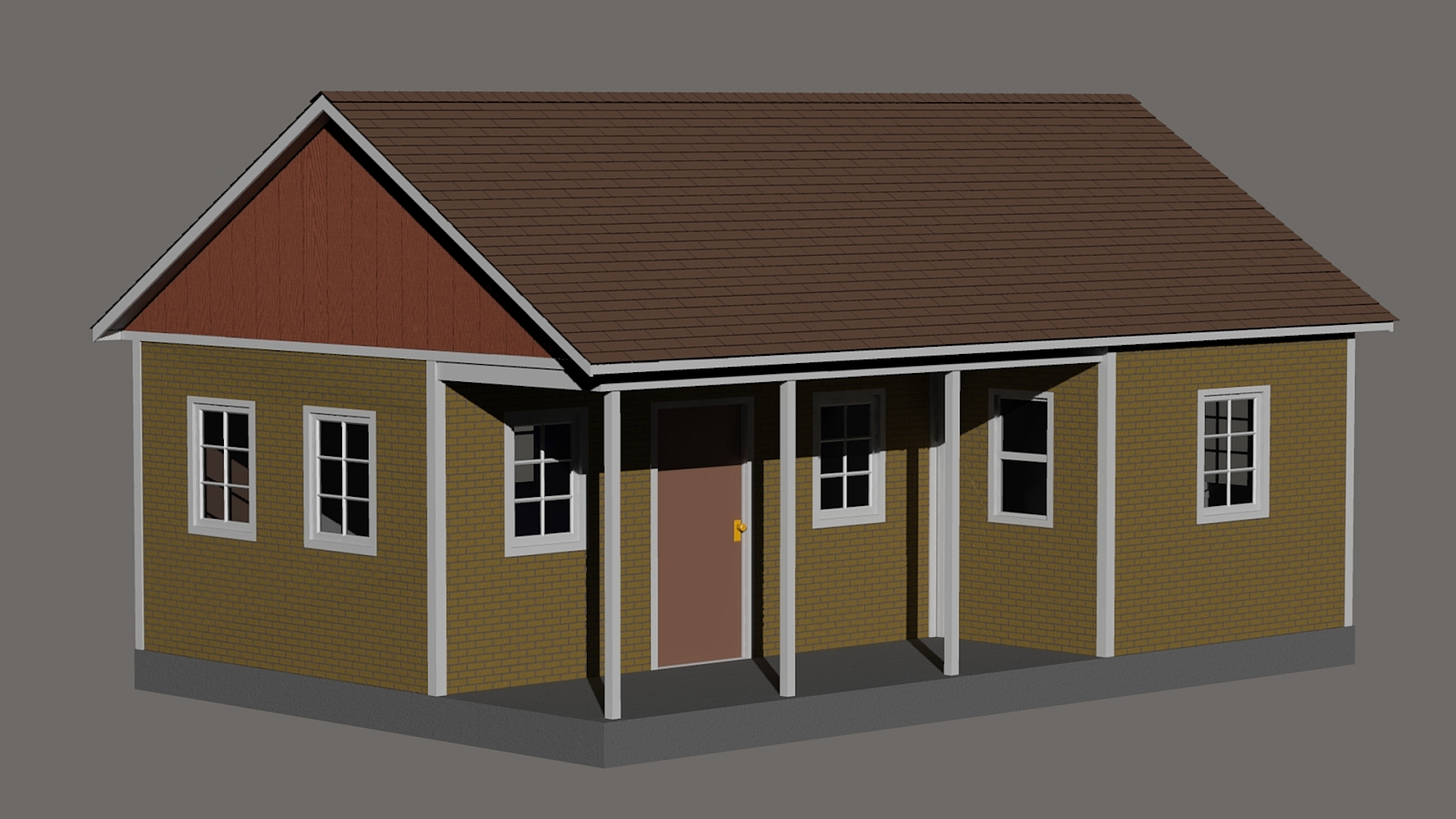


in 2D apps
you can compress files.85% looks good.
just cause a PC can see 256 diffrent colors don't mean humans can.
ya can allways turn down your 256 to 128 ,96. depeds on texture.
for your texture I would think 32 colors would work.
you can merge textures n bumps .
have a bump in one layer texture on top layer 50% or so traspearancy.
merge ,turn color up.
if the wall is 10 feet buy 10 feet .
i would make the texture 10 feet buy 10 feet.
with the bricks 3 5/8 x 2 1/4 x 8 ,or what ever size brick ya using.
after finished i would make difrent size scales of the texture.
============================================================
The
Artist that will fight for decades to conquer their media.
Even if you never know their name ,your know their Art.
Dark Sphere Mage Vengeance
Umm, using four different programs, Wings to model, Povray to generate textures, UVmapper for the obvious, and poser, talking about scaling something to fit is like trying to work to inch standards with metric micrometers. It can be done, but it ain't easy.
Got it pretty well where I want it, going to leave it at that. Oh,yeah. In Poser, the material room gives you scaling, you can make it any scale you want with the same texture.
Doric.
The "I" in Doric is Silent.

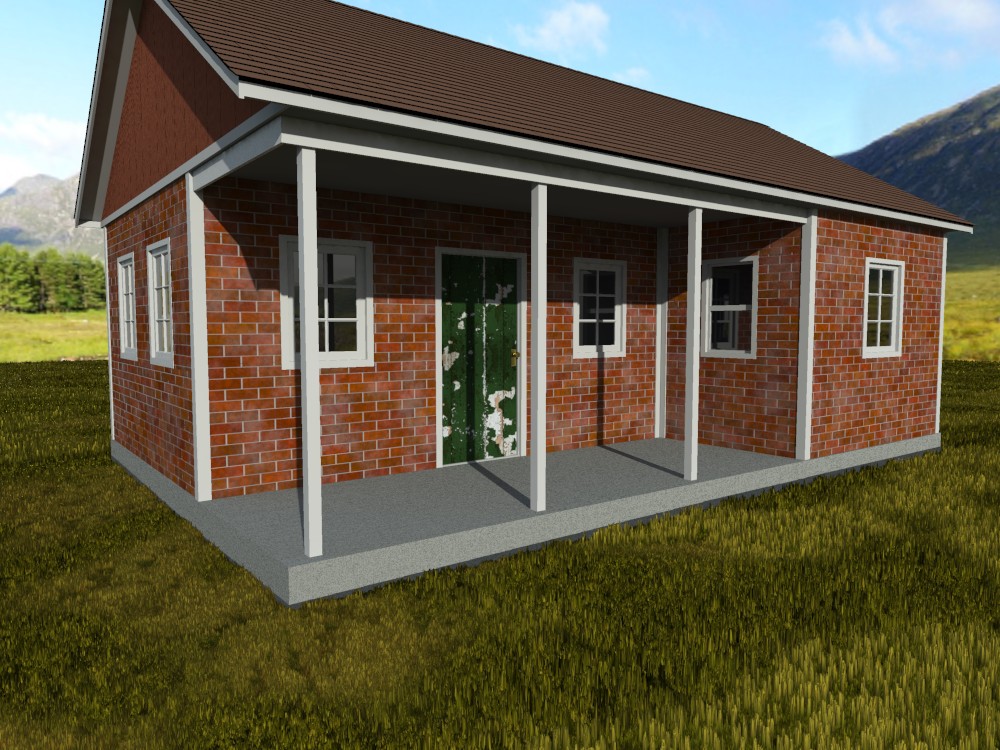
Applied some new weak-gloss to the trim, proper glass, a concrete shader, and some cheapo displacement grass.
The peeling paint on the door is from my furniture set. The abused doorknob (impossible to see at this distance) is from my un-released metals.
There seems to be a new bug in displaced shadows - the ground plane (grass) is creating a straight shadow.
I haven't had time to launch Poser in several months. I enjoyed the exercise.
(click for full size)
Renderosity forum reply notifications are wonky. If I read a follow-up in a thread, but I don't myself reply, then notifications no longer happen AT ALL on that thread. So if I seem to be ignoring a question, that's why. (Updated September 23, 2019)
If it has not been mentioned dont worry about the size of the image map on disk. I believe thAT all formats get read in as a bitmap tyep image in memory. I coulod be wrong though.
I generlly make several sets of Daz image files when they are large (4,000 x 4000) I try both sets in the same scene to see if I can see thye difference. At print resolutions (2400 x 3000) the higher sizes seem worthwhile unless its just a tiny piece visible.
Quote - I haven't had time to launch Poser in several months. I enjoyed the exercise.
Glad you had fun.
Went out this afternoon to look at the old building I was trying to emulate the bricks from.
(rant mode on)
There's nothing but the pit where the basement used to be now. But it's been about a year since I was out that way. I imagine we'll have yet another apartment block or condos to sit empty with those that are already maybe half rented. There were at least a dozen small businesses there, none that can afford the leases in the new industrial parks the city seems to think are the answer to all their problems. I have my doubt any of those businesses survived. There's a reason they rent space in older buildings. But, our traffic system here is well known through the state, watch what they do here, and don't do that.
(rant mode off)
Were that the look I was after, I'd be asking you questions for the next two weeks.
Doric.
The "I" in Doric is Silent.
I don't even know what Povray is.
The CGI Artist Tate Mosesian can make some killer bricks thou ,textures to.
http://pixologic.com/zclassroom/homeroom/lesson/environments-with-tate-mosesian/
1st video Bricks Slideshow is cool.
Google has a lot of bricks ,for samples.
https://www.google.com/search?hl=en&q=bricks&bav=on.2,or.r_qf.&bvm=bv.44770516,d.b2I&biw=1280&bih=657&
um=1&ie=UTF-8&tbm=isch&source=og&sa=N&tab=wi&ei=QZNfUbjdJaj22QXyuIAg
years a go I went walking around town taking photos to use as textures.
could paint textures in photoshop.
BB cool shaders.
============================================================
The
Artist that will fight for decades to conquer their media.
Even if you never know their name ,your know their Art.
Dark Sphere Mage Vengeance
Povray is a very old ray tracing program, with a difference. You use Scene Descriptive Language and Constructive Solid Geometry to create objects. It can also accept files converted to its native using Poseray. But the interface is a text editor. You gotta have the math, but it'll do things no other program will. The control it gives you is something that has to be learned to appreciate.
Generating a texture with it, as in rendering a large image, to use in another program doesn't always work the first time, I may have to fiddle with it some, but I can usually get pretty close to what I really want. If I was rendering the scene in Povray, I'd have exactly what I want, I just don't want to fill up the include files with a bunch of huge figure files. WIngs will export directly to Povray, handy for finding out if I'm fiixing something or making it worse.
And absolutely nothing else on the market anywhere will convert a .pov to anything else, unless it's a mesh, and then most other programs handle that poorly. Anything constructed in CSG would require most of the Povray engine to decipher.
And I have neither Zbrush or Photoshop, so what those two can do, I could not care less.
Doric.
The "I" in Doric is Silent.
Quote - I have gimp. Had it since the first release. Pretty happy with what I'm using, been using Povray for over ten years, Wings for four or five years. They work for me.
Doric.
Say don't fix it if it ant broke Ravenn.
My problem is I want to know what all the app's can do to make it faster.
CGI might be one of the coolest mediums but definitely not one of the fastest.
============================================================
The
Artist that will fight for decades to conquer their media.
Even if you never know their name ,your know their Art.
Dark Sphere Mage Vengeance
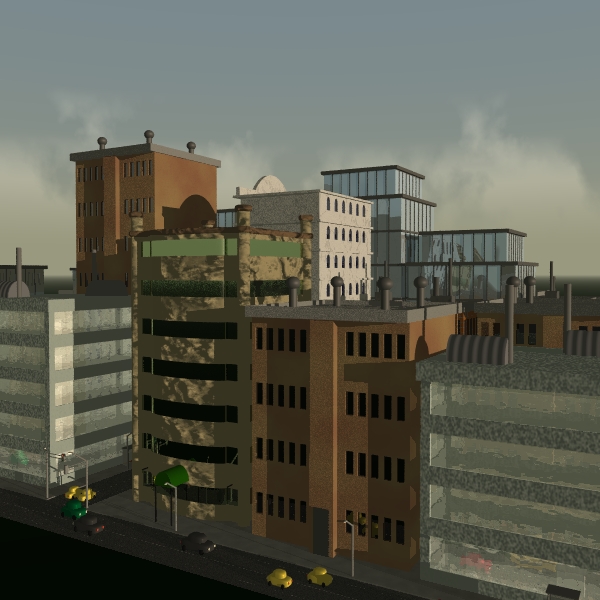
Then I found one where I'd used Povtree to make trees, external program, IIRC, written in Java. It outputs either a Pov mesh or an .obj. Poser will choke on three of those tres, the file I have uses 800 of them. Kirk Andrews has put up the files for a scene, and more than one good scene has his name on it, that uses 20,000 trees, and Povray renders that in about eight or nine minutes on a 2.6ghz machine. He uses the trace function to place the trees on the ground, another routine to place them in x and y.
IT doesn't know what to do with strand hair, and some, or most, other hair doesn't look good when rendered. Kozaburo hair seems to work the best.
No, no mistake, that's 1 point 9 kilobytes.
Doric.
The "I" in Doric is Silent.
I haven't used it in many years and the image sizes may not be anywhere near 8K, but Acme Brick's Masonry Designer might be interesting. By people who know bricks, in Texas yall, since 1891 - Hell Yeah!
"Democracy is a pathetic belief in the collective wisdom of individual ignorance." - H. L. Mencken
Think I pretty well solved my own problem. Trying to get the bump from the Pov image, and all it did was add to the byte count of the image. Just rendering flat and doing the bump in the material room let the same size image go from 15mb to about 500kb. I can live with that.
Doric.
The "I" in Doric is Silent.
http://www.spiralgraphics.biz/index.htm
thought this might be useful for textures also.
============================================================
The
Artist that will fight for decades to conquer their media.
Even if you never know their name ,your know their Art.
Dark Sphere Mage Vengeance

Privacy Notice
This site uses cookies to deliver the best experience. Our own cookies make user accounts and other features possible. Third-party cookies are used to display relevant ads and to analyze how Renderosity is used. By using our site, you acknowledge that you have read and understood our Terms of Service, including our Cookie Policy and our Privacy Policy.
Not happy with the brick texture files I made, so I fired up Pov and made new ones, but instead of 1600 x 1600, 3200 x 3200. The only problem, the .jpg that I'd rather not use weighs in at over 9mb. The .png I'd rather use weighs in at over 15 mb.
It's a definite improvement, but that's a lot of bit count for one texture. My original weighed in at less than 4mb, which in my mind is still pretty heavy.
I know texture maps are getting bigger all the time, but what would be considered acceptable?
Doric
The "I" in Doric is Silent.