
Renderosity Forums / Poser 14

Subject: Suggestion for future program update


The other thing to do is set up your layout as you like with the Drag Drop disabled and then save that to a UI dot. Every time I start up a scene that I did not save I click that dot and it restores all my settings to have the drag drop turned off.
Poser 5, 6, 7, 8, Poser Pro 9 (2012), 10 (2014), 11, 12, 13, 14

The other thing is that they removed the Drag Drop setting in Poser 14 due to it not working correctly and there being way too many ways to turn it back on. It is listed in the readme that comes with Poser. So, the best option is save to a memory dot.
Poser 5, 6, 7, 8, Poser Pro 9 (2012), 10 (2014), 11, 12, 13, 14

Every time I open Poser, I first have to click my UI dot with the setup that turns off Drag and Drop. I thought if I set this as my Preferred Scene and opened to my Preferred Scene, the Drag and Drop would be turned off, but NOOOO. Yes, it's annoying, but the UI dot works great when I remember to click it.
W11,Intel i9-14900KF @ 3.20GHz, 64.0 GB RAM, 64-bit, GeForce GTX 4070 Ti SUPER, 16GB.
Old lady hobbyist. All visual art or fiction is "playing with dolls."
VISIT MY ALBUMSFOR COMICS: https://www.renderosity.com/users/VedaDalsette/gallery/albums
You can also get to my comics from my book website: https://www.vdbooks.com.

Thanks for this thread, really :-)
Here is, what Poser needs to become, in order to get out of its *** -corner:
-A real good physical based render engine, or:
including a plug in, that sends a scene right to Blender for rendering.
-Learning from Reallusion. Feet-floor contact for animations, controlling texture maps by morph parameters.
-Automatic morph projections from parent figures to child components/figures like clothings and hairs.
Also important for Joint Controlled Morphs!
(Poser does have a great Dependency editor. Why doesn't anybody ever mention this? Is anybody using it?
Does anybody use the great morph brush feature?)
-Learning from DAZ. Introduce a way to add geometry to figures, without breaking morphs or rigging.
-Hair room and cloth room need a significant upgrade.
Bondware is right about planning to upgrade the cloth room. Hope, they'll do it with the hair room as well, BUT:
releasing Poser 14 without any of it, half ready is a red flag.
These things should have been addressed already years ago.
That it didn't happen is again another red flag, and a stong hint, that bondware just doesn't care.
Maybe they start addressing it now, that their margin is shrinking dramatically.
Content Advisory! This message contains nudity
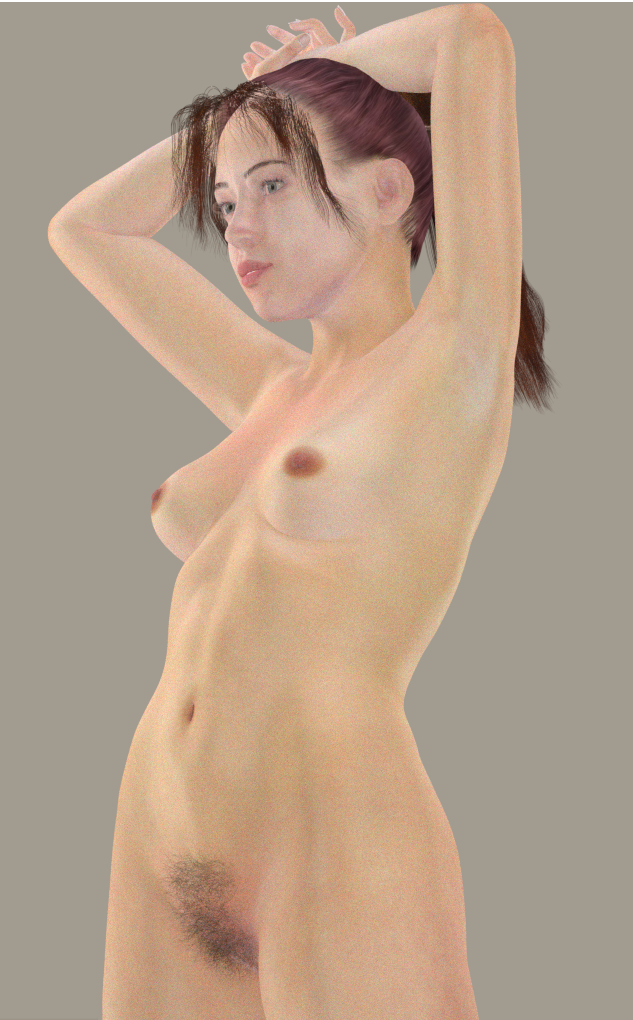
J'utilise the great morph brush dans tous mes personnages à 80-100%
Je l'utilise comme Zbrush je suppose car je ne l'ai jamais essayé.
J'utilise LF2 car je peux faire la symétrie et utiliser les poses sans détruire le personnage.
Comme je reste au niveau le plus bas, les possibilités de morphing sont réduits, le maillage ne suit pas les courbes du corps, et il faut faire un compromis avec les gonflements des poses qui ne sont valables que pour un type de corps et pas un autre.
I use the great morph brush on all my characters at 80-100%.
I assume I use it like ZBrush, since I've never actually tried it.
I use LF2 because I can create symmetry and use poses without destroying the character.
Since I stay at the lowest level, the morphing possibilities are limited; the mesh doesn't follow the body's curves, and you have to compromise with pose bulges that only work for certain body types.
No postwork and I have a lot to learn about the human body.

Privacy Notice
This site uses cookies to deliver the best experience. Our own cookies make user accounts and other features possible. Third-party cookies are used to display relevant ads and to analyze how Renderosity is used. By using our site, you acknowledge that you have read and understood our Terms of Service, including our Cookie Policy and our Privacy Policy.
I don't know if the developers of Poser 14 monitor this forum or not, but I have a very important request/suggestion for a future Poser 14 program update. Could it PLEASE be set so that "Drag and dock" is turned OFF by default? It seems like I turn it off of every menu then the next time I start up Poser, I have to do it all over again or else I'll accidentally drag something and mess up my layout. I tried setting them all to "off" and then setting preferred layout. It didn't work. Thank you for reading. :)