
-
Marketplace
-
Free Stuff
-
Galleries
-
Community
Forums General
- News
- Deals
- Poser
- Contact
Thu, Mar 5, 10:44 PM CST
Renderosity Forums / Bryce
Welcome to the Bryce Forum
Bryce F.A.Q (Last Updated: 2025 Feb 17 1:22 pm)
THE PLACE FOR ALL THINGS BRYCE - GOT A PROBLEM? YOU'VE COME TO THE RIGHT PLACE

Subject: Need help with Depth of Field in Bryce5

Report Post

-
- Renderosity Page
- Renderosity Communities
- Blender 3D
- iClone
- Poser Users
- Poser Software
- Become an Affiliate
- Memorials
-
About
- About Us
- Contact Us
- Team
- Policies
- Terms of Service
- Copyright Policy
- Refund Policy
- Licenses
- Standard License
- Extended License

Privacy Notice
This site uses cookies to deliver the best experience. Our own cookies make user accounts and other features possible. Third-party cookies are used to display relevant ads and to analyze how Renderosity is used. By using our site, you acknowledge that you have read and understood our Terms of Service, including our Cookie Policy and our Privacy Policy.
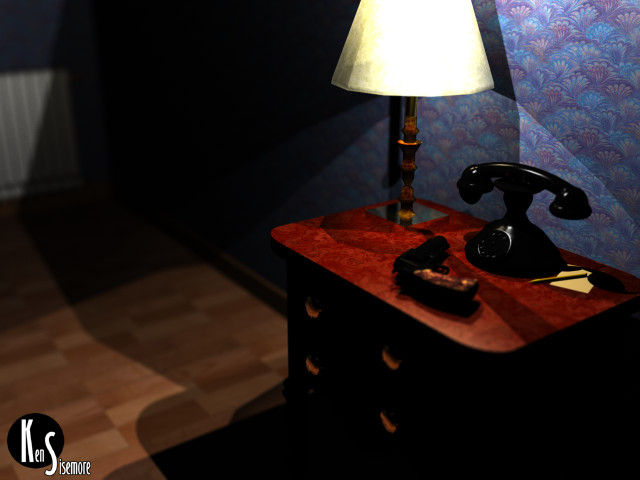
Okay so I read the piddley paragraph on page 306 of the manual that talks about Depth of Field. Well it wasn't enough as I need help on how to use it. The manual states that you can change the focal length by inputting a numerical value or by selecting objects in your scene. Where do I input this numerical value and what does selecting by object do with rendering Depth of Field. How would I choose between sharp focus foreground and blurred background and vise versa? Thanks for any replies.