
Renderosity Forums / Poser 14

Subject: I Am So NOT Impressed!

- 1
- 2

EZSkin has been updated: use the V3.5 + the updated version of the EZ_CycleSkin:
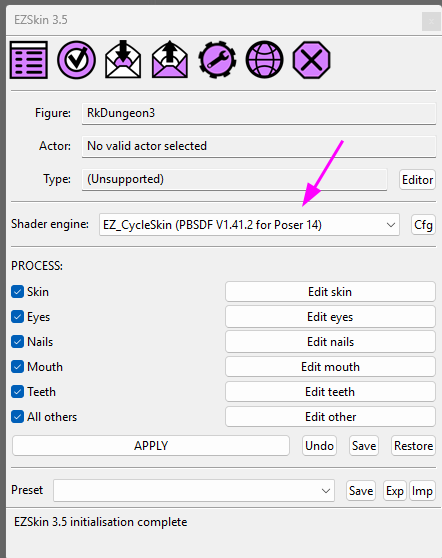
The update must be used as now, in Poser14, the PrincipledBSDF node corresponds to Blender's last iteration as of today.
The plugin can be downloaded here: https://kdrive.digital-paradize.com/app/share/116364/a2e8abb9-70c8-4085-82c7-49f2a084e444
And EZSkin 3.5 here: https://kdrive.digital-paradize.com/app/share/116364/ae7a51aa-8f4f-4792-99ff-abdd1b2a863b
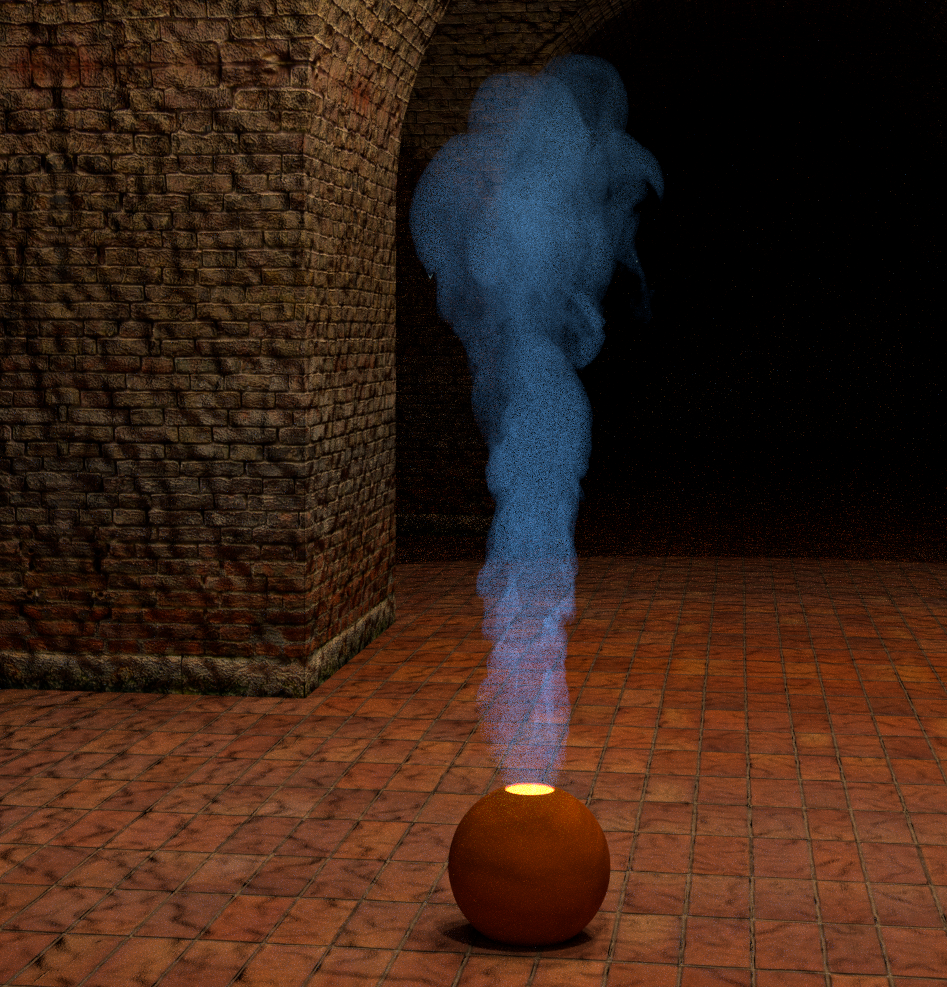
Speaking of Ambient Occlusion: I have made a test using a setup shared by hborre I think.
Without AO:
With: 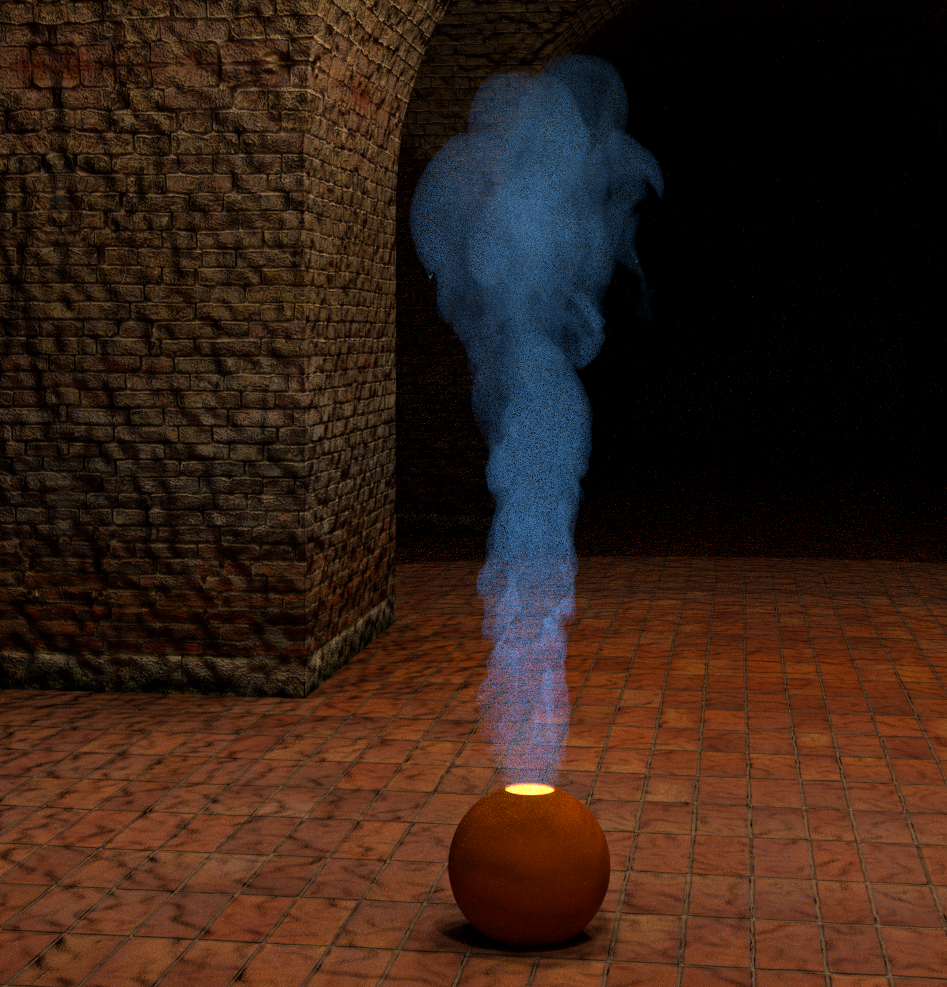
And for what concerns the background picture: yesterday I did a test with a Poser13 scene with an HDRi used on the background node: I had to review the inifinite lights used as pose lights, because they seemed to do a weird reflection... on the background
𝒫𝒽𝓎𝓁
(っ◔◡◔)っ
👿 Win11 on i9-13900K@5GHz, 64GB, RoG Strix B760F Gaming, Asus Tuf Gaming RTX 4070 OC Edition, 1+2 TB SSD's, 6+4TB HD
👿 Mac Mini M2, Sequoia 15.5, 16GB, 500GB SSD
👿 Nas 10TB
👿 Poser 13 and 14 ❤️
EZSkin has been updated: use the V3.5 + the updated version of the EZ_CycleSkin:
The update must be used as now, in Poser14, the PrincipledBSDF node corresponds to Blender's last iteration as of today.
Thank you! I just downloaded it. I'll probably wait until tomorrow to install, since I've been sitting at this computer FAR too long today!
The plugin can be downloaded here: https://kdrive.digital-paradize.com/app/share/116364/a2e8abb9-70c8-4085-82c7-49f2a084e444
And EZSkin 3.5 here: https://kdrive.digital-paradize.com/app/share/116364/ae7a51aa-8f4f-4792-99ff-abdd1b2a863b
:)

I, too, have had some vexing results from materials that worked fine in P13. I've not had the time to dig into it further but I'm thinking the materials for P13 may no longer be reliable in P14. The problems I have are with materials based on the old Poser root node (so far). I had made modifications that rendered nicely under P13 but in P14 they render as black... no detail or color or anything.
I'll post more as I have time to look into this... stand by...
Molly
MollyFootman posted at 3:48 PM Mon, 8 December 2025 - #4502096
Okay. Thank you!I, too, have had some vexing results from materials that worked fine in P13. I've not had the time to dig into it further but I'm thinking the materials for P13 may no longer be reliable in P14. The problems I have are with materials based on the old Poser root node (so far). I had made modifications that rendered nicely under P13 but in P14 they render as black... no detail or color or anything.
I'll post more as I have time to look into this... stand by...
Molly
I sure HOPE I can use most of the materials that worked in P13. It would be a real pain to differentiate them.

Here are 2 quick renders; the first has no AO, and the second has AO.
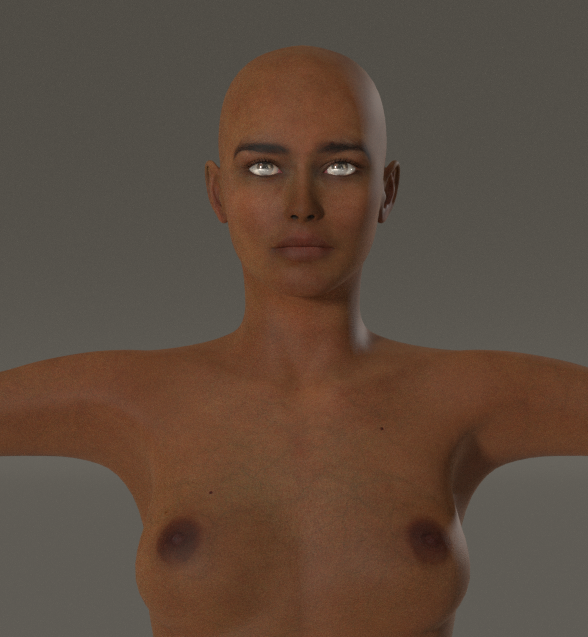
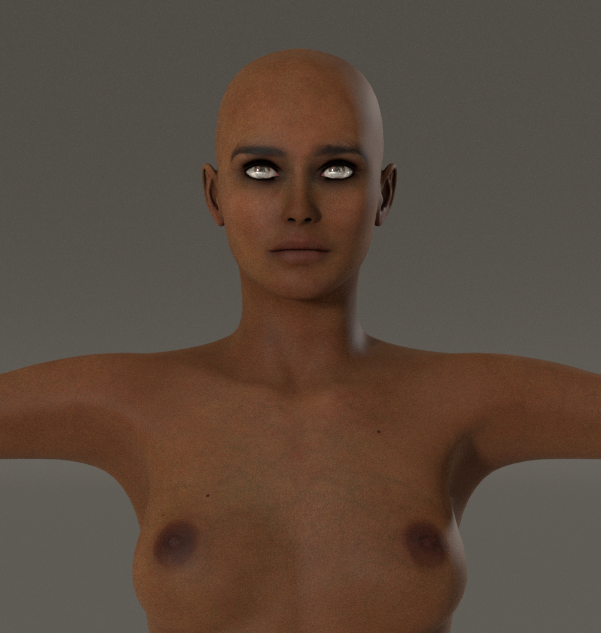
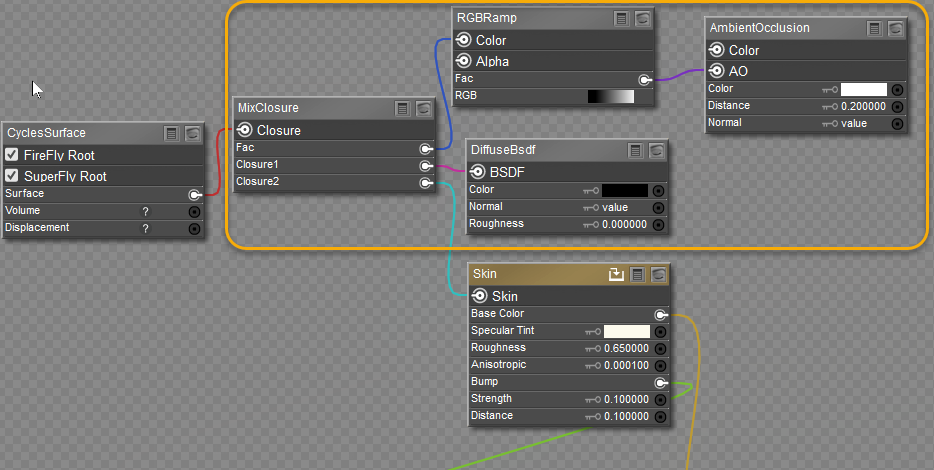
The last image contains the additional nodes for ambient occlusion. Distance controls the spread of the occlusion. The DiffuseBsdf node changes the color of the shadows. The shaders are based on EZSkin.
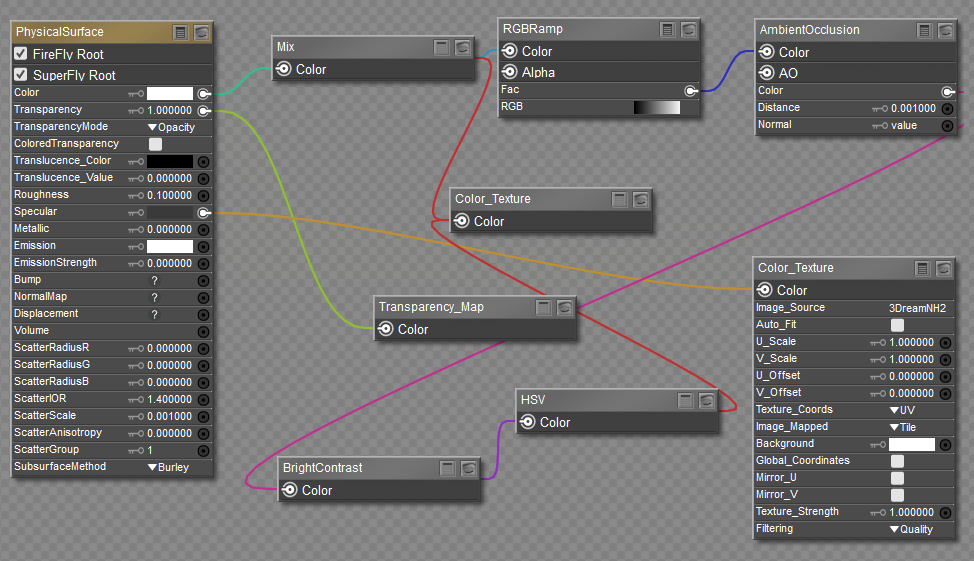
If you are using the PhysicalSurface node for Superfly, I have also worked out the shaders nodes to create a rough AO map. It is not perfect, but it does the job.
This: https://kdrive.digital-paradize.com/app/share/116364/a2e8abb9-70c8-4085-82c7-49f2a084e444 is empty. I've tried downloading it more than once.
I imported my figure definitions and preference files from the EZ Skin folder, but I don't have any way of selecting EZ Cycle Skin because the above file has no data. My Custom Shaders file has the python scripts for Cycles, but I don't remember how to import them.
:(
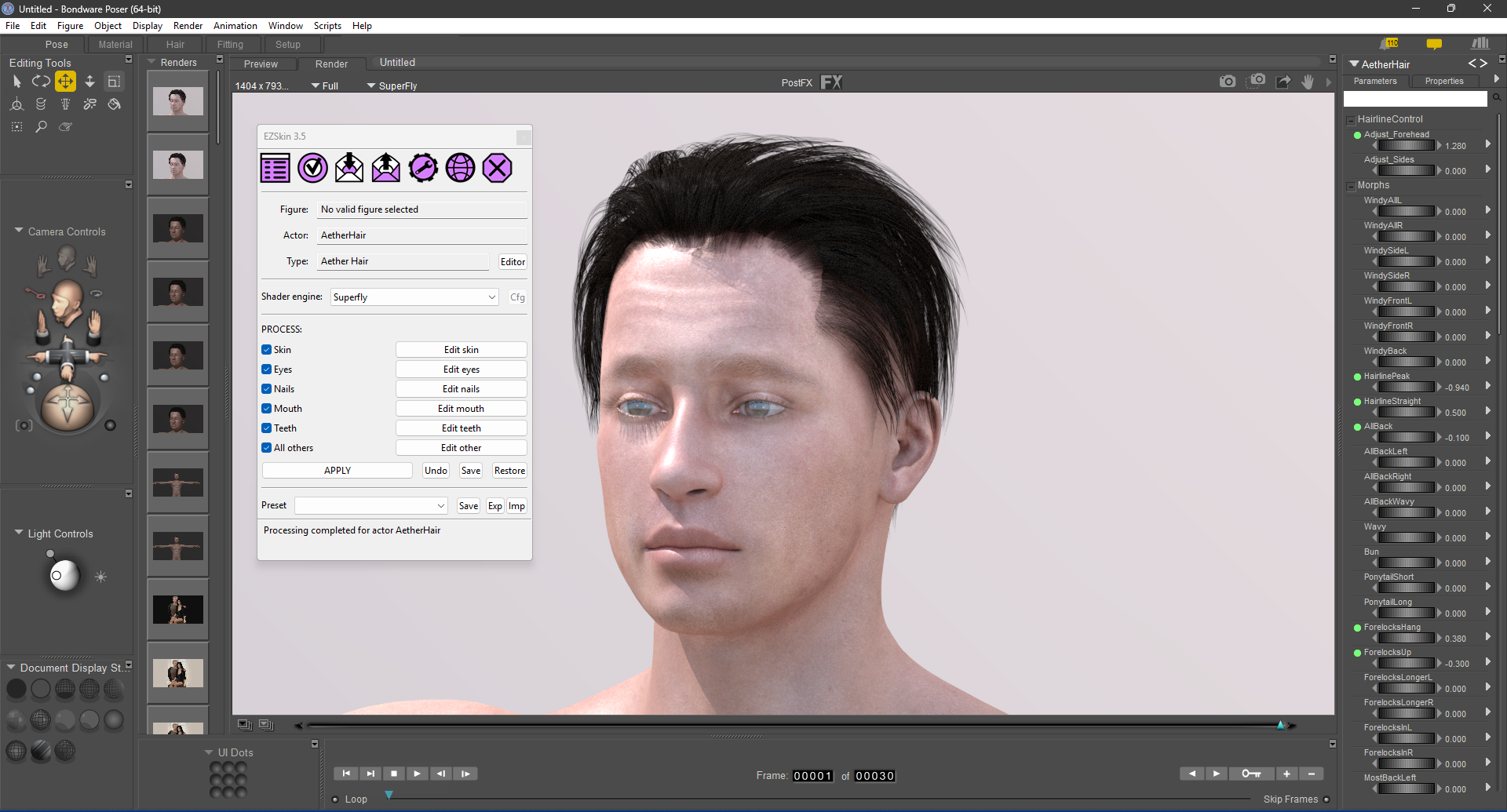
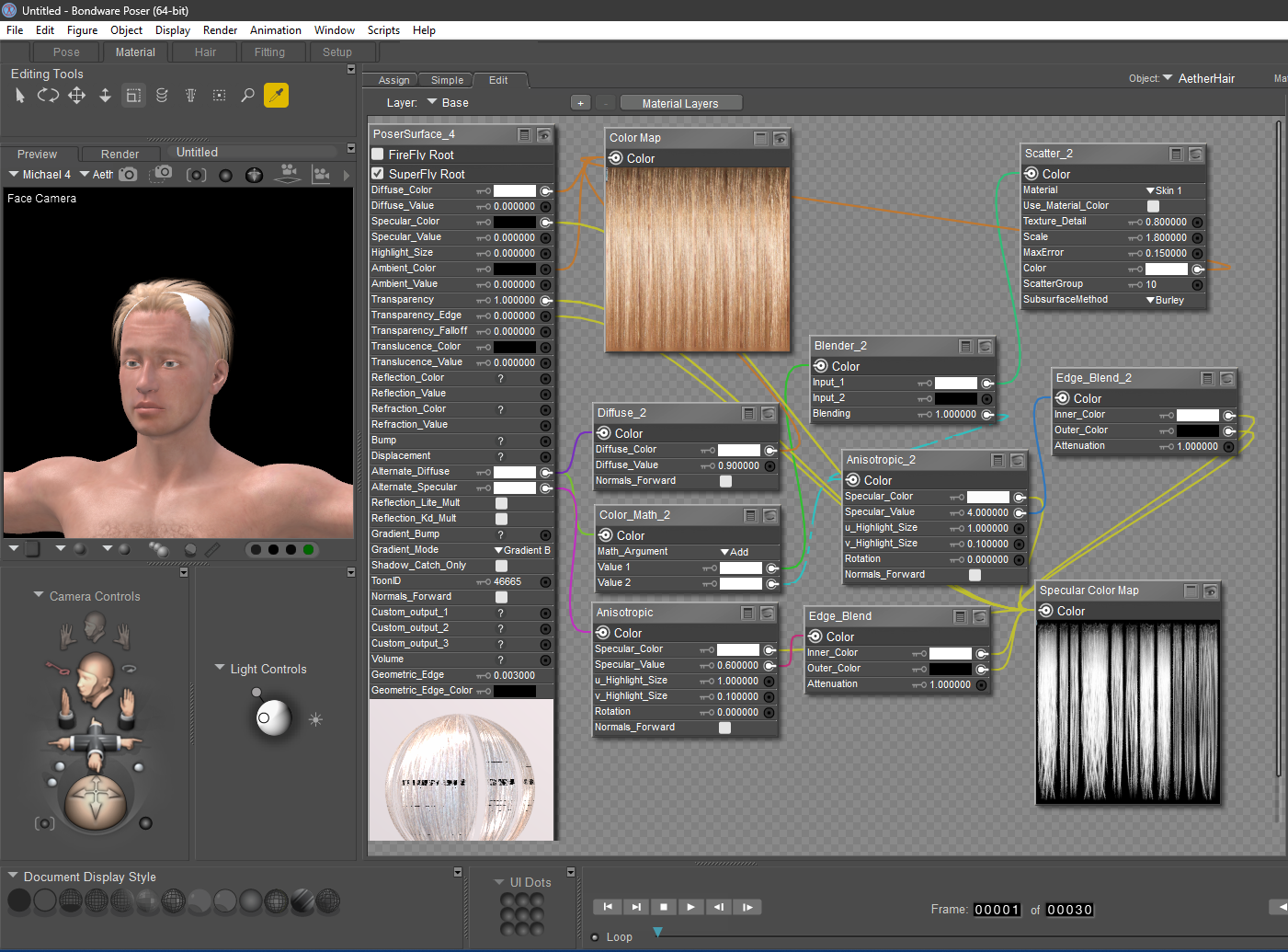
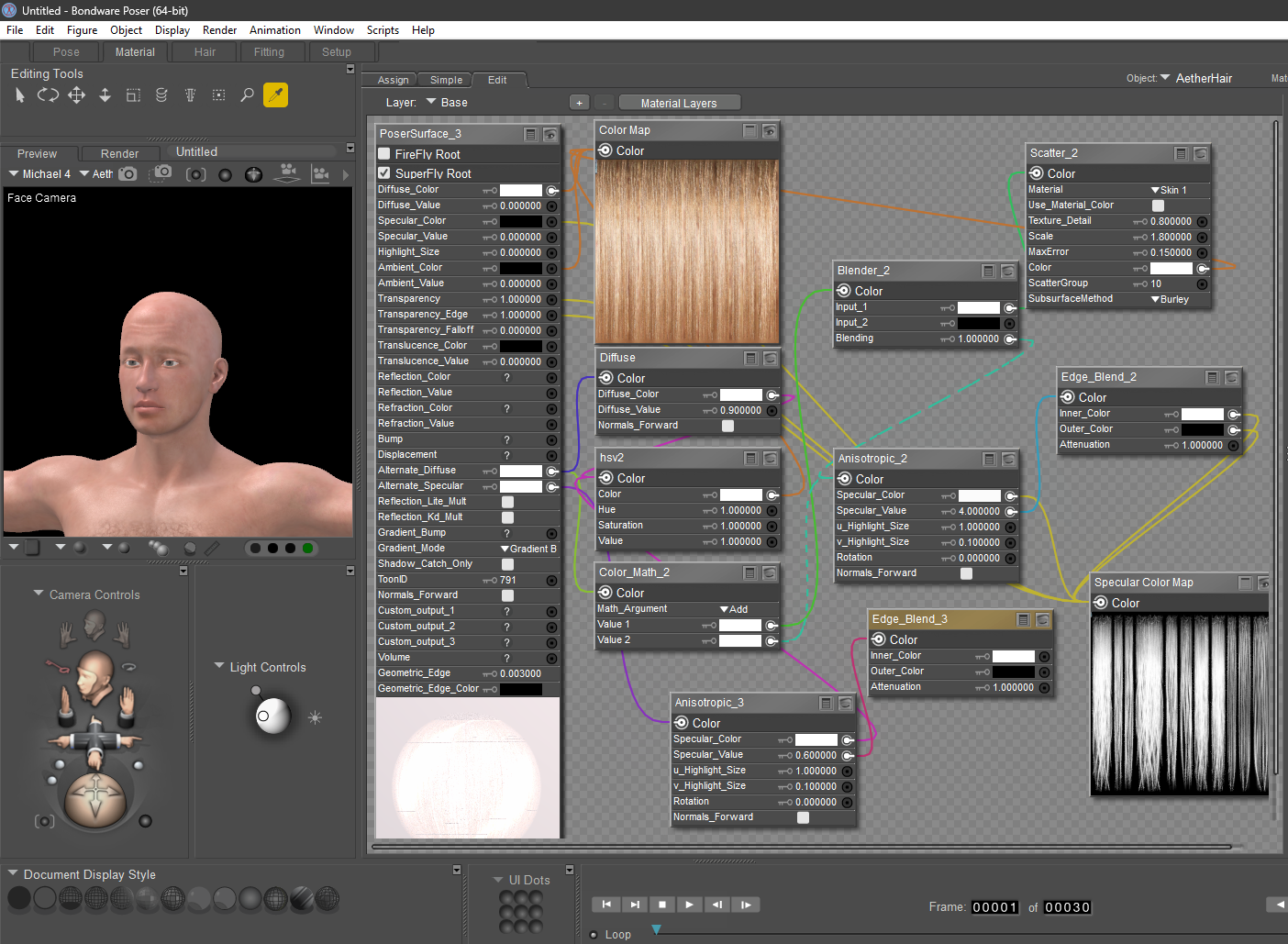
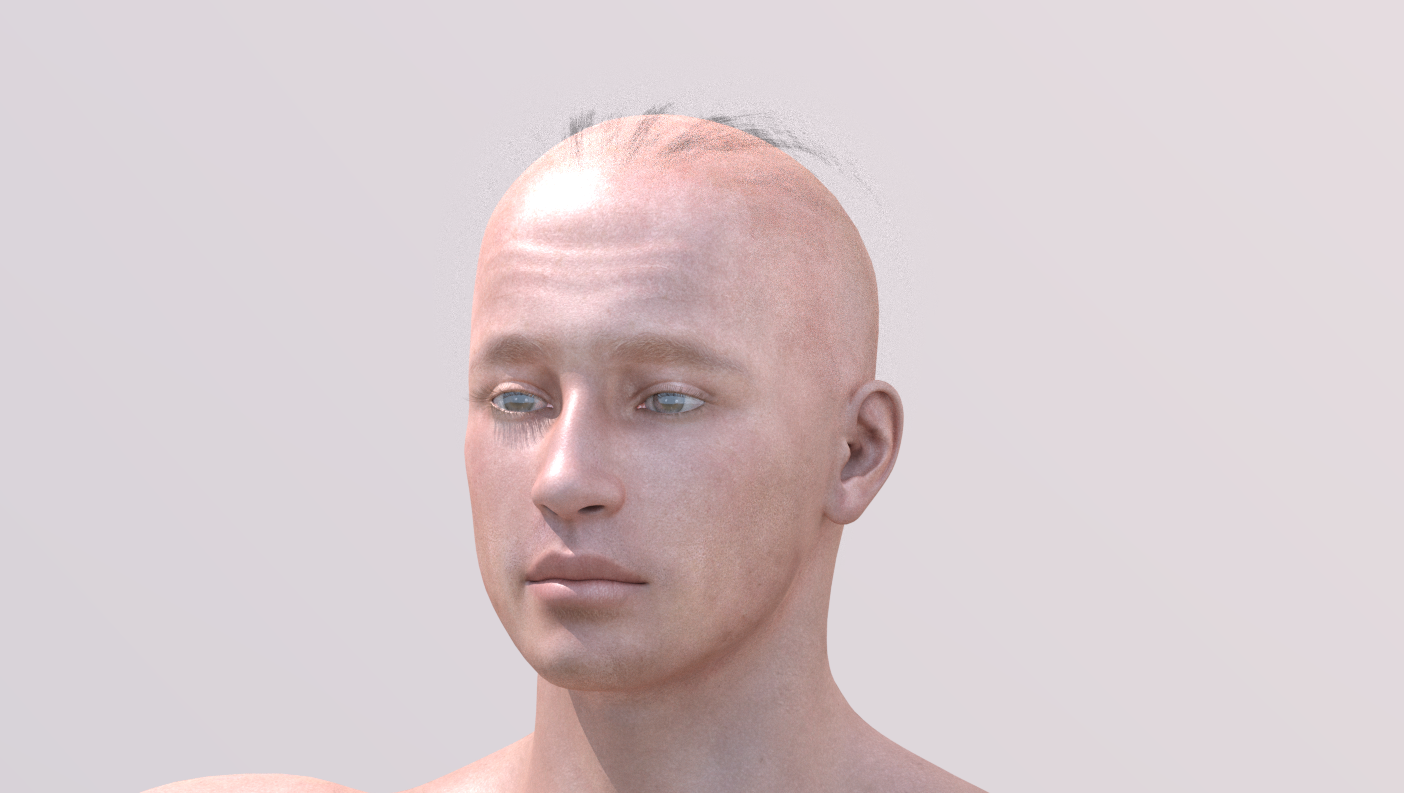
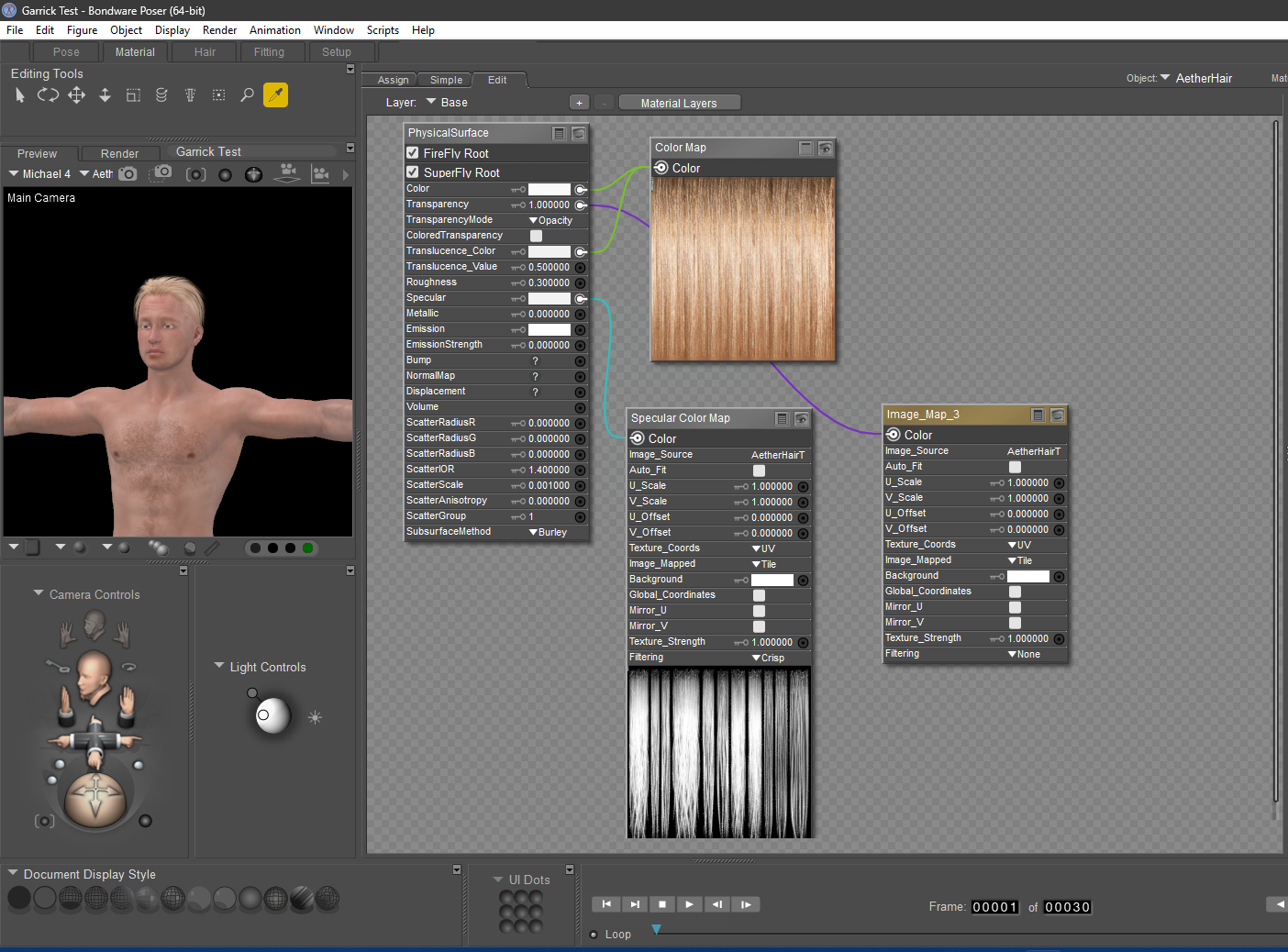
The top image is what Garrick's hair looks like when rendered in Superfly right out of the runtime. I've included the hair shader in the second image. Color Math 2 and Anisotropic 2 are problematic. But I've applied the updated hair shader from EZ Skin in the third image, which doesn't look any different than the second one. Immediately, Garrick's hair disappears. When rendered, it looks like the image on the bottom.
Good grief!
I can't imagine how frustrating this would be for a beginner!
Here are 2 quick renders; the first has no AO, and the second has AO.
The last image contains the additional nodes for ambient occlusion. Distance controls the spread of the occlusion. The DiffuseBsdf node changes the color of the shadows. The shaders are based on EZSkin.
If you are using the PhysicalSurface node for Superfly, I have also worked out the shaders nodes to create a rough AO map. It is not perfect, but it does the job.
I take it you're setting up the shader in the Material room? I don't know how to do what you've shown here.
Sorry! You're illustrating something that is over my head.
Unfortunately, older content may not translate easily from Firefly to Superfly. It will involve getting acquainted with the Material Room to elevate your renders more realistically. That arrangement in the last post was taken from Blender.
You mentioned that her cleavage was glowing. That is not the lack of ambient occlusion; she has an active emission channel. I bet if you turn off all the lights and render, you will see her light up.
Unfortunately, older content may not translate easily from Firefly to Superfly. It will involve getting acquainted with the Material Room to elevate your renders more realistically. That arrangement in the last post was taken from Blender.
You mentioned that her cleavage was glowing. That is not the lack of ambient occlusion; she has an active emission channel. I bet if you turn off all the lights and render, you will see her light up.
It's a matter of degree. I've used Superfly exclusively since it first came out, and went through the laborious task of converting all of my characters (and their hair) to using the new shader trees. Now, some of those aren't working. It should be a relatively easy fix, once I figure out what to do.
The only time I've used Cycles as a skin shader is when I've used Snarly's wet skin shader. Aside from that, everything else has worked well in Superfly.
And no, when I turn all the lights off, she does NOT glow. I've been through her torso skin shader several times. I can't figure out what to shut off, aside from turning down the BLINN reflectivity settings. This problem is worse when the light is behind her. It's as if it penetrates her skin, and the light emission calculations have it bouncing around on skin that is in close proximity.
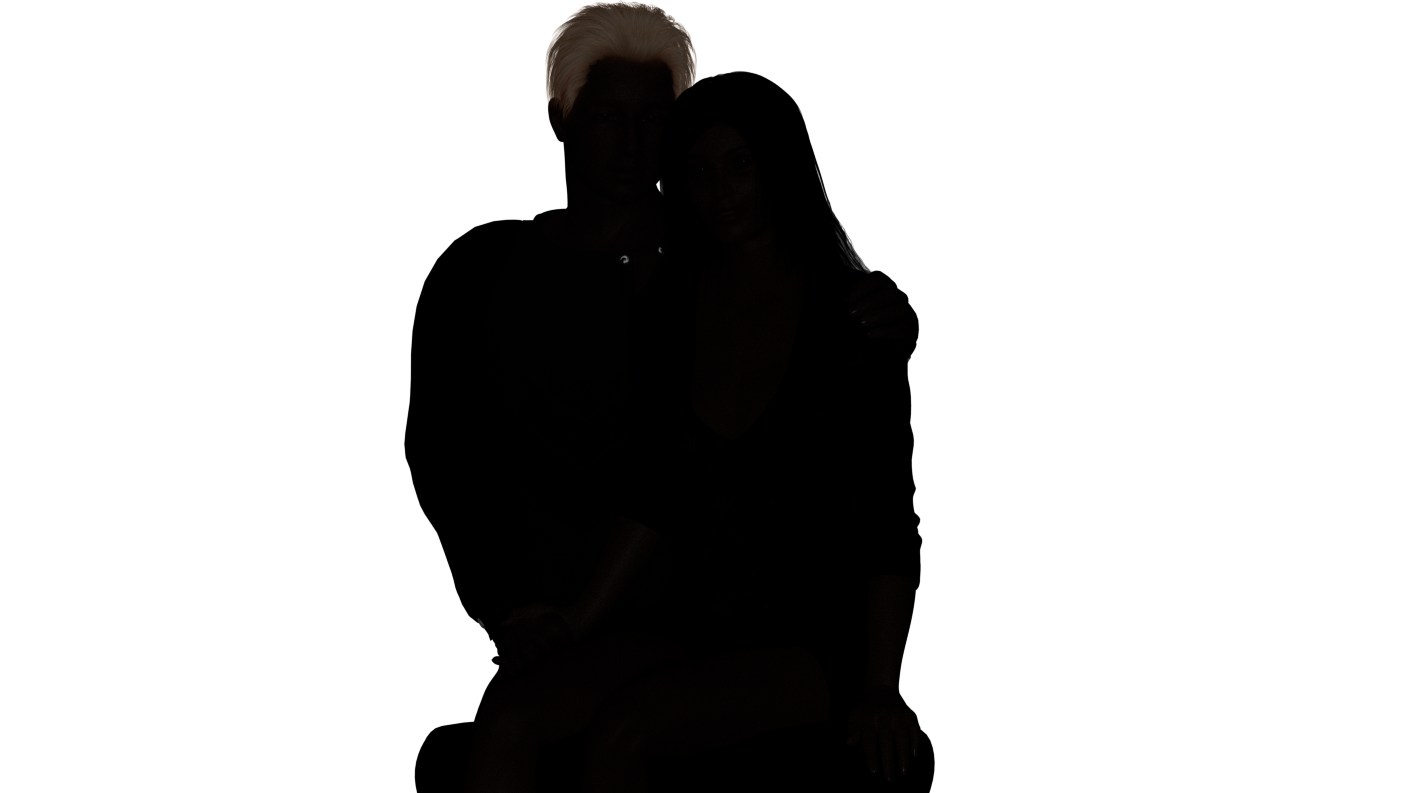
Again, my issues are with materials based on the Posersurface root node. I had made tweaks that rendered well in P13 but when I load the models into P14 some of those materials simply don't render. AO doesn't enter into it since these tweaked Firefly materials don't have an AO channel (that I know of).
I still haven't made time to go back to P14 to mess with those materials to see if I can get them to render as they did in P13. I'd like to figure that out as backward compatibility has always been important since I use a lot of legacy material.
Molly
I still haven't made time to go back to P14 to mess with those materials to see if I can get them to render as they did in P13. I'd like to figure that out as backward compatibility has always been important since I use a lot of legacy material.
Molly
You and I both!
I did not see this before. For Superfly rendering, use the PhysicalSurfce node to plug all your maps into. IMHO, the EZSkin hair module should be completely rewritten. It does not reflect the Superfly render engine. Note the image below; the nodes with Xs through them should be taken out; they serve no purpose. There shouldn't be any SubSurfacescatter in hair. I also noticed that both Transparency channels are active, making the hair invisible in the render. The additional Diffuse node is wrong for Superfly and will add more light to the hair; it will glow in the darkness.
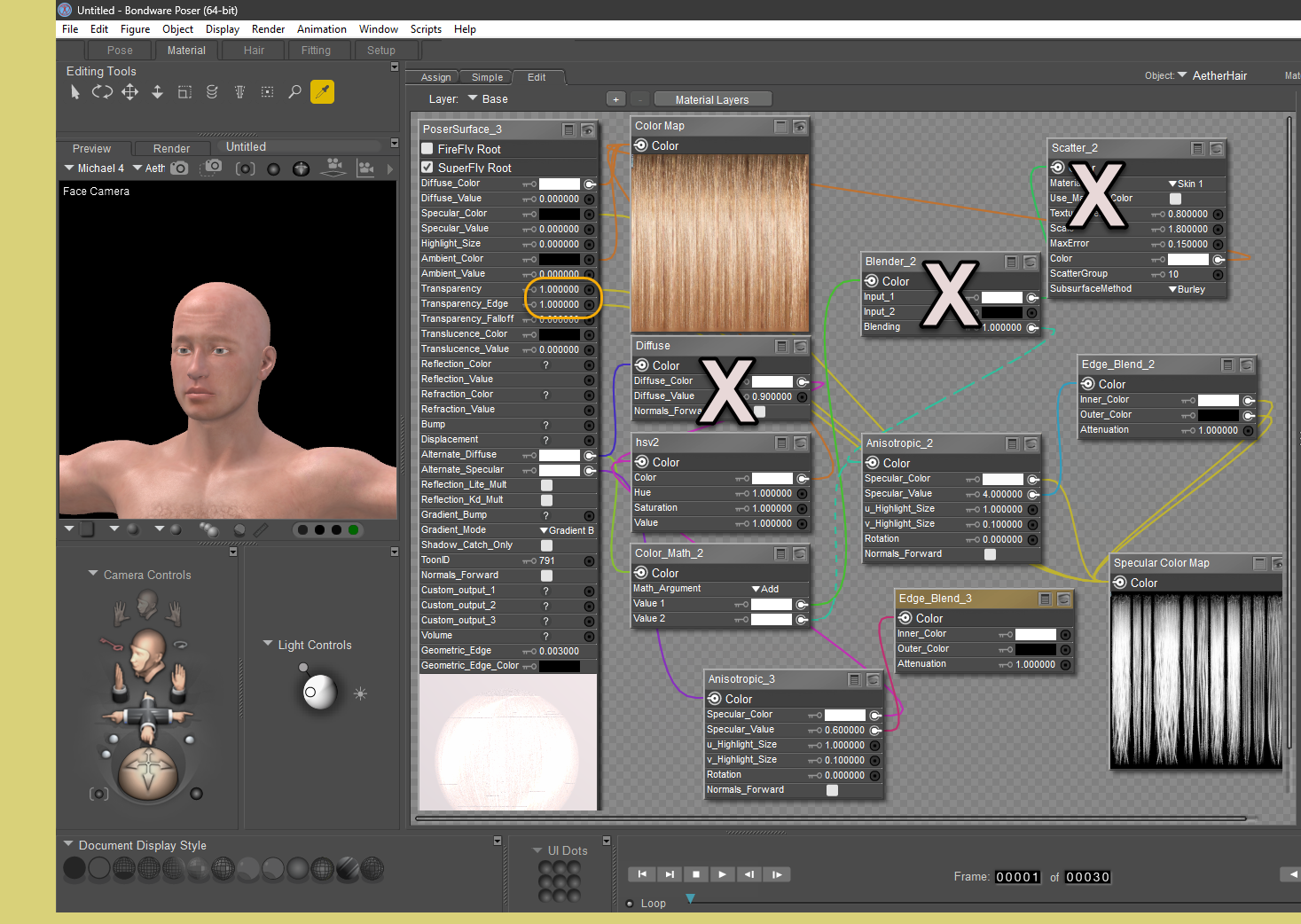
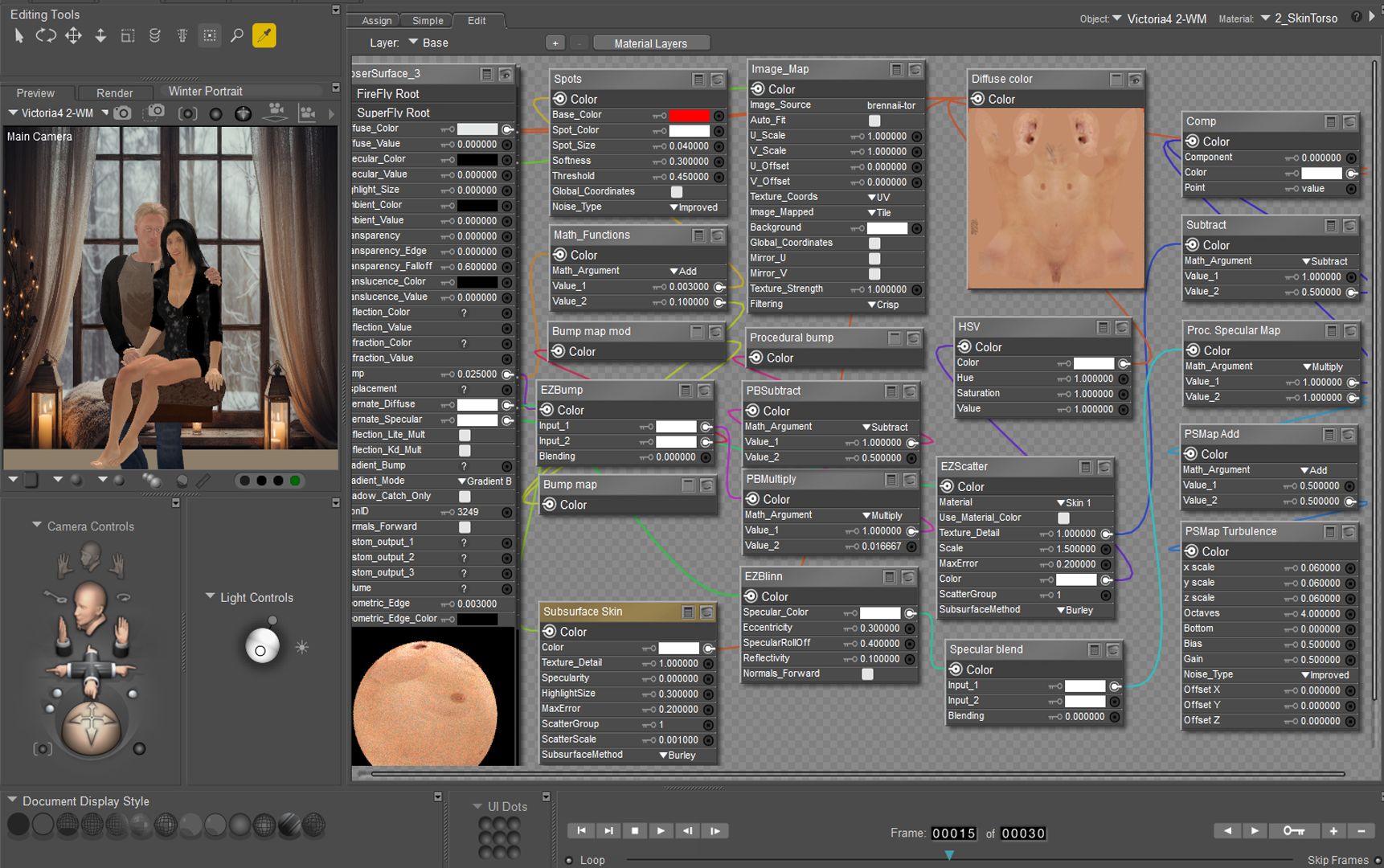
I did not see this before. For Superfly rendering, use the PhysicalSurfce node to plug all your maps into. IMHO, the EZSkin hair module should be completely rewritten. It does not reflect the Superfly render engine. Note the image below; the nodes with Xs through them should be taken out; they serve no purpose. There shouldn't be any SubSurfacescatter in hair. I also noticed that both Transparency channels are active, making the hair invisible in the render. The additional Diffuse node is wrong for Superfly and will add more light to the hair; it will glow in the darkness.
This is VERY helpful! Thank you!
:)
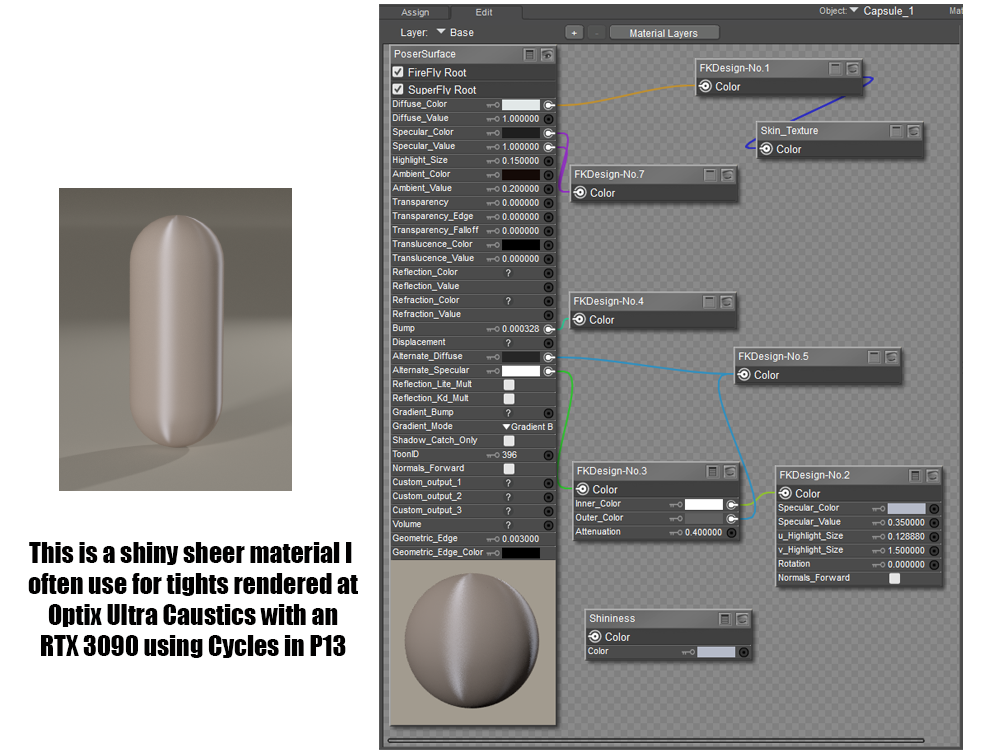
I am familiar with EZSkin, and I have to say that this configuration is outdated. If you intend to use subsurface scatter, the subsurface method at the bottom of the node is incorrect. It should be set to Walk Fixed for it to function properly. This is the reason why I am stressing simplicity and efficiency. Unfortunately, it means relearning Poser and how to interact with the Material Room.
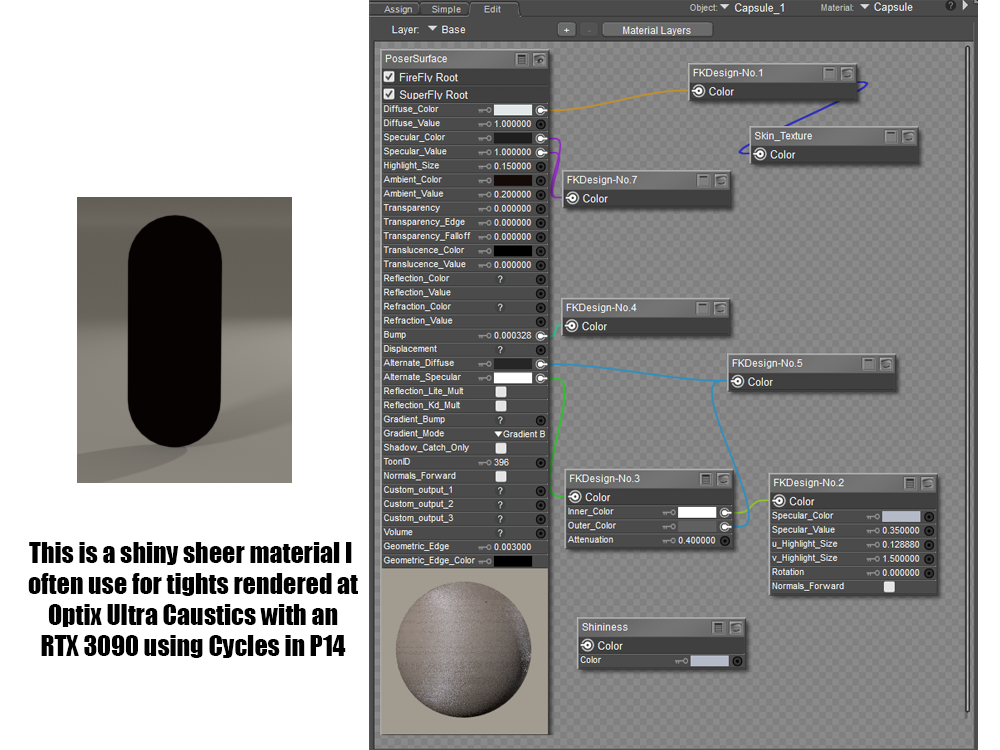
Change the Alternate_Diffuse to a lighter color and set the Diffuse_value and Specular_value to zero and rerender.In the first image you will find a simple example of a material I often use for tights on my characters in P13 rendered with Superfly.
Here is the same material example with the same settings in P14 rendered with Superfly.
I'm grateful that you are interested in helping but this kind of illustrates my concern. Materials that used to render without problem will now need to be tweaked. Of course, if the tweak were easy and the results tons better I'd be willing to go to the trouble for the hundreds of materials that might be effected.
Here's the other bit of bad news (render settings unchanged):
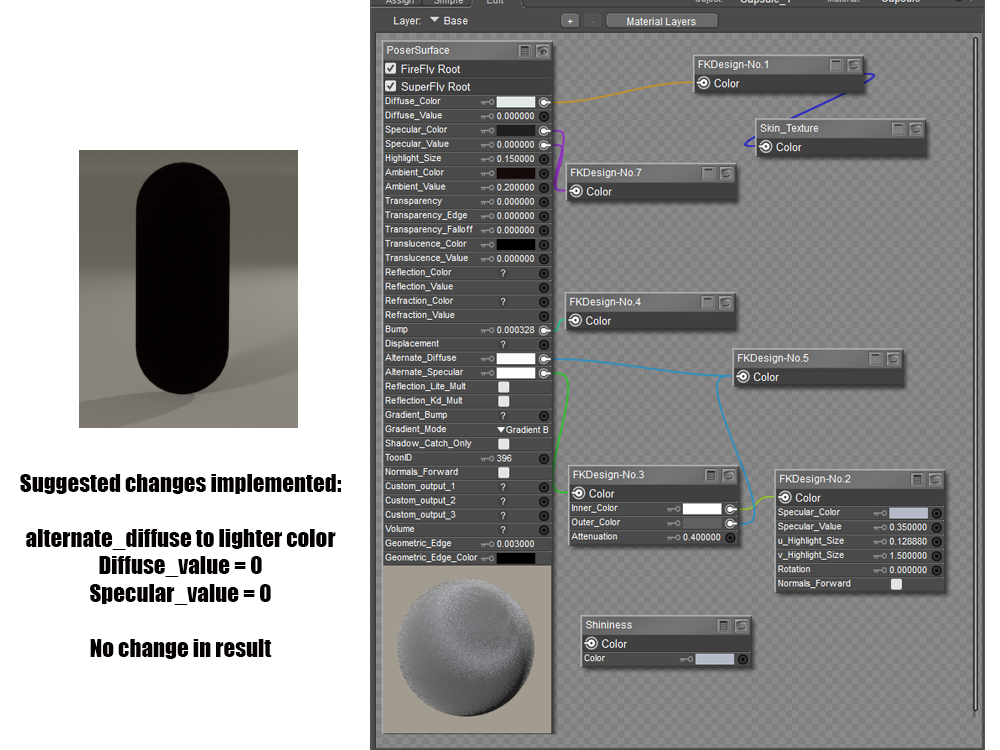
The material is a tweaked version of FK Sheer Essential materials. I often use it as a second layer which when made partially transparent gives a very nice effect as shiny tights. I can dig up other Firefly materials that I tweaked and now render very nicely in P13 that give this result. I know that these are obsolete materials but it makes little sense for me to begin retweaking all of them just to make them work in P14 at this point.
All that said, I happily paid for P14 in the hopes that work will continue and future releases might have a bit better legacy compatibility or some other feature that makes rebuilding so much of my library worthwhile. It occurs to me that offering a ton of legacy material isn't worth as much if it needs serious tweaking to be useable with the state of the art rendering engine. =(
Molly
All that said, I happily paid for P14 in the hopes that work will continue and future releases might have a bit better legacy compatibility or some other feature that makes rebuilding so much of my library worth while. It occurs to me that offering a ton of legacy material isn't worth as much if it needs serious tweaking to be useable with the state of the art rendering engine. =(
Molly
I hear you. I'm frustrated, and at this point, feel like I've thrown $100 USD away. It will be easier to stick with P13 for rendering until these issues are sorted. Not everyone has the time, energy, or inclination to completely re-texture everything we've used in the past -- especially for a render engine that's not producing appreciably improved results. My son keeps telling me to abandon Poser altogether and learn a new program, like Maya, Blender, Character Creator, Unity or Unreal Engine. He says, "If you're going to have a learning curve, why not learn on a program that offers more flexibility and professional-appearing results?"
It's hard to argue with that logic.
I appreciate your help. Thank you!Put in a tech support request about it; something may have been broken in the new version or, at worst, fixed. If I had those files somewhere in my archives, I would take a look at how they render and figure out the problem. Submit a report. Let me know if you need anything else.

MollyFootman posted at 4:11 PM Tue, 9 December 2025 - #4502137I absolutely agree. I figured out P13, it is stable, it has a great Superfly version with the option to use Physical Surface or Cycles. The yanking out of the Clothes Room killed all my desire to have P14 until there is something else. The Cycles nodes they added and changed make it yet again necessary to mess with ALL previous shaders while they did not offer a method/ tutorials/ alternate shaders with new version AT ALL. This is what kills me. Had they offered some sample P14 materials or a simple tute on how to solve for new Cycles...but there is nothing.All that said, I happily paid for P14 in the hopes that work will continue and future releases might have a bit better legacy compatibility or some other feature that makes rebuilding so much of my library worth while. It occurs to me that offering a ton of legacy material isn't worth as much if it needs serious tweaking to be useable with the state of the art rendering engine. =(
Molly
I hear you. I'm frustrated, and at this point, feel like I've thrown $100 USD away. It will be easier to stick with P13 for rendering until these issues are sorted. Not everyone has the time, energy, or inclination to completely re-texture everything we've used in the past -- especially for a render engine that's not producing appreciably improved results. My son keeps telling me to abandon Poser altogether and learn a new program, like Maya, Blender, Character Creator, Unity or Unreal Engine. He says, "If you're going to have a learning curve, why not learn on a program that offers more flexibility and professional-appearing results?"
It's hard to argue with that logic.
hborre, I understand that because you are saying it and it's great that you're still here and helping so generously--is that marked anywhere in P14's documentation? Should it be a completely different program's documentation a program is referring to instead of re-editing its own?Rhia, the Blender manual is your go to.
So, with the help of my husband (who has been helping me with this whole issue) I have put together and submitted a support ticket. If I learn anything useful about how to use legacy materials in P14 I will post here. =)
In the meantime, I'll fiddle with P14 a bit but will be using P13 for any serious work. =P
Again, I happily paid for my copy of P14 so that they keep up development... fingers crossed for future releases! ;-)
Molly
Here is the link for the Principle BSDF node, which has undergone the most significant change in Poser 14.
https://docs.blender.org/manual/en/latest/render/shader_nodes/shader/principled.html
I have gone through the settings to get an understanding of what each feature can do. You can download the Blender 5 manual from their site and keep it handy.

I suspect the problem emanates from the anisotropic node. Cycles removed that node from the latest version of their render engine. Instead they use the Glossy node to perform both normal gloss and anisotropy.
We setup SuperFly to automatically replace the legacy anisotropic node the new implementation. Basically we just plugged the old connections into the new node. The intent was to not break all the shaders that used the Cycles anisotropy. Clearly we missed something. The test cases we were using didn't fail.
I've responded to the support tickets submitted with this as well. Now we have to fix what Cycles broke.
I took a good look at the arrangement and ran a very simple render comparing the Anisotropic and the Anisotropic BSDF nodes. They behave very differently when connected to the PoserSurface node and rendered in Superfly. I added the Edge_Blend node and rerendered the scene; I observed a slight change in difference. Now, I recalled Bagginsbill stating that the Edge_Blend node was a hack for simulating Fresnel before there ever was a Fresnel node. I replaced the Edge_Blend node with the Fresnel_Edge node and rendered. I discovered that the renders exhibited the same effects except the Anistropic BSDF node was stronger under similar conditions. My takeaway from this little experiment is to replace Cycles node as much as possible when adhering to the legacy PoserSurface node shader setup. Otherwise, results will vary.I suspect the problem emanates from the anisotropic node. Cycles removed that node from the latest version of their render engine. Instead they use the Glossy node to perform both normal gloss and anisotropy.
We setup SuperFly to automatically replace the legacy anisotropic node the new implementation. Basically we just plugged the old connections into the new node. The intent was to not break all the shaders that used the Cycles anisotropy. Clearly we missed something. The test cases we were using didn't fail.
I've responded to the support tickets submitted with this as well. Now we have to fix what Cycles broke.
Okay, here we go . . . .
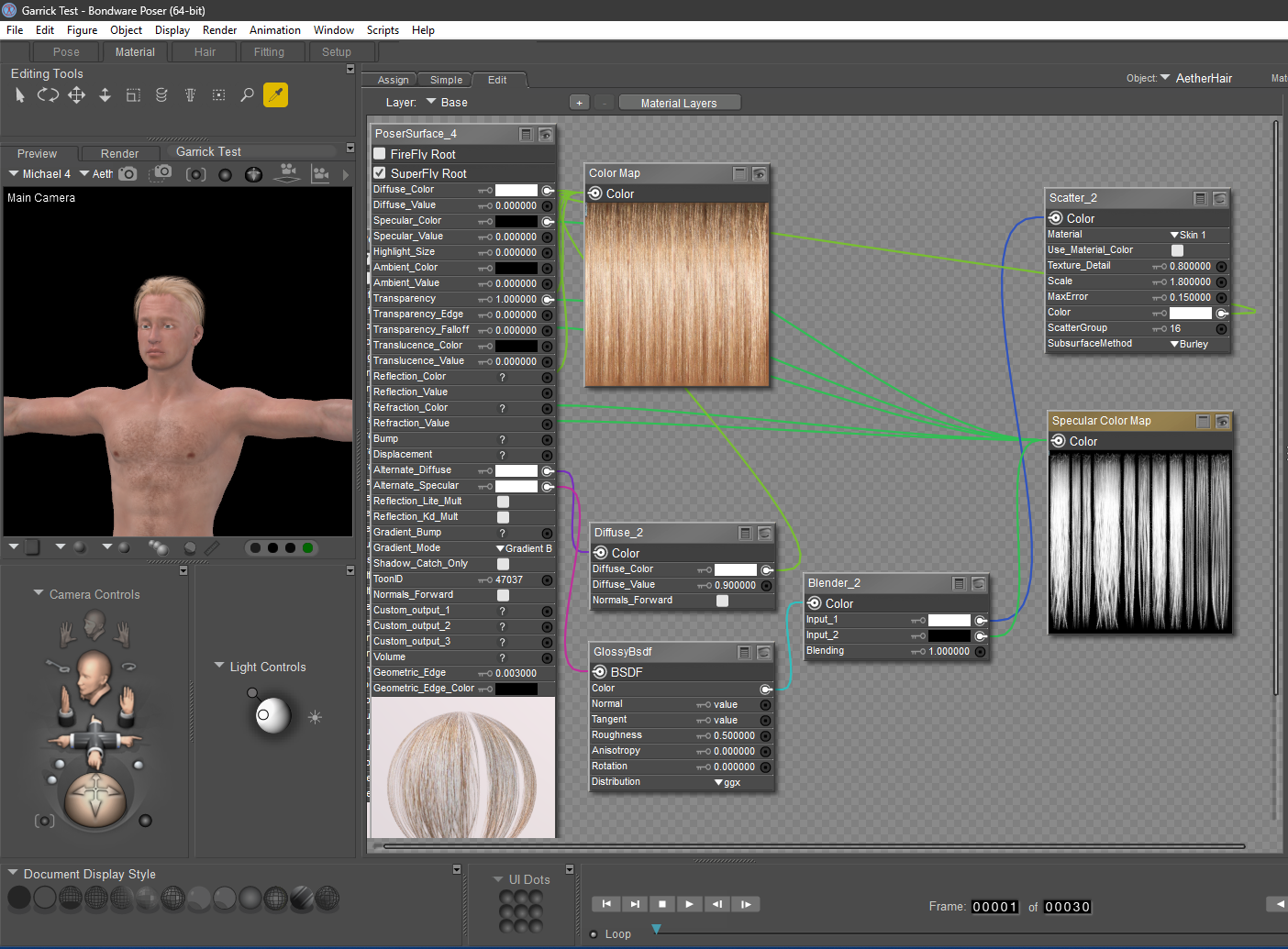
As mentioned previously, hborre accurately diagnosed the issue. Mr. Taylor at Poser Support, recommended replacing the Alternate Diffuse Node to Glossy BSDF, which I have done in the modified shader for Aether Hair. It's not QUITE the right color, and it's not shiny enough, but I'm sure someone here will recommend a change that will make a difference.
Thank you ALL for contributing to my knowledge.
:)
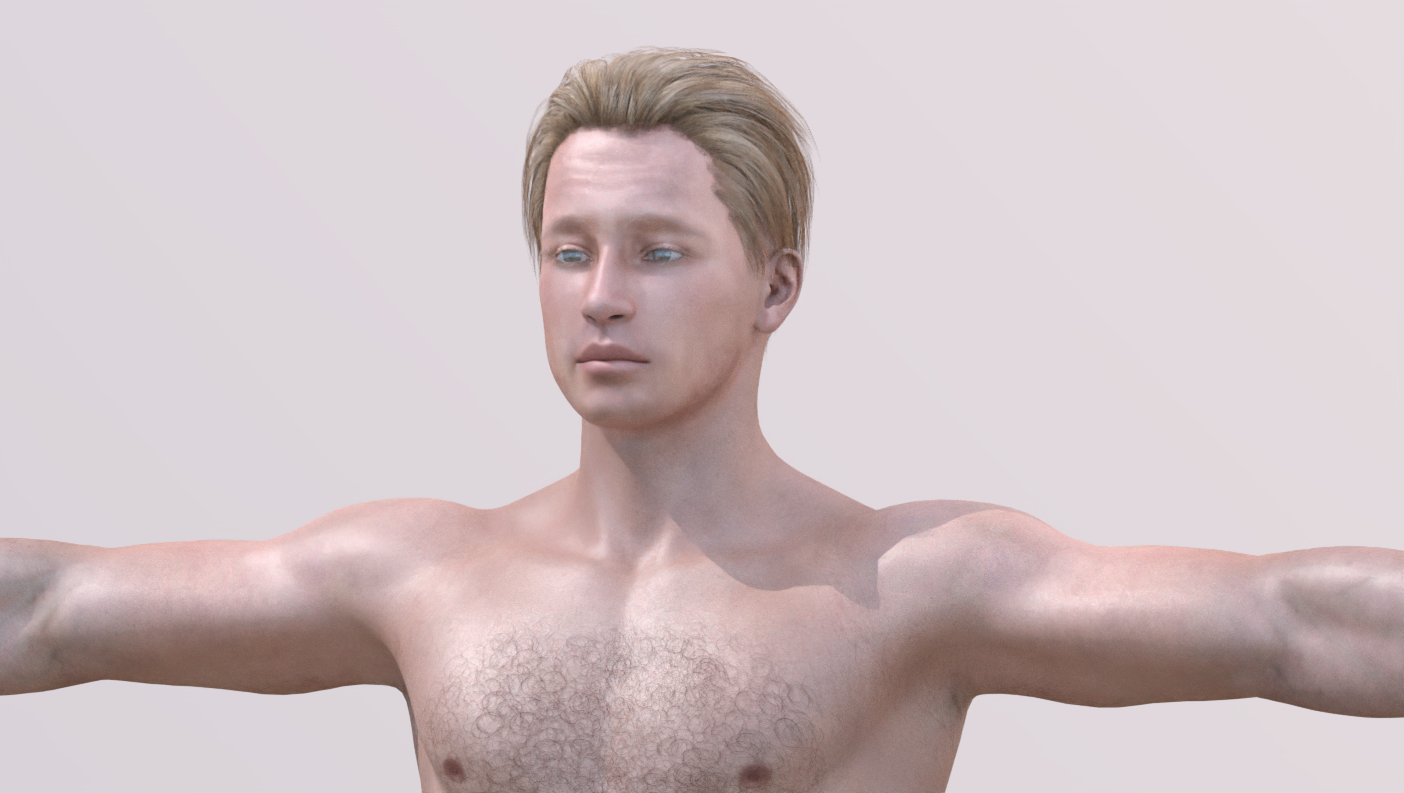
The GlossBsdf node is not working because you have a Scatter node mixed with your Specular Color map. The Scatter node is predominantly a diffuse-oriented node and shouldn't be plugged into any specular connector; they are incompatible. What you see working is the Alternate_Diffuse channel.
My recommendation: remove both the Scatter and Blend nodes and rerender. You should see a difference. However, realistically, hair is never that shiny under normal lighting conditions. You would like some specular highlights, but I have a suspicion the node will be too overpowering.
I took a closer look at this arrangement again, and it will not work. The GlossBsdf node is too strong for the PoserSurface node; the render will glow like a Christmas tree. I will give you a better alternate. It means replacing the PoserSurface node with the PhysicalSurface node, but it will give you a better result.
The GlossBsdf node is not working because you have a Scatter node mixed with your Specular Color map. The Scatter node is predominantly a diffuse-oriented node and shouldn't be plugged into any specular connector; they are incompatible. What you see working is the Alternate_Diffuse channel.
My recommendation: remove both the Scatter and Blend nodes and rerender. You should see a difference. However, realistically, hair is never that shiny under normal lighting conditions. You would like some specular highlights, but I have a suspicion the node will be too overpowering.
I will give that a try. Thank you!
hborre posted at 12:17 PM Fri, 12 December 2025 - #4502233
When I performed the recommendations in your first comment, the results reflect what you've written in your second comment.I took a closer look at this arrangement again, and it will not work. The GlossBsdf node is too strong for the PoserSurface node; the render will glow like a Christmas tree. I will give you a better alternate. It means replacing the PoserSurface node with the PhysicalSurface node, but it will give you a better result.
:)
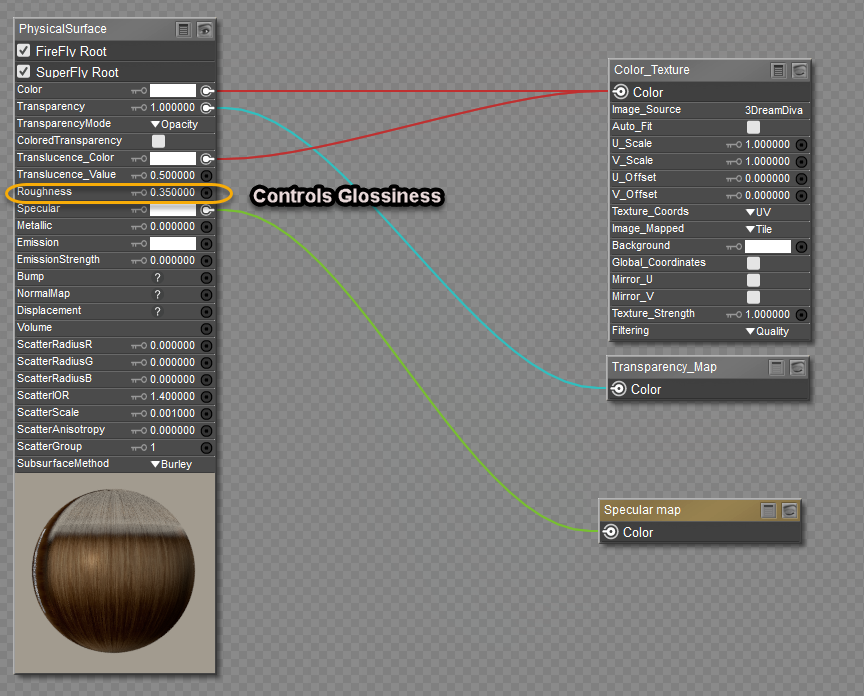
This is very helpful and MUCH simpler! Thank you!
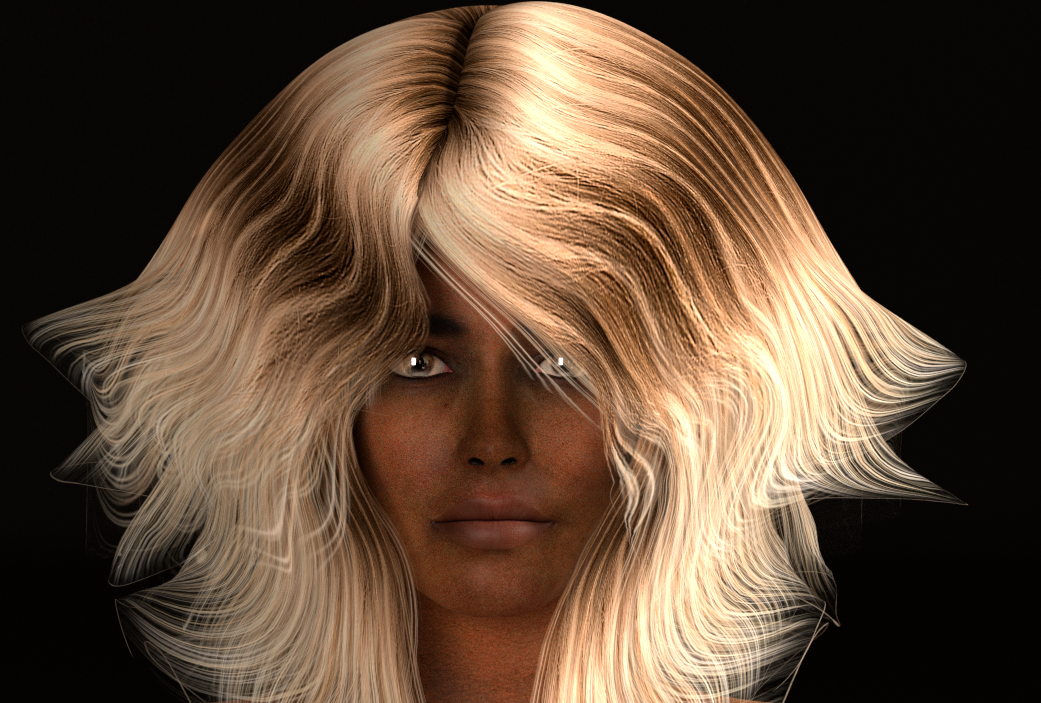
Apparently, this can be taken further, so that hair at the roots is a bit darker than hair on the ends. The other thing I like about it, is that it may be possible to make hair appear unwashed with relative ease. It's always bugged me that renders with characters who are otherwise dirty, have hair that looks like it just came out of the salon.
:)
hborre posted at 3:28 PM Fri, 12 December 2025 - #4502240
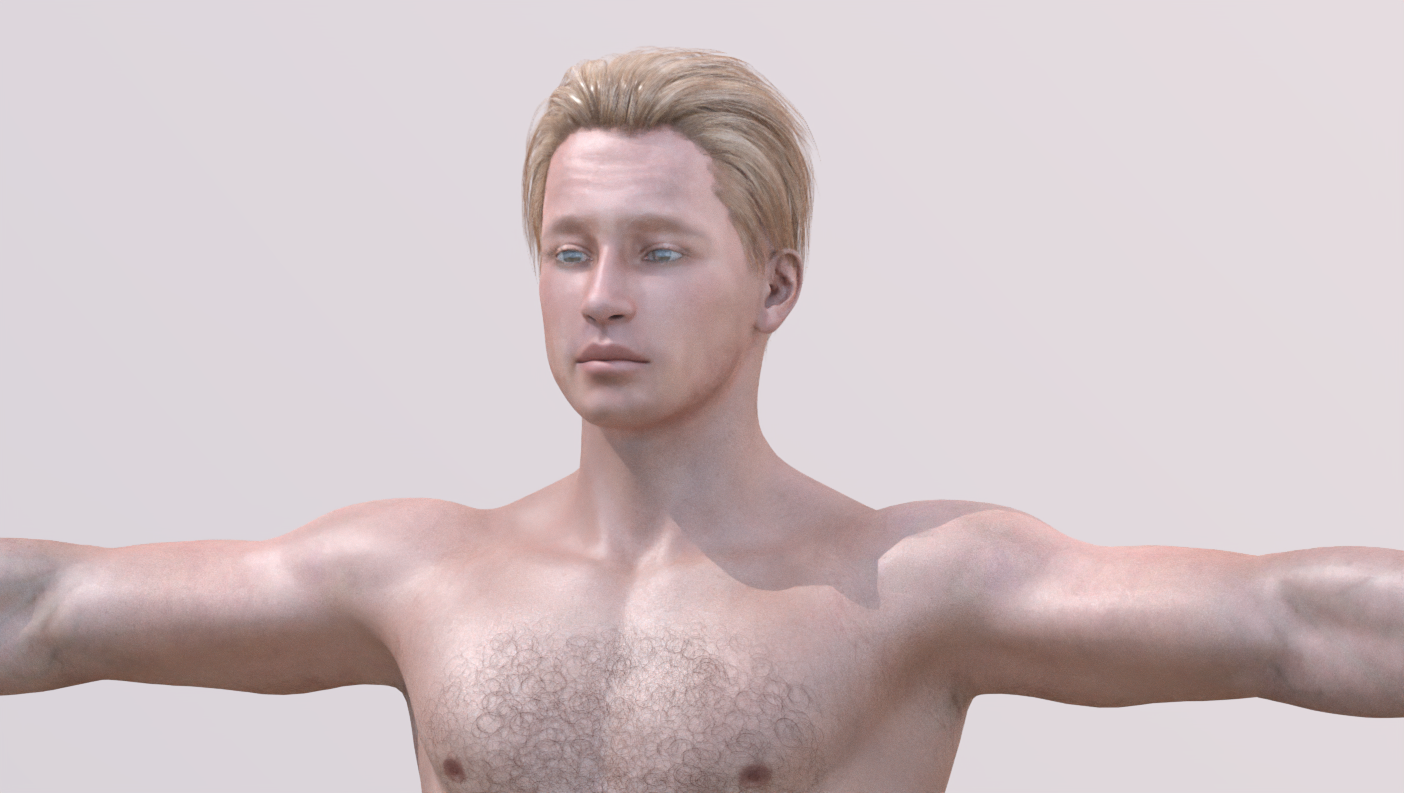
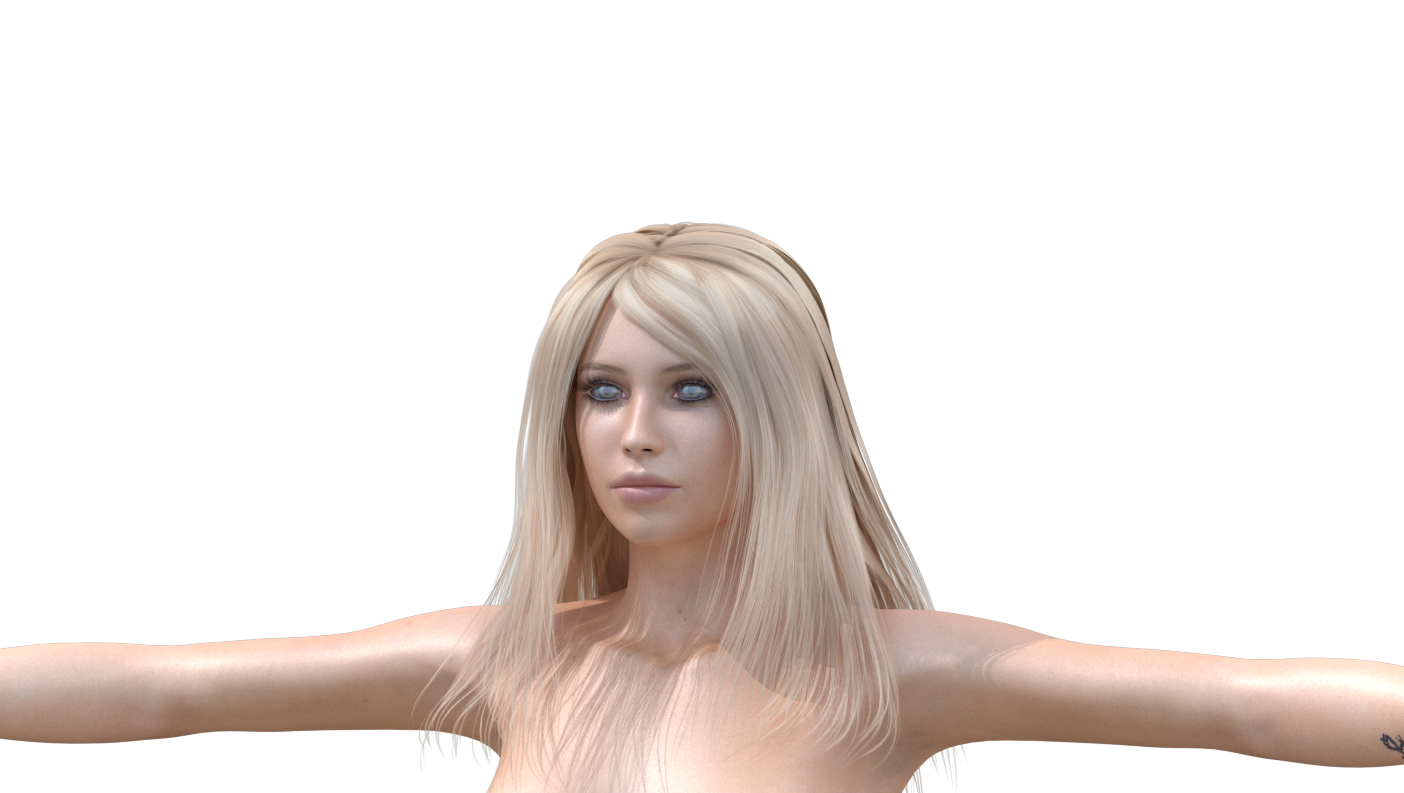
I'm learning that this is true. Here is Astrid, another of my major blonde-haired characters. She uses Kiri-Te hair, and with this modification, I think her hair renders better than it EVER has. Now, to be fair, I can see horizontal streaks on the top section which probably result from using the Pallene Hair color on this hair prop. Ghostship's shaders are complex (I've used them), and involve splitting the horizontal from the vertical strands. I suppose I could figure out a hack for that, but I general don't render this figure up close, and this will probably do for now.Yep. If you understand how the shaders are composed, making educated edits can simplify the process. TBH, some authors think they know what they are doing and are relying on dated hacks and tricks. It is worth tearing shaders down to the basics to get a clear comprehension of how they work.
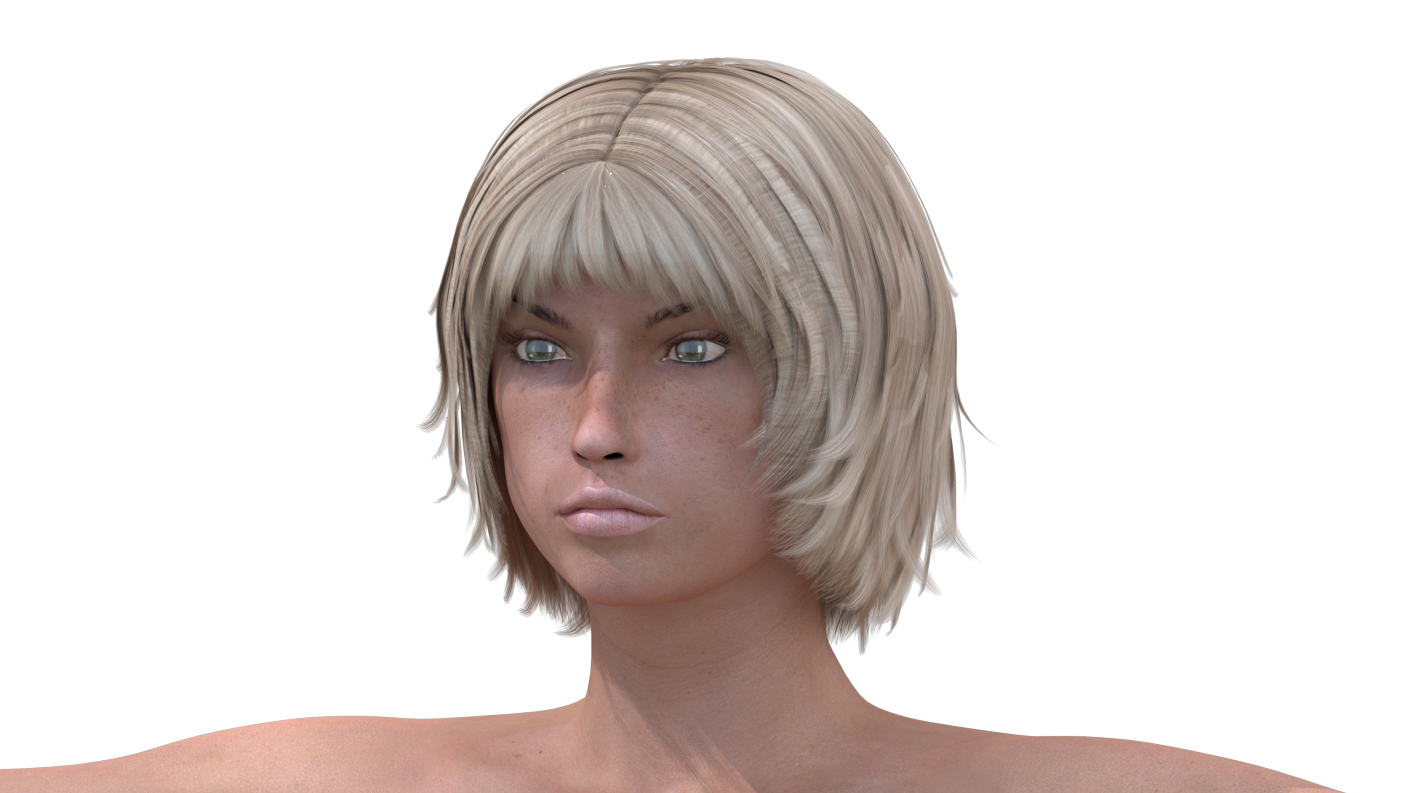

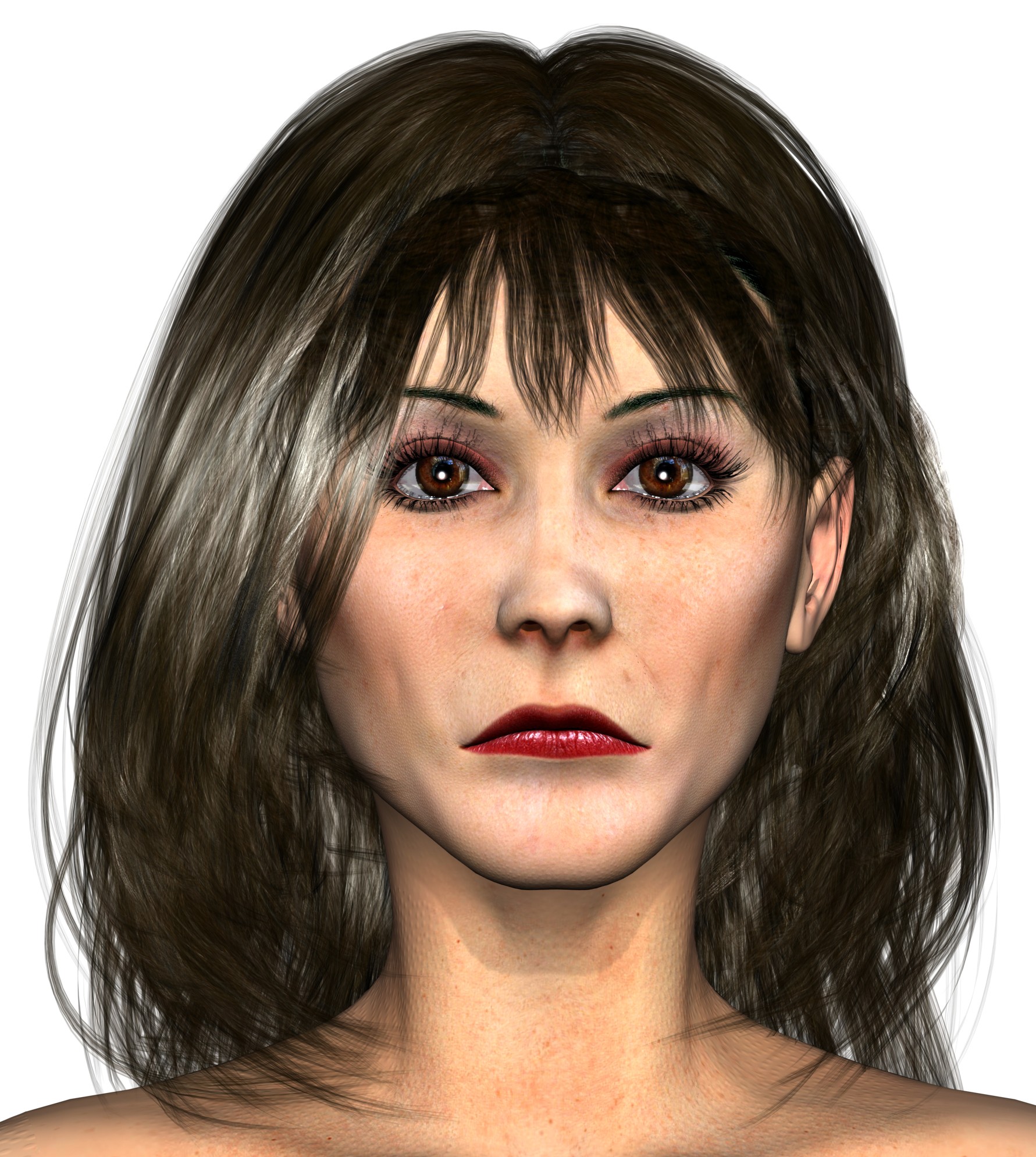
Not to detract from this interesting discussion, but hborre's physical surface configuration works well for those of us still using V4 and firefly renders. This image is a SASHA character with V4 Wild hair, a Biscuit's' cap, and Mandy Hair bangs. The color differentiation is due to my not yet merging all the textures. But that aside, the Firefly render exceeds what I had previously. So, thanks to all who contributed here.
- 1
- 2

Privacy Notice
This site uses cookies to deliver the best experience. Our own cookies make user accounts and other features possible. Third-party cookies are used to display relevant ads and to analyze how Renderosity is used. By using our site, you acknowledge that you have read and understood our Terms of Service, including our Cookie Policy and our Privacy Policy.
Crashing is frequent, and usually related to messing around in the Materials Room, or heavy use of the Morph Brush -- which is necessary, now that we no longer have a cloth room
Oh, and the "easy background" they'd been touting looks like the third image I'm posting here. I can't make it work. The first two images have a transparent background, with the final image layered beneath in Photoshop. The last one is what it looks like "straight out of the box." Please note the "glowing cleavage." This is a feature even with "light emitter" on the torso turned off. I can fix this by adjusting the Blinn settings for the torso, but then it doesn't match the rest of her skin.
Ugh!