
Renderosity Forums / Poser 14

Subject: PoserCloth

The problem with cloth was that it was not easy enough to use. So a lot of people just didn't.Making it dependent on an entirely separate feature that also has the problem that it is too hard to use is clearly not the answer.
The new system needs to be easier than the old system. Part of that is UX and part of that is having the right settings to start with. It's one thing for the user to want to tweak things to improve the result, and an entirely different matter to require them to spend a lot of time experimenting to even get anywhere close. People who have that experience will abandon it.
Dynamic cloth has the potential to solve a lot of problems, e.g., it should in principle make it easier to apply resources for one figure to a different figure. That in turn makes it easier for people to adopt newer, better figures. But it has to be easy to get a good result.
I fully agree with you. I've seen how draping and simulation work in programs like Marvelous Designer, and I don't get why Poser can't be as simple. Bullet physics requires way too much tweaking, and for body parts at least, it's really MUCH worse than simply using a python script. From what I'm hearing here, and what I've seen in the tutorials, this is not going to be a popular solution with most of us who use Poser.
It'll be easier to stick with P13 and the old cloth room, rather than using the new program. Someone earlier mentioned that this may be the death of Poser. I'm not very good at prognosticating, but that outcome seems likely.

One of the reasons I liked to get dynamic cloth items like Tipol, Esha and Frequency's (examples only) was that they allowed us to achieve great results with their vendor-set settings and then you used, say Wolfnom's script for cloth draping for changing the type of fabric and tweaked to great results. I barely had to change anything. They also provided great step by step instructions. Now with this new system (and I repeat myself) we get no pointers, examples of helpers except : 'experiment and figure it out'? Honestly, with all due respect, how is that a help? At least give us a starting point, not to mention, help the vendors out?
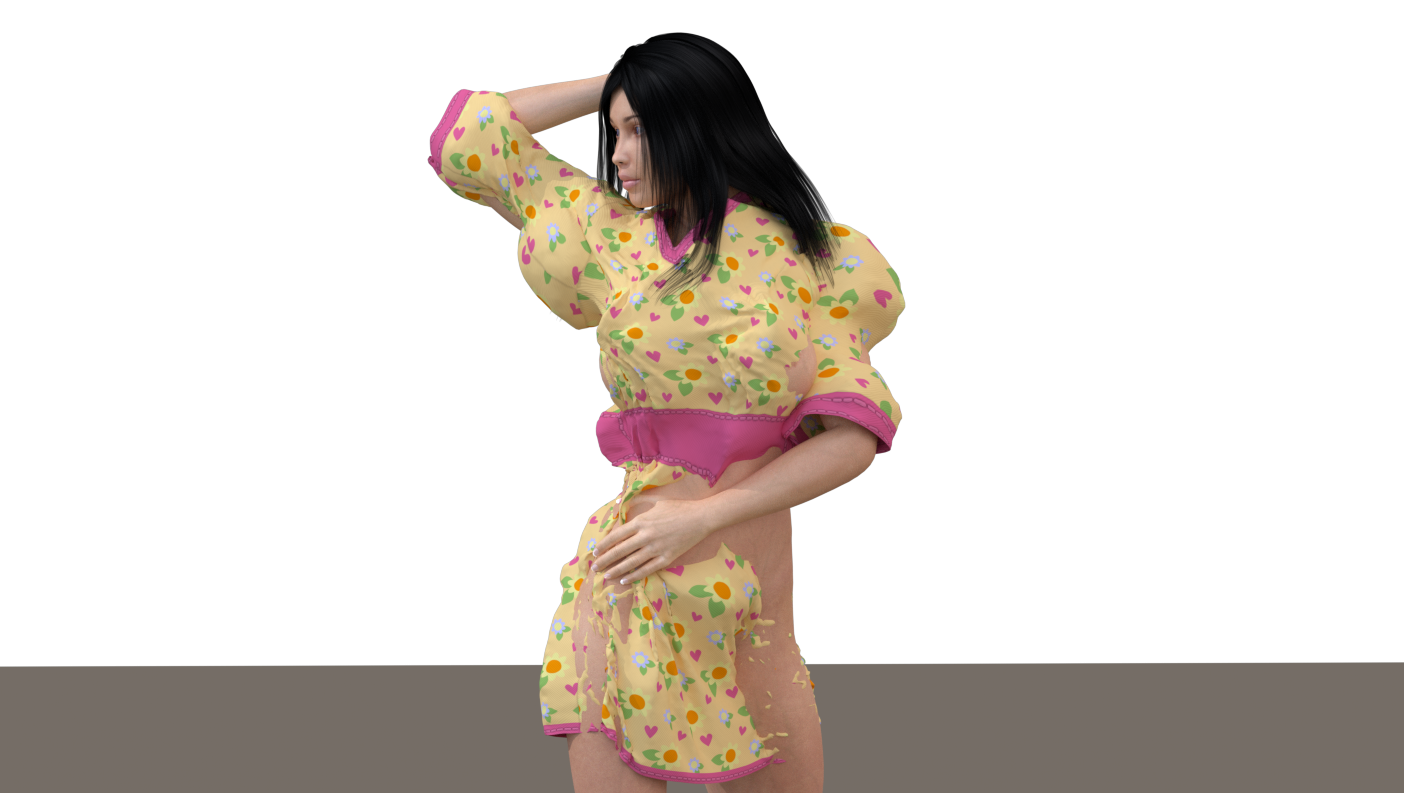
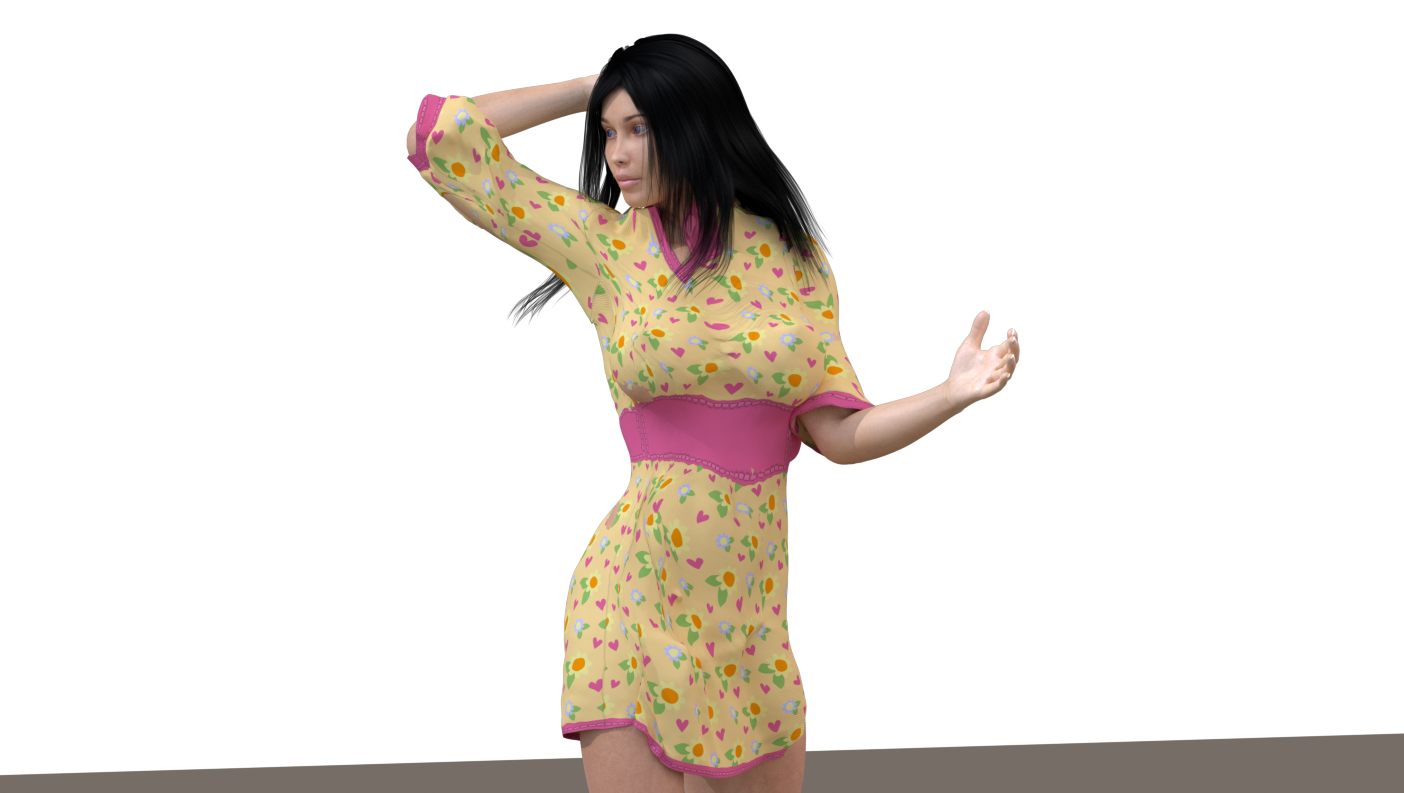


hmm, I have a few versions of poser and would have bought Poser 14 if PoserCloth worked like eg VWD. Usually I use Carrara and VWD.
You might be interested in these experiments with Bullet and cloth Animated Dynamic Clothing Technique (proof of concept) - Daz 3D Forums from 2014.
It's in Carrara but the posts here are starting to look eerily familiar, so could be of interest to someone here.
Admittedly I am sure the Poser 14 iteration is (hopefully) much more advanced than the old Carrara one.
Good luck.

I've done a lot of testing, and none of it has been successful. The result is unnatural fabric distortions, similar to what you see with conforming clothing in certain extreme poses. I also don't understand why the fabric doesn't drape naturally over all parts of the character's body. The Poser 13 Cloth Room works so much better. For now, I'm going to stop experimenting with Poser 14 and stick to Poser 13 to continue creating clothing that won't be compatible with Poser 14. I'll wait and see if the Poser developers can improve the system so that it works correctly and easily for buyers.

Hi ^^
Finally I was able to test the P14 cloth physics.
To be honest, I’m still undecided.
You’ve already posted quite a few results, so I started experimenting as well. And I agree with you: it’s noticeably more complicated.
A very simple example.
AO Loose Shirt on La Femme 1.
Dynamic simulation in Poser 13:
-
load figure
-
dress figure
-
enter simulation settings (and I’ll be honest, I’m really lazy there – I usually just use the defaults and afterwards run Wolf’s script for fabric properties)
-
done
All of that in maybe 3 minutes max.
P13 default Cloth Simulation
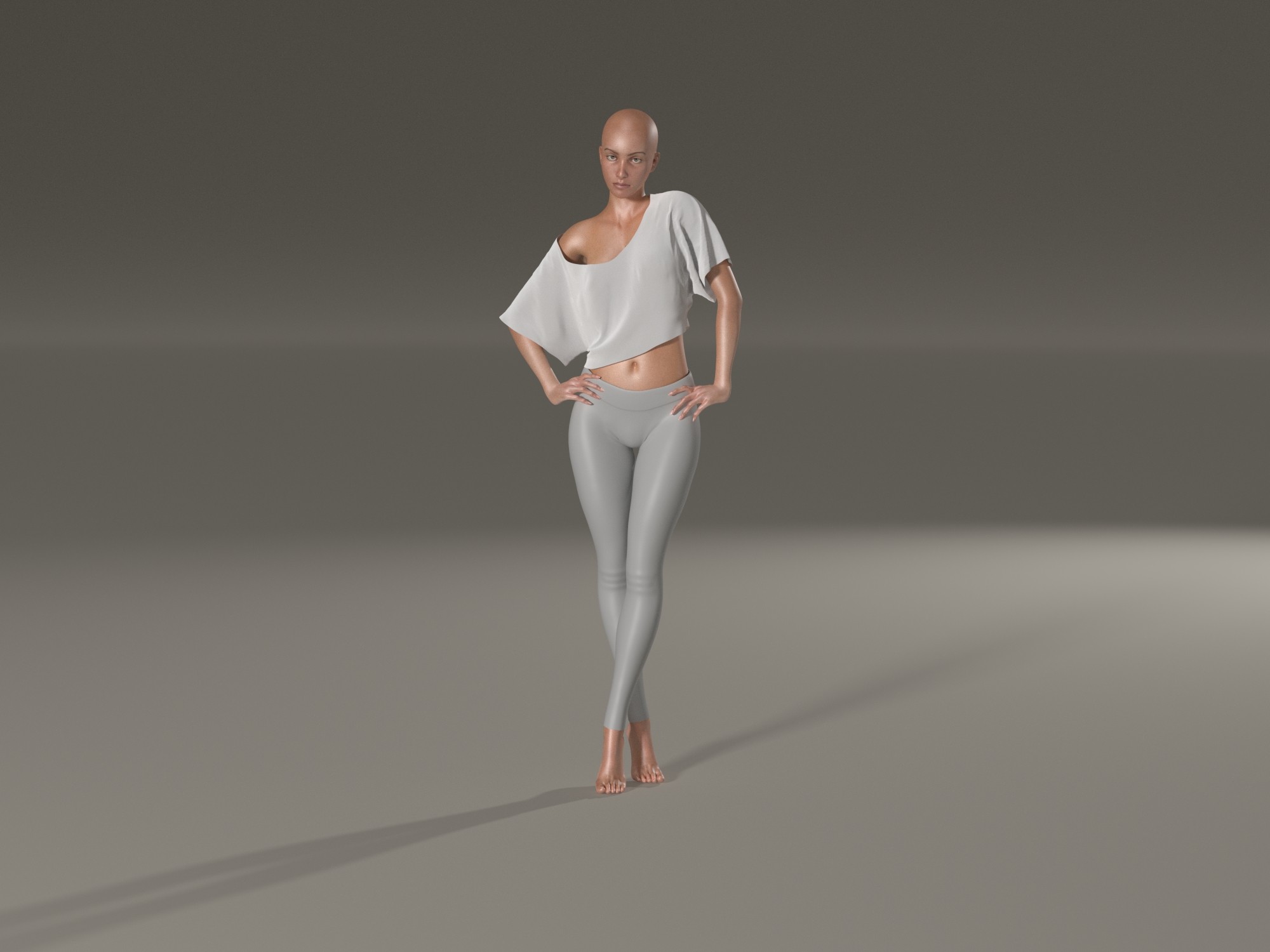
P14 Default Cloth Simulation (I forgot to unparent the shirt)
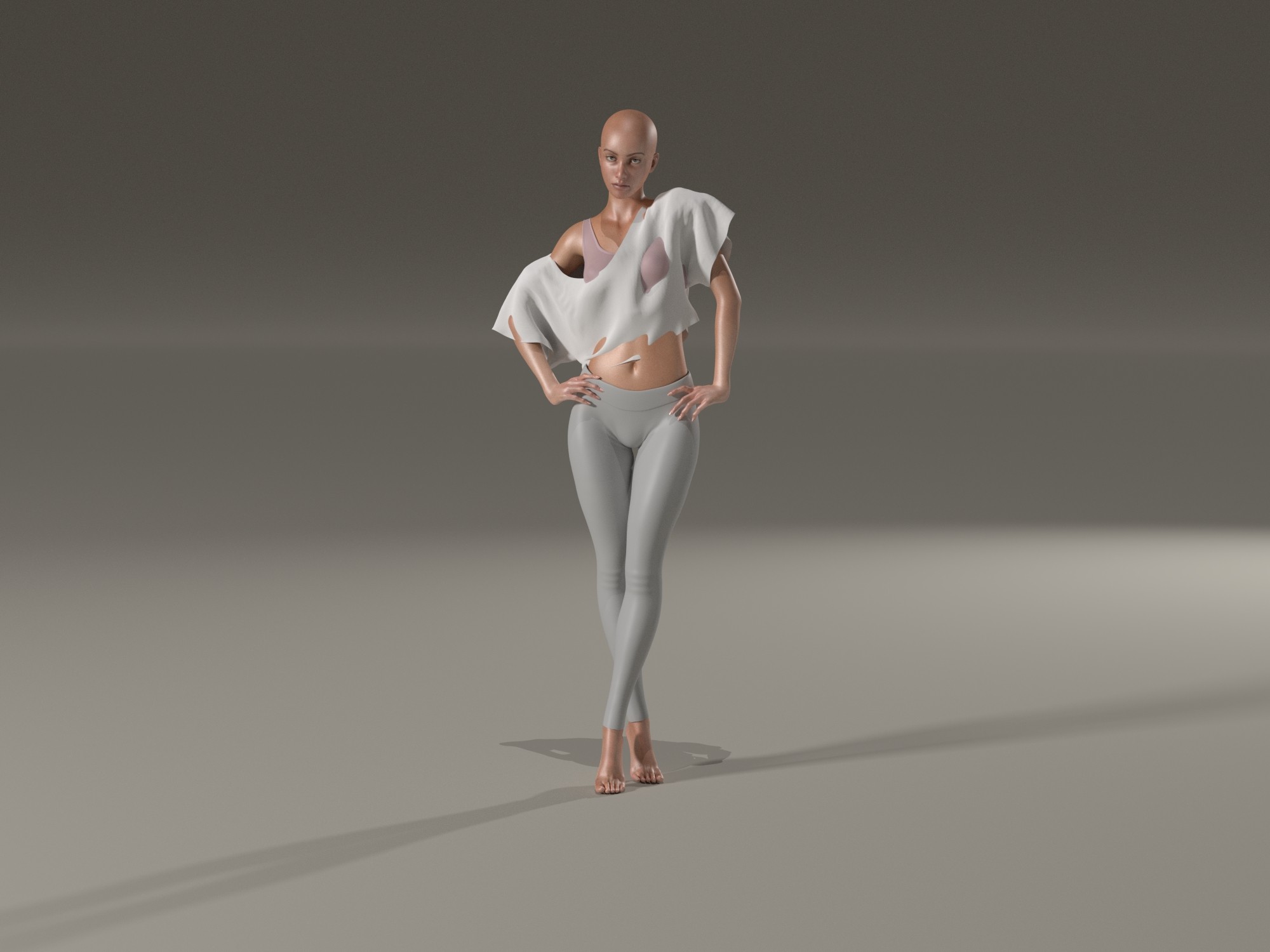
P14 default Cloth Simulation AFTER shirt parented to UNIVERSE
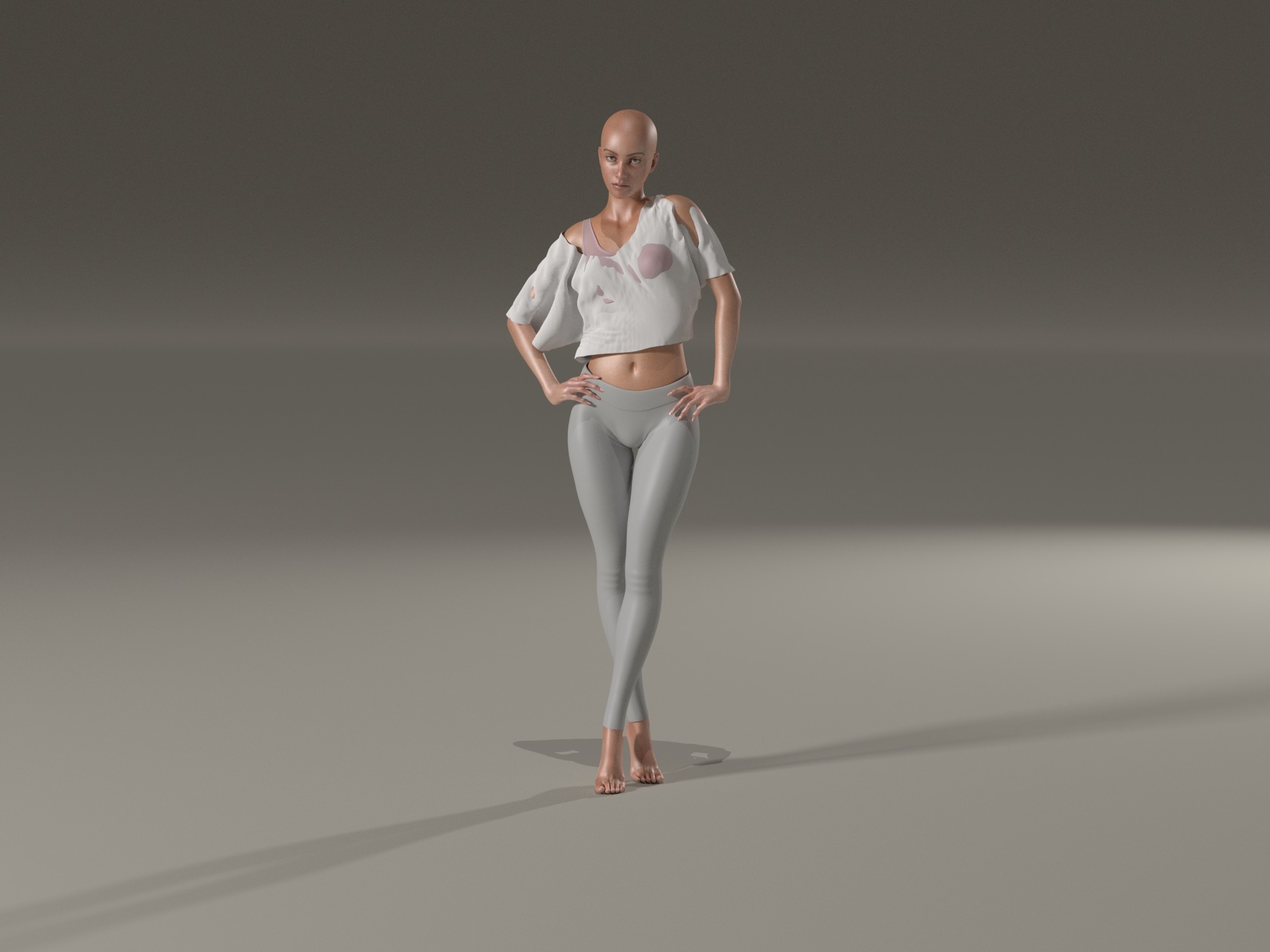
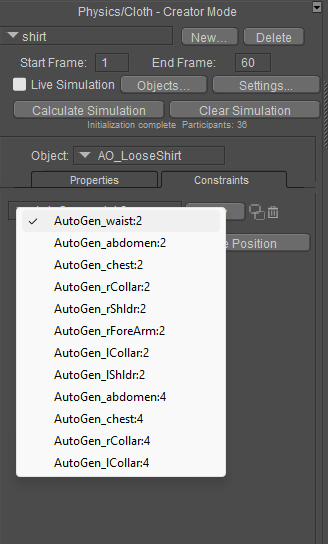
P14 Auto Glue - I think this is nice, but you can not change the settings, after every simulation they are default. So better copy them and disable Auto Glue + delete this glues
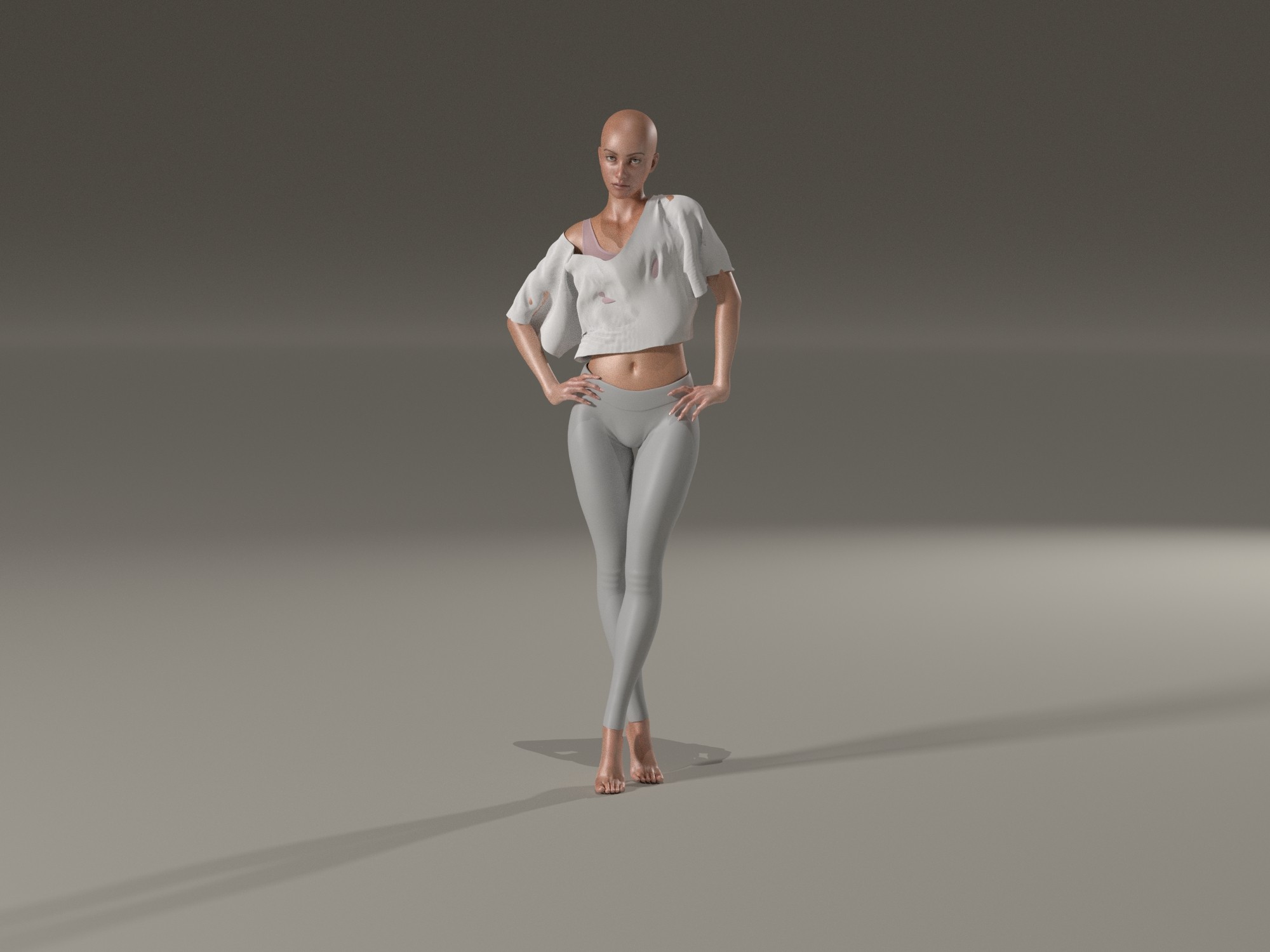
P14 Auto Glue by default - see how stiff the fabric behave at the hip? thats why I copied the Auto glues
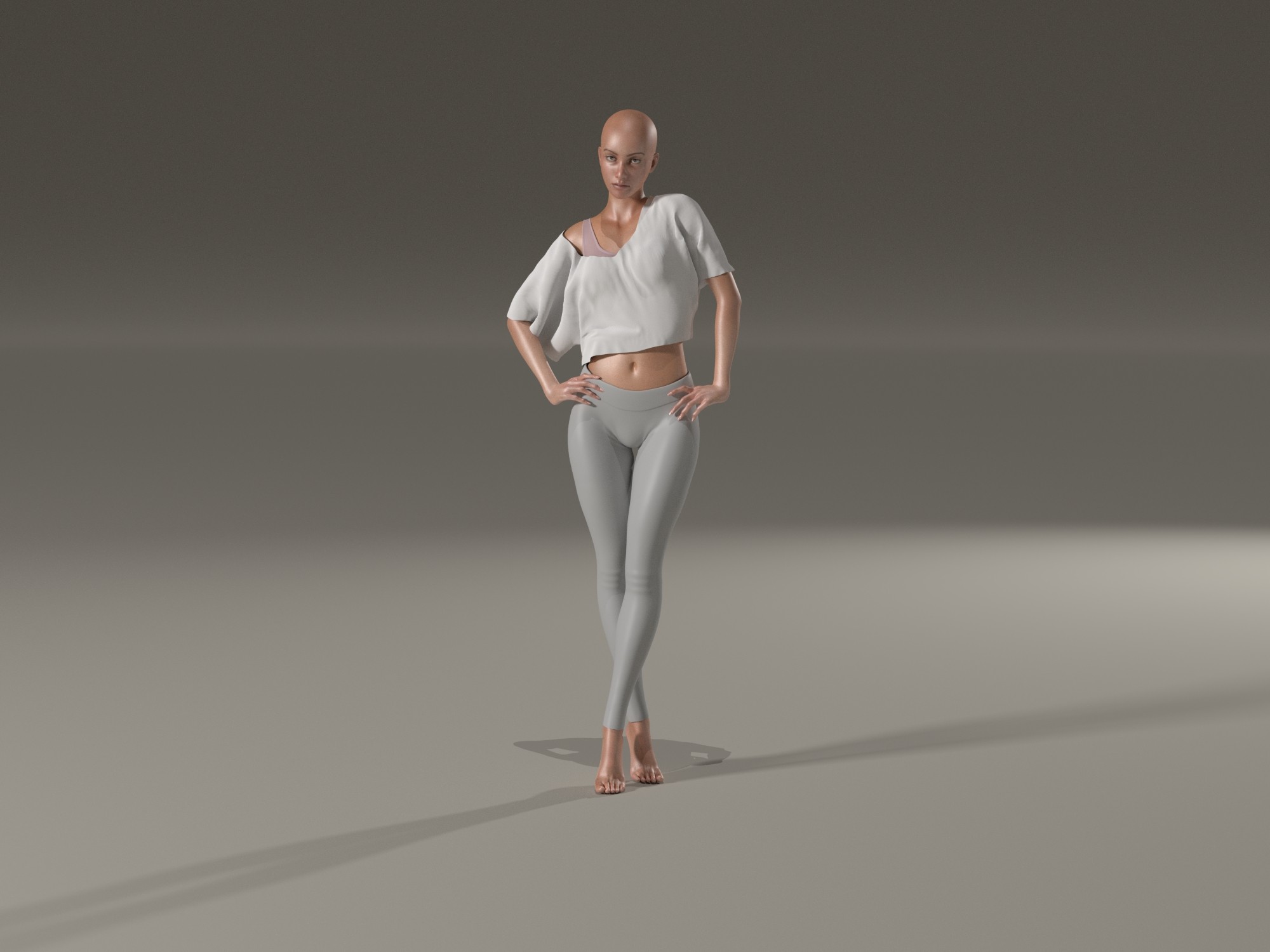
P14 final result after editing my copied Auto Glues + after workung with Morph Brush (loosen fit + soften)
Now P14 Cloth:
-
load figure
-
dress figure
-
enter simulation data for what should be simulated
-
start first simulation
-
adjust collision properties to fix holes
-
start second simulation
-
correct collision data
-
start third simulation
-
I probably did this at least 20 times and not a single result really satisfied me
-
identified Poser cloth glue dynamics as the problem
-
the auto-glue settings in the shirt can’t be edited or deleted, so I copied every single one, then completely disabled Poser cloth glue dynamics and deleted the remaining auto-glue parameters (I still had my copies)
-
edited the copied auto-glues with weights and/or more or less dynamics
-
ran what felt like the 30th simulation
-
realized that the previously made collision settings no longer worked because La Femme now had bubbles on her back
-
reset those settings back to factory defaults (OMG, could we PLEASE get a button to reset these to default?)
-
simulated again
-
the result was okay, but without the morph brush it’s simply not doable
All in all, this probably took me almost an hour.
Okay, to be fair: it was my first simulation with a completely new feature.
But honestly? For those of us who grew up with the Cloth Room, this is a tool that can give you gray hair. And for absolute beginners it’s barely manageable at all.
What I would really like is having both options:
the old, familiar Cloth Room and the new physical functions.
Since other programs can handle this as well, I do believe it’s ultimately a matter of practice and patience, especially in the beginning.
Personally, I will still play around with it because I think there are great possibilities.
But quickly throwing together a scene and then running 17 dynamic simulations? Nope. Absolutely no longer doable. The parameters are far too complex, the result is basically achieved through trial and error, and you still have to work with the morph brush afterwards.
I’m really torn.
By the way, I followed this tutorial: https://www.posersoftware.com/documentation/14/HTML/poser-cloth-usage-tutorial.html
One big AHA moment for me was when I parented the clothing to the Universe as recommended. That alone made the result much more pleasant and natural after the simulation.
What I still don’t understand is:
why can’t a software simply be programmed so that clothing does NOT go through a SOLID body?
Where is the problem in something very simple like:
-
solid object / body
-
dynamic object
-
and then just a setting where gravity behaves as it should, and the fabric does NOT go through breasts, shoulders, belly, or back, and doesn’t float in the air like a piece of plastic?
One request:
Someone thought this tool was a perfect idea.
Could that person please post a video showing how they themselves set up such a simulation without having to morph it afterwards?
Does the person who decided this should be the tool actually work with Poser at all?
Because in my opinion, there’s often a huge difference between a project manager or programmer and someone who actually uses the software.
Anyway, despite all this, I’m still grateful that Poser is continuing to move forward.
I'm looking at your test and I find that even the final result in Poser 14 is less natural than the result in Poser 13 and its cloth room. The fabric doesn't react as it should in a real-world situation. This cloth room lacks the fabric parameters related to weight and resistance to deformation. With my products, that's what I use to create a different look depending on the fabric (silk, cotton, wool, thickness, etc.).
I have several of your cloth props. I know what you're saying. :(I'm looking at your test and I find that even the final result in Poser 14 is less natural than the result in Poser 13 and its cloth room. The fabric doesn't react as it should in a real-world situation. This cloth room lacks the fabric parameters related to weight and resistance to deformation. With my products, that's what I use to create a different look depending on the fabric (silk, cotton, wool, thickness, etc.).
And I have another comment... I can no longer simulate necklaces. There are some really nice dynamic necklaces in the freebie section, but Poser freezes when I try to use them. Not a single frame is displayed during the simulation. I find this very disappointing.
the first try was necklace as soft dynamic - Poser freezes
2nd try was necklace as cloth dynamic - necklace fell apart and all beads lay on the ground (ok looks kinda funny how the beads dropped to ground)
maybe I tend more to the old room where I also can simulate this necklaces: https://www.renderosity.com/freestuff/items/68565/dynamic-jewelry-blocksandbeads
edit:
Okay, now I tried Tipol's Lutine on V4... it's a disaster. I'm totally discouraged.
What on earth were they thinking, leaving us completely alone with this without any proper explanation? Come on, people... who had this brilliant idea and thought it would be nice if the things just fell right through the dolls and looked like stretched-out pieces of rubber?
Why cant cloth just act like cloth?

Content Advisory! This message contains nudity
I decided to start simple after rereading the manual tutorial several times to understand the workflow. I loaded Danw SR2 into my P14 scene and dressed her in an old PhilC dynamic Babydoll outfit. Nothing fancy, nothing complicated. After playing with settings and running several simulations, I managed to render the image below. Note: Dawn has a slight bodybuilder morph, and I kept the pose simple with tweaks to move her arms away from her body. Excuse the nudity.
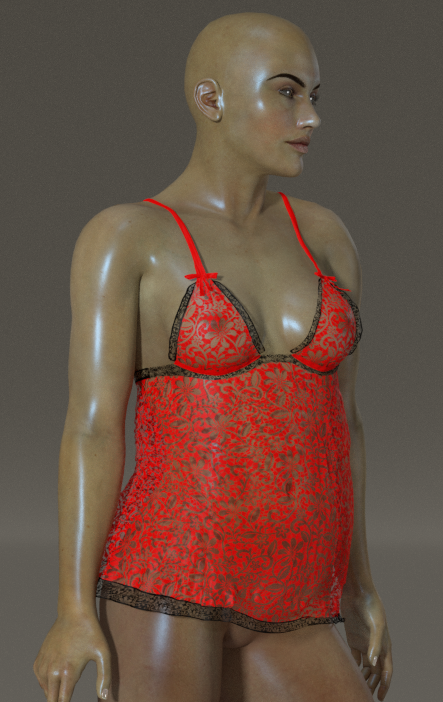
These are my settings below:
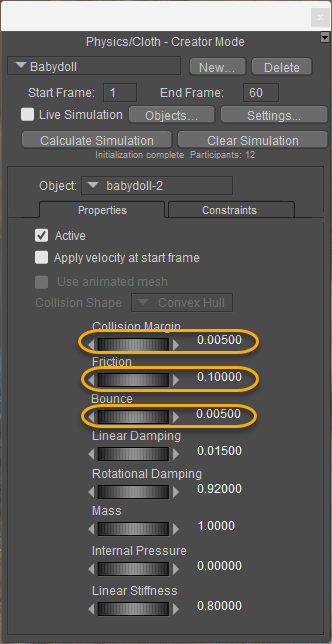
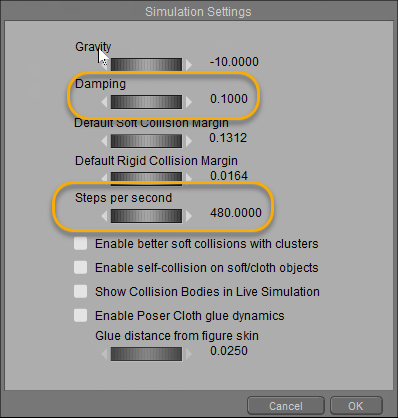
My observations:
First, increase the Steps per Second. This will allow the clothing to drape better; the default is 120 steps, and I increased mine by four. It takes a little longer, but it can make the clothing fit better.
Second, reduce the damping. You do not want the clothing sticking to the figure; the lower, the better.
Third, reduce the bounce. I'm not quite sure how relevant this setting is, but reduce it anyway.
Fourth, like the damping above, reduce the value. By default, it is set to 0.5. Try something lower that will make the clothing conform better.
Fifth, if you intend to save the prop back to the Library, turn off the 'Enable Poser Cloth glue dynamics' after doing an initial calculation simulation. Make adjustments to the auto-generated glue settings instead. Don't reset your simulation, or you will lose your manual settings.
Tweak whatever you have until you get something satisfactory with minor adjustments.

How you looked at PoserSoftware.com? They have a basic guide there. So it is not like they have not put out anything just that you are not looking. And for the record how many of you became experts in 4 days using the old cloth room? And how many of you can use the old room without all the helper scripts?
Poser 5, 6, 7, 8, Poser Pro 9 (2012), 10 (2014), 11, 12, 13, 14

@hborre, what are your units? The collision margin is based on that.
Available on Amazon for the Kindle E-Reader Monster of the North and The Shimmering Mage
Today I break my own personal record for the number of days for being alive.
Check out my store here or my free stuff here
I use Poser 13 and win 10
I think when a quite experienced vendor who has sold extensively here probably hundreds of dynamics items says they are not grokking this new system, we should listen. because that means the vendors who are supposed to create items for this system are in the dark. You don't have to agree or listen to me. but please listen to the vendors. Because that's why they leave, when they don't get support from the software creators.How you looked at PoserSoftware.com? They have a basic guide there. So it is not like they have not put out anything just that you are not looking. And for the record how many of you became experts in 4 days using the old cloth room? And how many of you can use the old room without all the helper scripts?
I've tried many settings on a lot of dynamic clothing (I've created over 100) and poses. It sometimes works, depending on the clothing and pose, but often it doesn't work in extreme poses and requires a lot of adjustments from the user. The problem for sellers is that Renderosity requires a product to work perfectly in both simple and extreme poses without the buyer having to make any additional adjustments to accept it. In my opinion, it's missing fabric settings, as I mentioned earlier, particularly the concepts of weight and resistance to deformation.I decided to start simple after rereading the manual tutorial several times to understand the workflow. I loaded Danw SR2 into my P14 scene and dressed her in an old PhilC dynamic Babydoll outfit. Nothing fancy, nothing complicated. After playing with settings and running several simulations, I managed to render the image below. Note: Dawn has a slight bodybuilder morph, and I kept the pose simple with tweaks to move her arms away from her body. Excuse the nudity.
These are my settings below:
My observations:
First, increase the Steps per Second. This will allow the clothing to drape better; the default is 120 steps, and I increased mine by four. It takes a little longer, but it can make the clothing fit better.
Second, reduce the damping. You do not want the clothing sticking to the figure; the lower, the better.
Third, reduce the bounce. I'm not quite sure how relevant this setting is, but reduce it anyway.
Fourth, like the damping above, reduce the value. By default, it is set to 0.5. Try something lower that will make the clothing conform better.
Fifth, if you intend to save the prop back to the Library, turn off the 'Enable Poser Cloth glue dynamics' after doing an initial calculation simulation. Make adjustments to the auto-generated glue settings instead. Don't reset your simulation, or you will lose your manual settings.
Tweak whatever you have until you get something satisfactory with minor adjustments.
Richard60 posted at 8:09 PM Mon, 9 February 2026 - #4503868
It’s not just about whether someone is able to master a new tool in four days. When I first started using Poser back then, I joined a “school” where I learned step by step how to use Poser. One of the tutorials was about the Cloth Room. It didn’t just explain what you do there, but also why you have to do it.How you looked at PoserSoftware.com? They have a basic guide there. So it is not like they have not put out anything just that you are not looking. And for the record how many of you became experts in 4 days using the old cloth room? And how many of you can use the old room without all the helper scripts?
I’ll repeat it once again. Cloth Room: load figure, load clothing item, enter or tick the simulation settings, tell Poser what the clothing item is, tell Poser what should be dressed done. Without much fuss, Poser then wrapped the clothing around the figure to be dressed. If you didn’t have holes beforehand, you usually didn’t have any afterwards either. You didn’t have to click and adjust a lot, and the result was satisfactory.
In Poser 14, however, this has become more complicated. We now have to parent the clothing item to the Universe but we are not told why we have to do this, we just do it. Then we have to set up the simulation settings and tell Poser what is an object and what is clothing.
The next thing is the settings where we have to tell Poser how far the clothing item should be away from the object being dressed. But why? Why do I have to set this? Why was the Cloth Room able to say, “Oh, the clothing must not go through the figure, okay, I’ll drape it around it,” while Cloth Physics (the name itself is taken ad absurdum in this case) seems to think, “Aaaaaah! I’ll just push the dress straight through the leg until the user tells me how much space to leave between leg and fabric,” or “Ohh! It’s much nicer if I let the clothing fall like a piece of rubber and stretch it to twice its length.”
Again, my question: Why can’t fabric simply behave like fabric? Why do I have to experiment with the settings until I get a halfway acceptable result? Shouldn’t it be enough to define: What is fabric? What should the fabric be wrapped around? And then the fabric behaves like fabric and goes around everything that belongs to the figure? Why does Poser think, “Hmm, the leg does belong to the figure, but maybe I’ll just let the fabric pass straight through it, maybe the user will like it.”
I am purely a user; my partner is a programmer, and I know how much work all of this is. I am genuinely grateful to the team that Poser is continuing, but as a user I feel left alone here and interestingly, also gaslighted. When we explain here why the new system is not so good, it’s not helpful to be asked whether we followed a tutorial. Because honestly, even in the default state, the result should already be acceptable. Fabric inside a leg is not acceptable. And when I tried Tipol’s Lutine pants yesterday, I could have cried, because it is simply no longer usable.
As I said, I understand you programmers and testers, you’re doing a great job. Development always involves change, and I fully accept that. But please don’t assume user error or lack of effort when the underlying behavior of the system is not intuitive. Expecting users to run dozens of simulations just to understand what a single setting does is not fair and it leads to frustration on both sides.
left: P14 default simulation
right: P13 default simulation
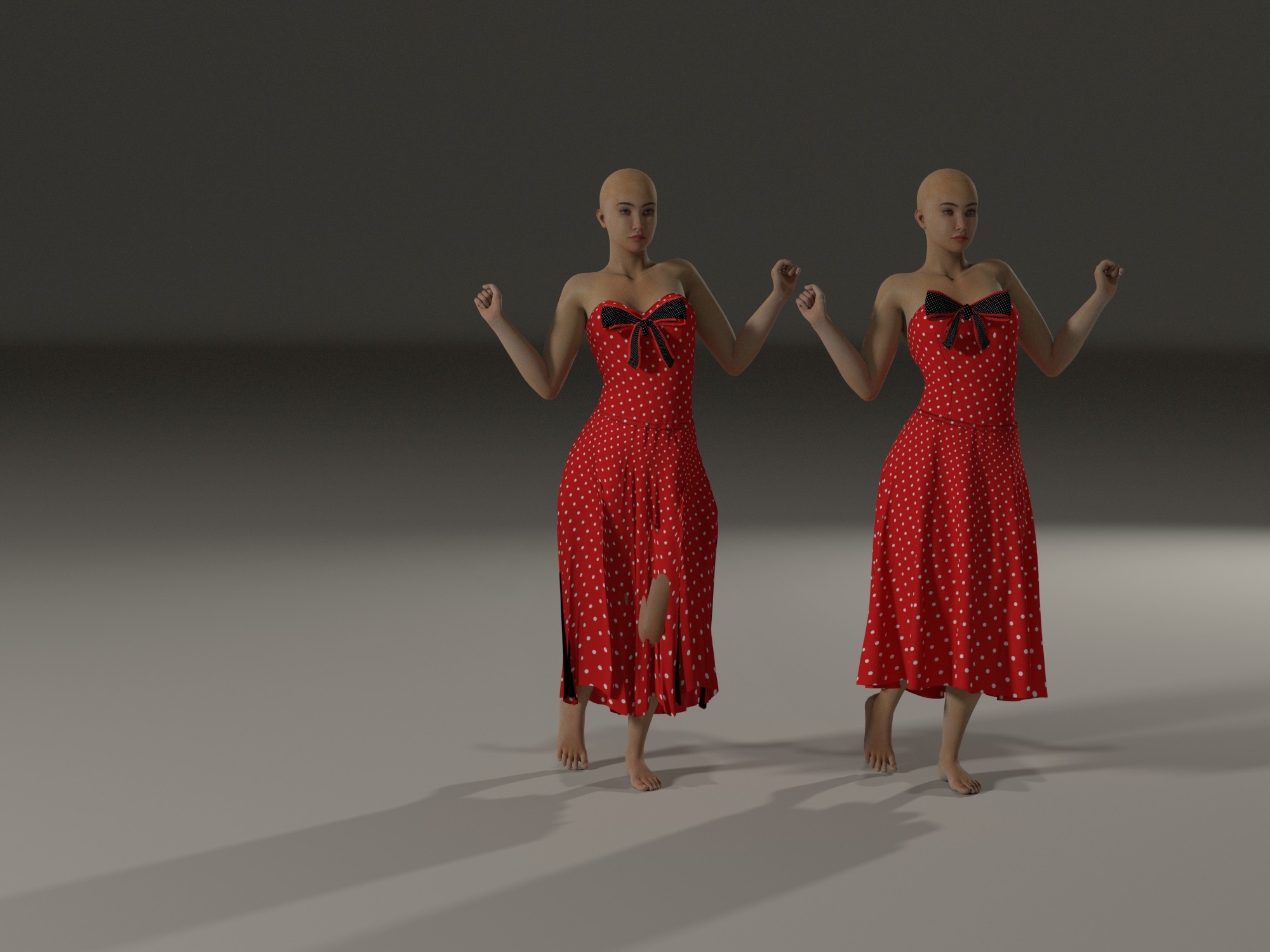
left: P14 default simulation
right: P13 default simulation
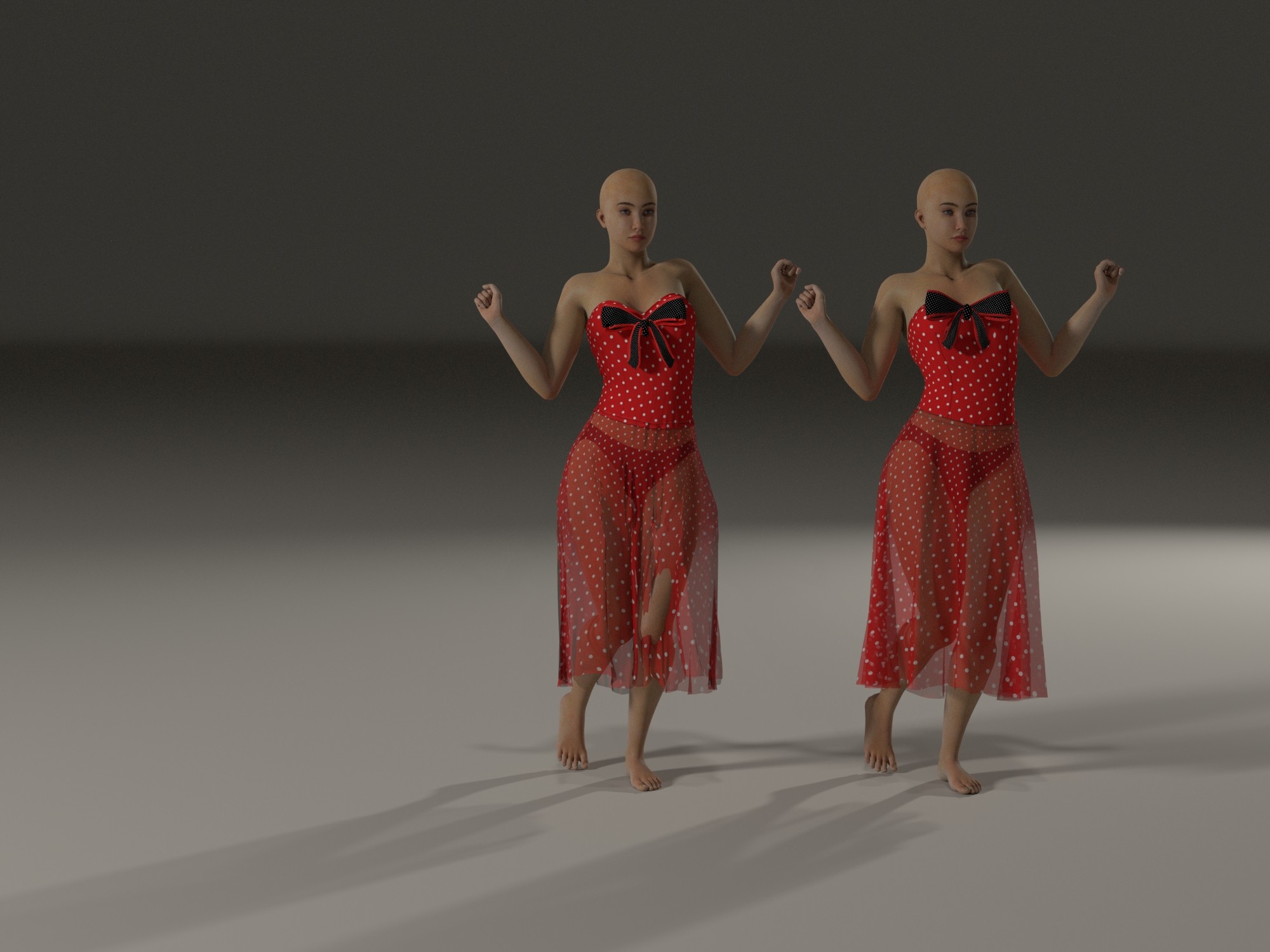
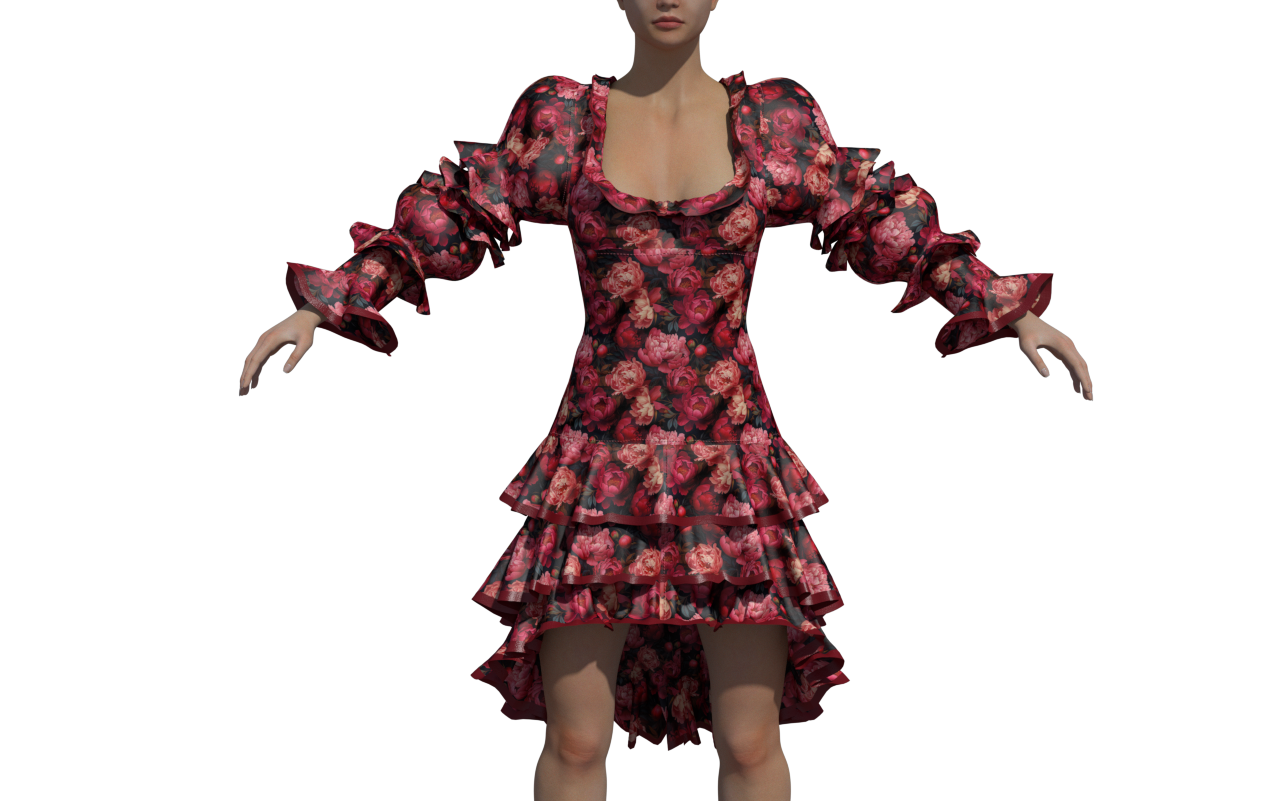
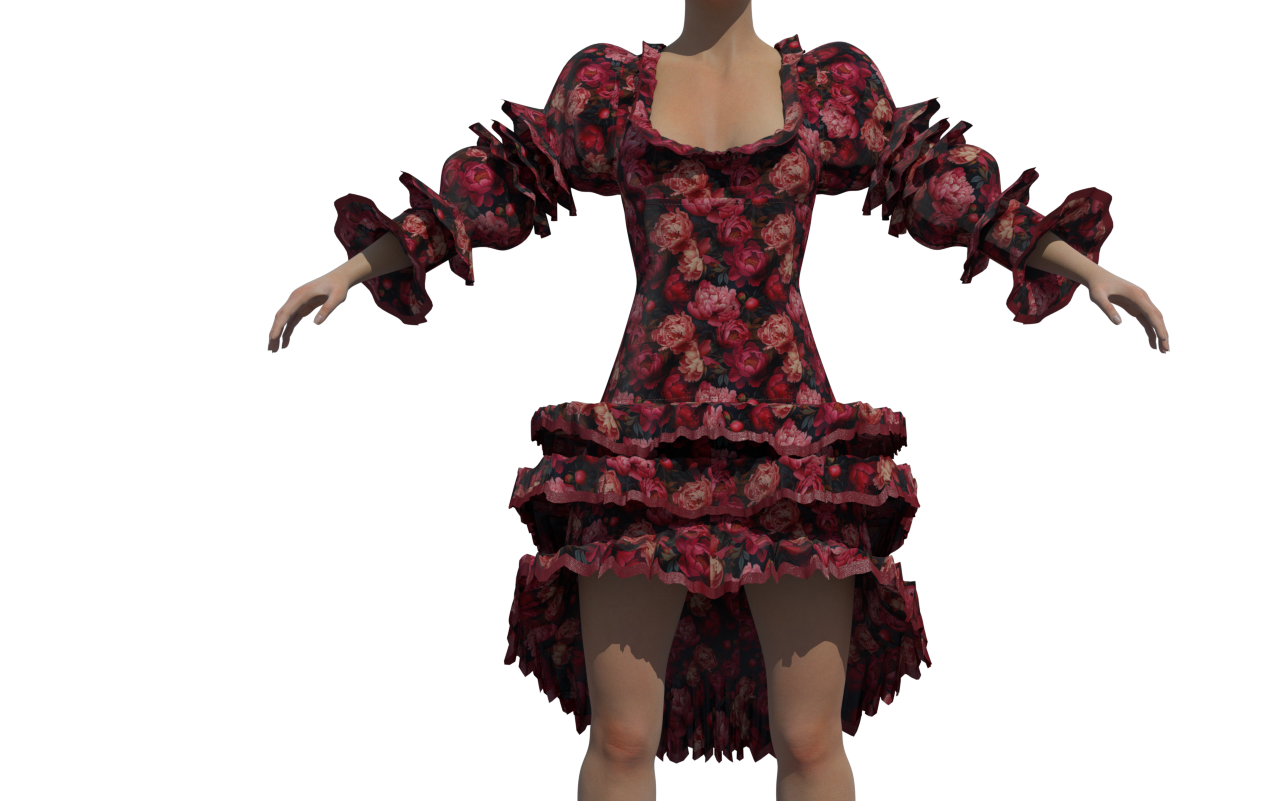
As a simple end user, I give up. I just don’t use the new cloth physics unless I want to simulate a piece of rubber on the ground.
I think I don’t need to say which one is Poser 13 and which one is Poser 14.
And to be honest, I simply feel unable to understand how to drape clothing naturally with the new tool, so I keep using the old Cloth Room. Sorry to everyone who put a lot of effort into this.
I don’t mean to dismiss the extensive work of the developers, but at the moment I simply don’t feel capable of understanding what I need to click and adjust to make fabric behave like fabric.
Maybe a future update will include a default fabric setting, something that knows it is fabric, drapes like simple cotton, and understands that fabric does not pass through bodies.
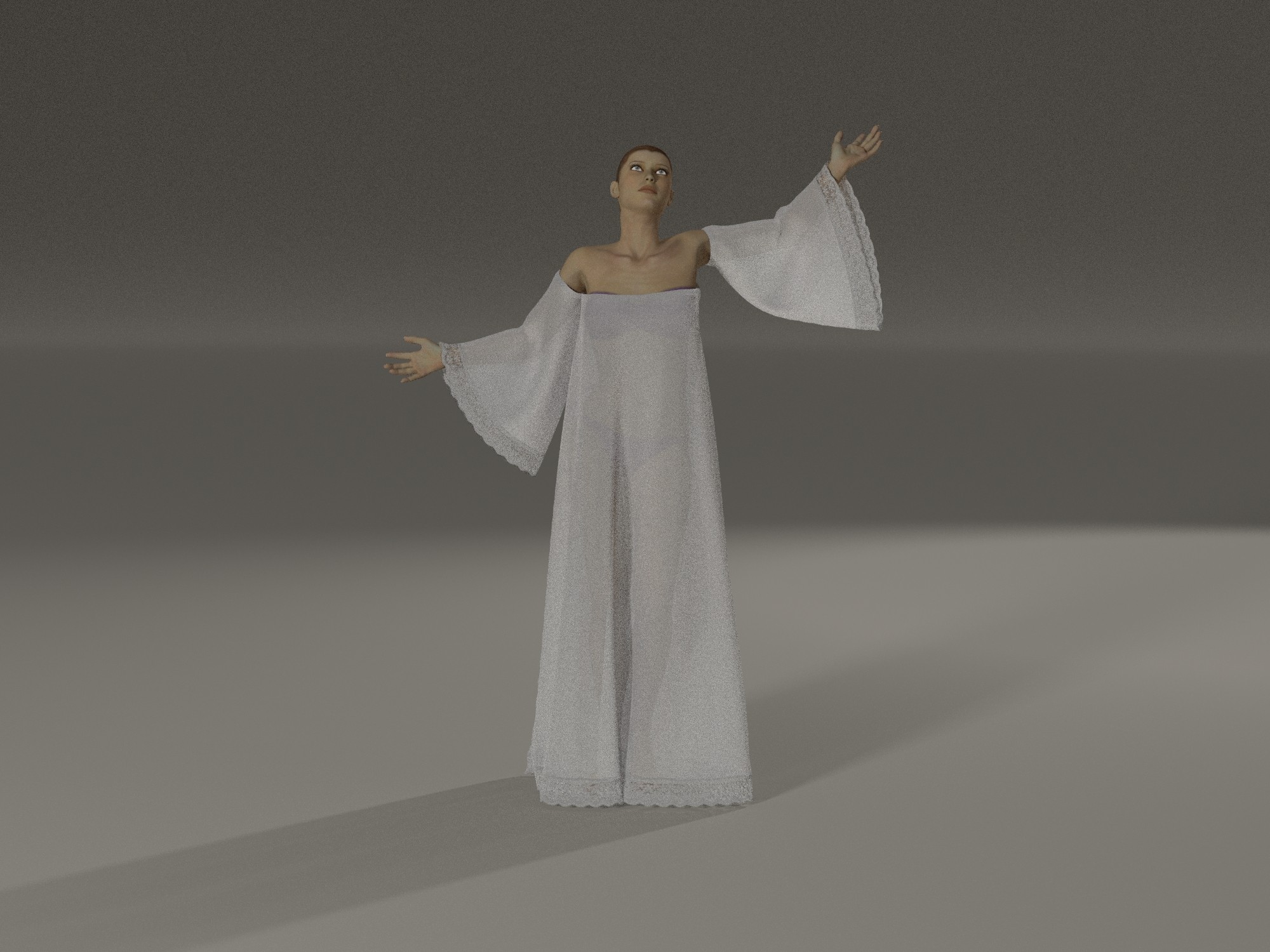
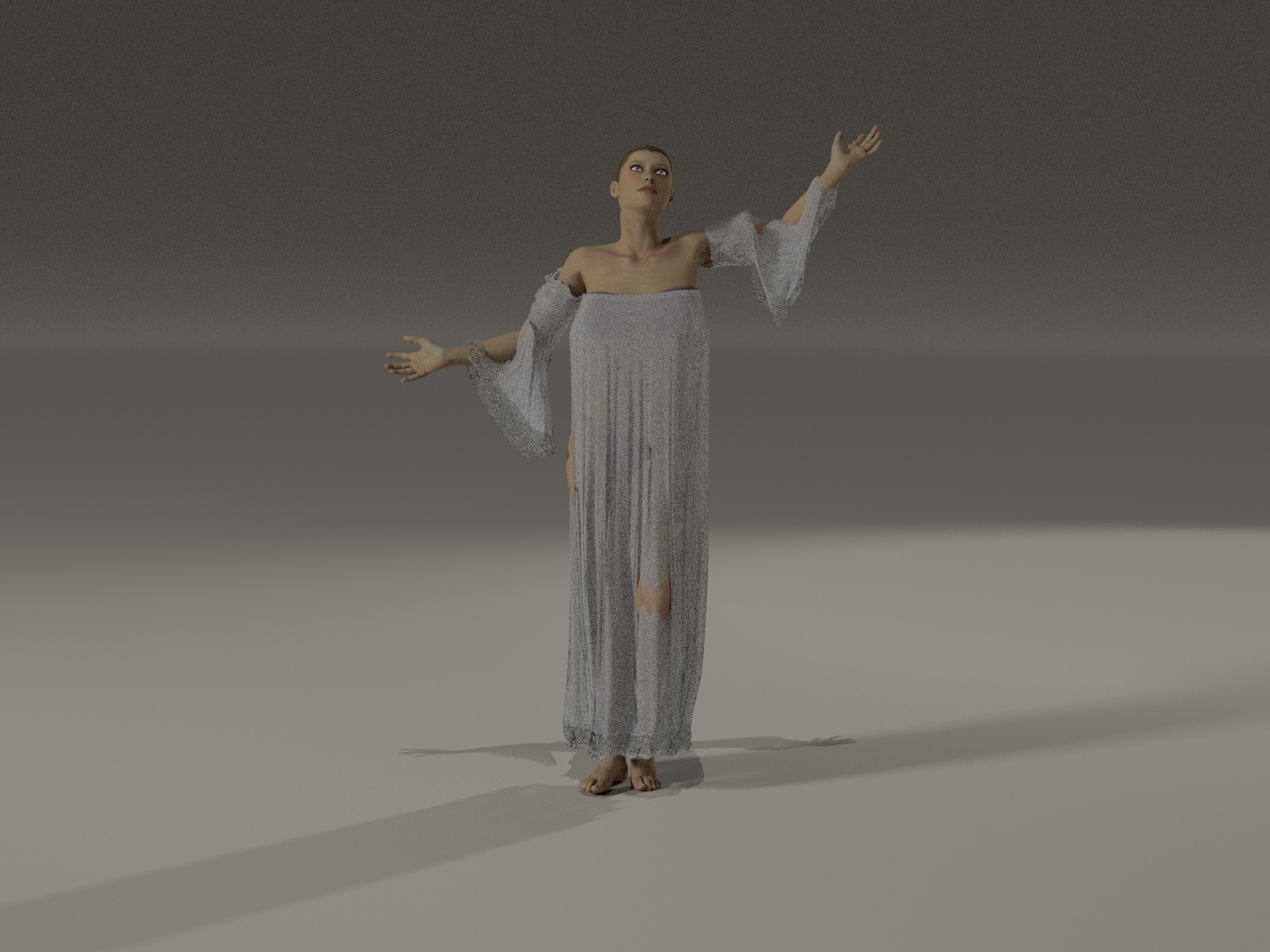
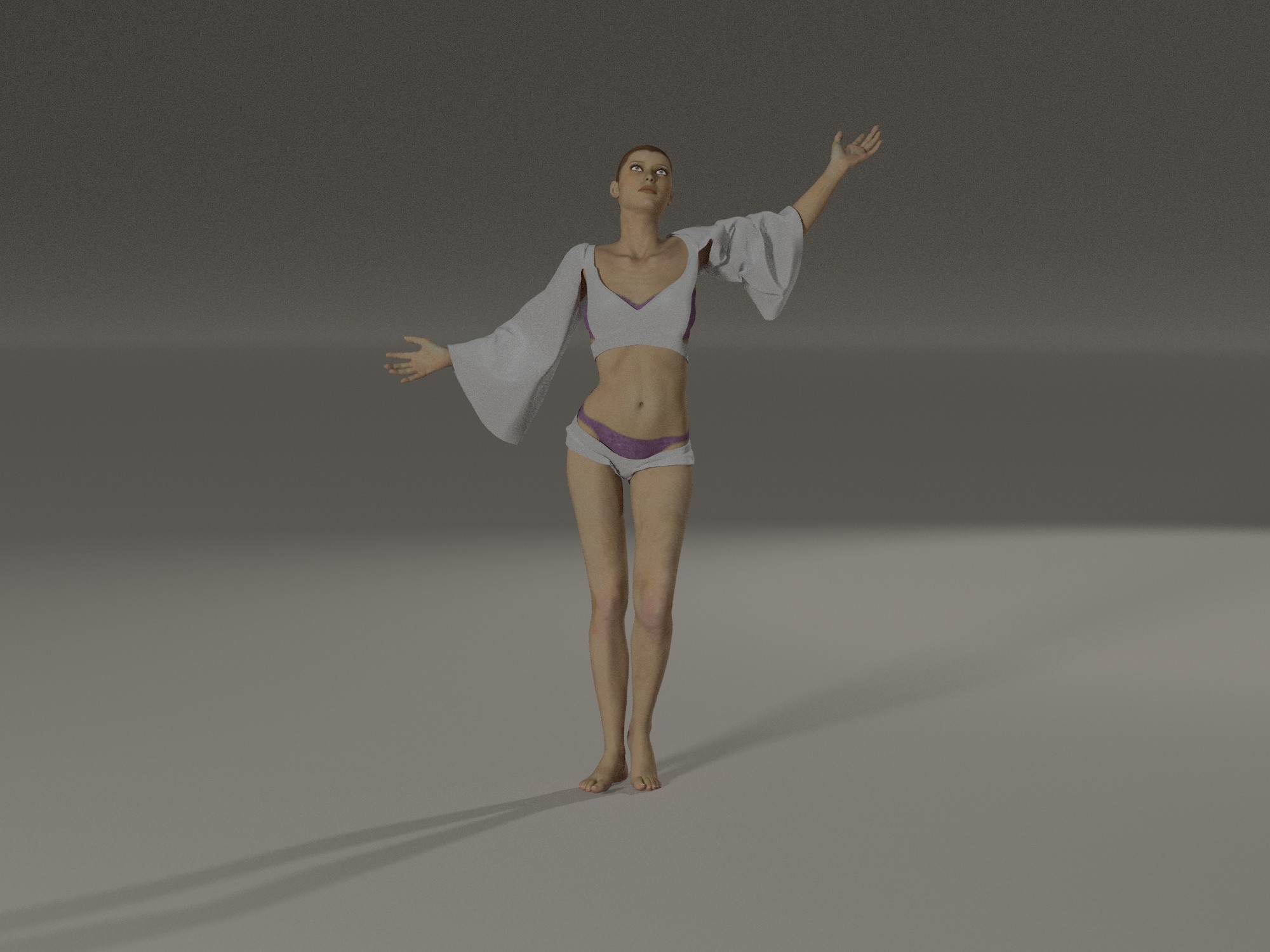
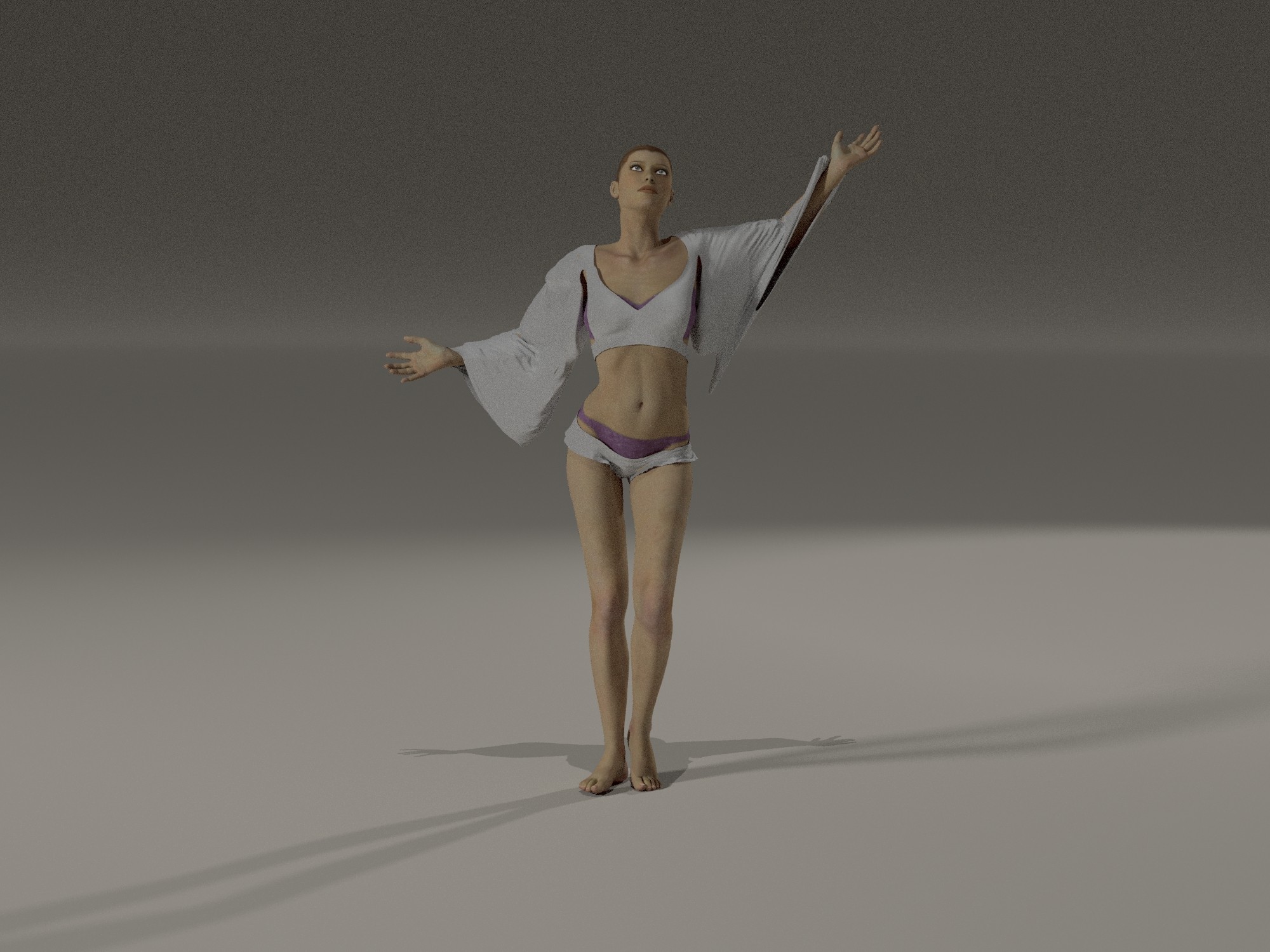
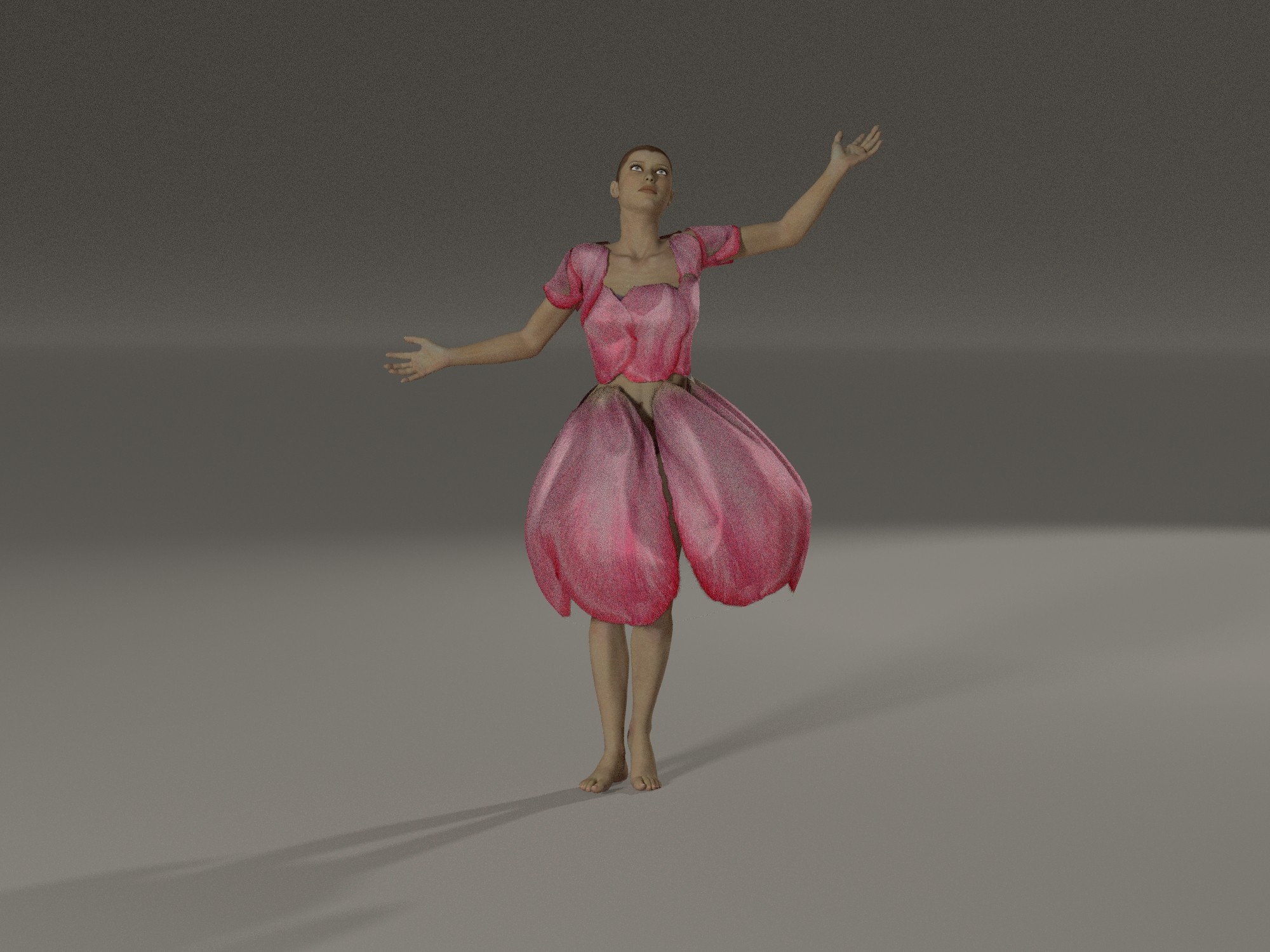
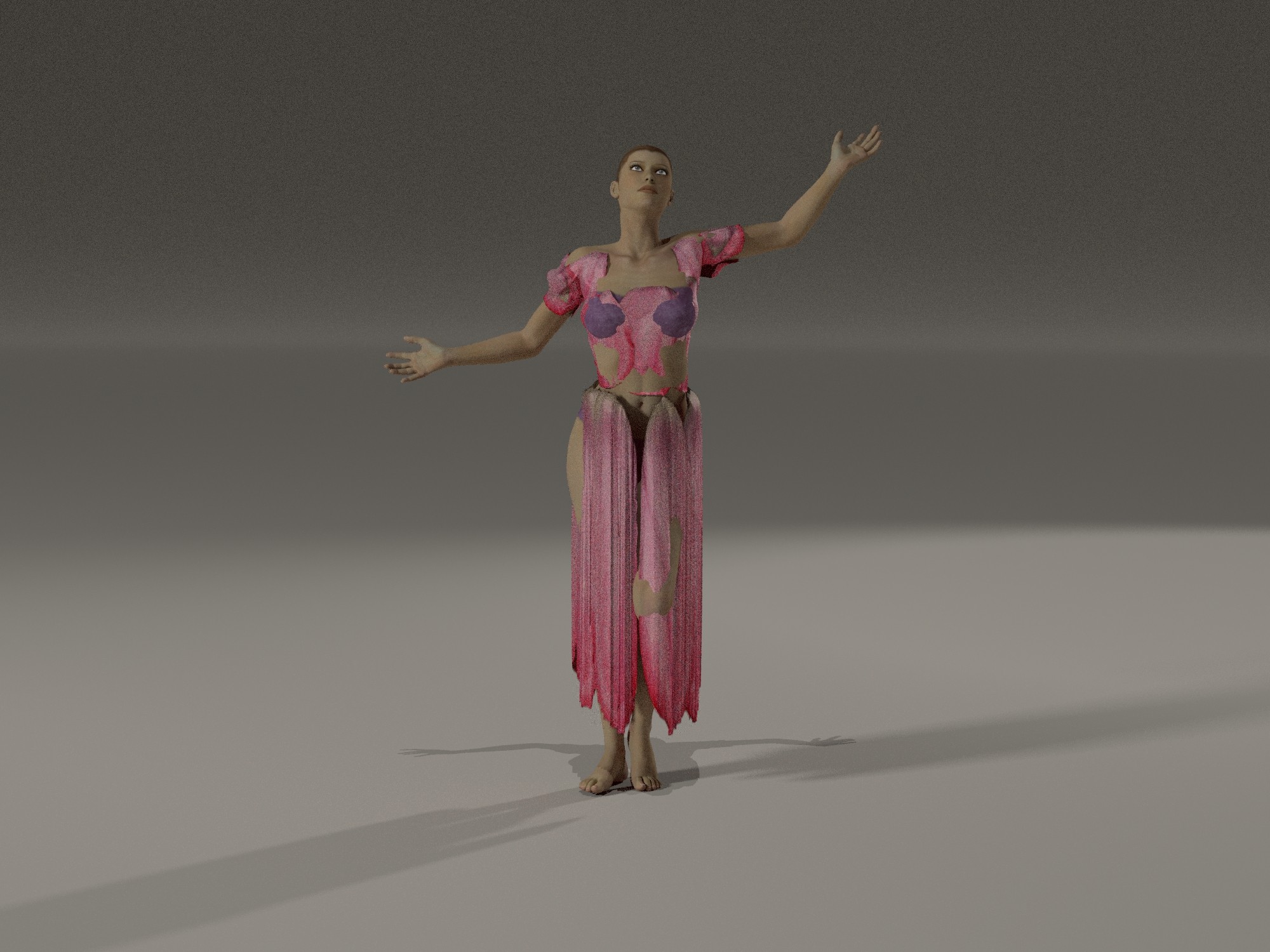
Set 1 - the arms, I do not get it, why are they going trough?
Set 2 - I checked the Auto Glues on the left and correct the tiny spot but the fabric still is glued on the hip.
Set 3 - I am simply speechless underwhelmed.
Maybe keep the advanced settings for expert users, but provide a better default solution for the rest of us, similar to how the old Cloth Room works. Or perhaps bring the Cloth Room back and let us choose which system to use. I never had any issues with the Cloth Room; it worked reliably and was simple to use right out of the box.
I hope the developers are following this thread, as the degree of frustration most of us are experiencing with the new Poser Cloth reveals a reality that SHOULD give pause to the company. I used hborre's settings for this version, along with a bit of morph brush over Brenna's private parts so that I didn't need to include a nudity tag . . . .
This is completely unsuitable for animation of any kind, although I must say that it works better than Bullet Physics does on the figure's soft parts.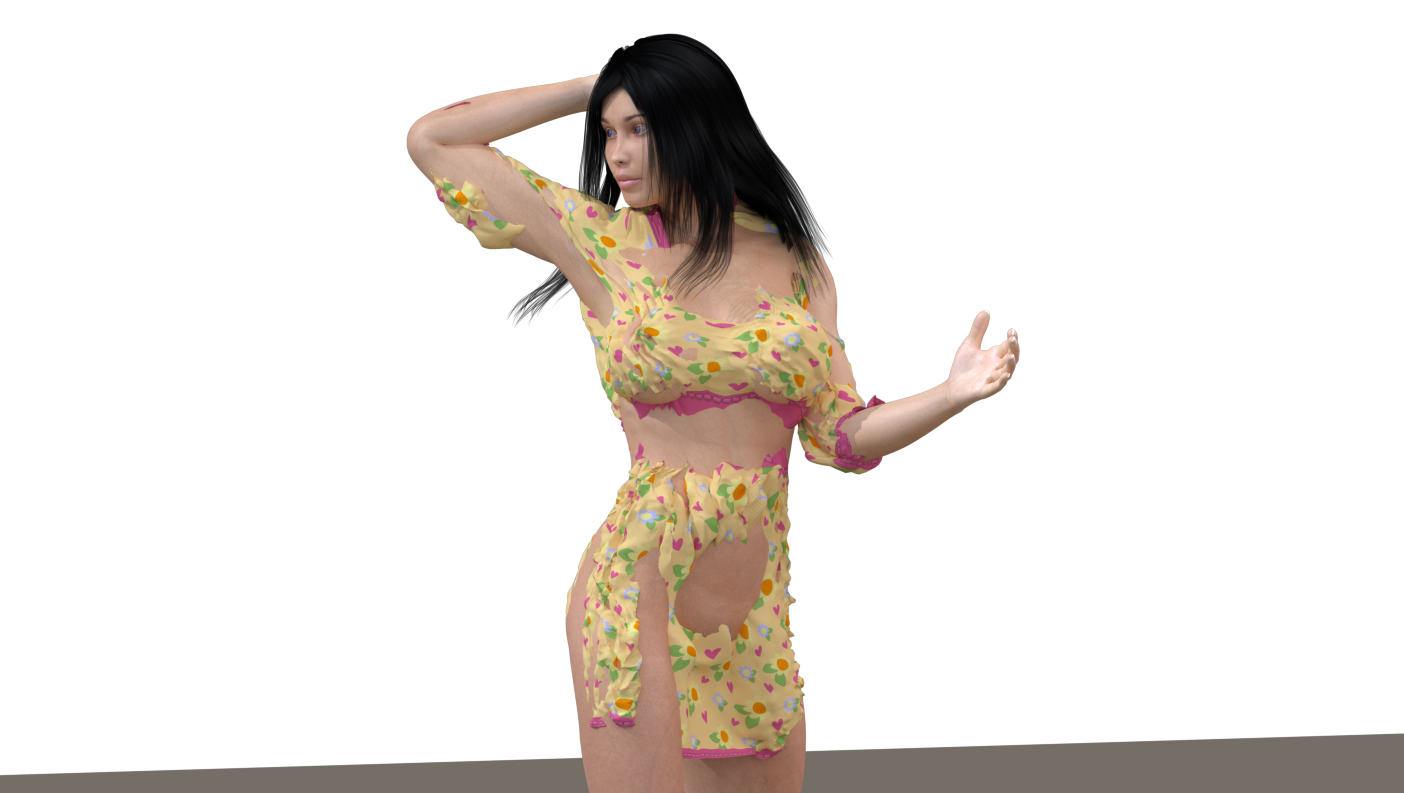
Hmm, let's compare this "latest, greatest" new tech with what we already had...
https://www.youtube.com/watch?v=Pz92Hi1Ktm4
(VWD Cloth and Hair is still sold here in the store, btw)
One would expect a "new and improved" cloth room to work better than a 10 years old plugin, wouldn't one?
;-)
The problem with VWD is that it's complex, produces inconsistent results, and its features are optimized for DAZ Studio rather than Poser. Mind you, I use VWD frequently, and I know that Herve is working on a new update.
But you have a point. An old python script delivers better results than Poser Cloth.
Here is the same pose using the P13 cloth room. It's not perfect, but I could fiddle with the morph brush to fix the minor issues I'm seeing.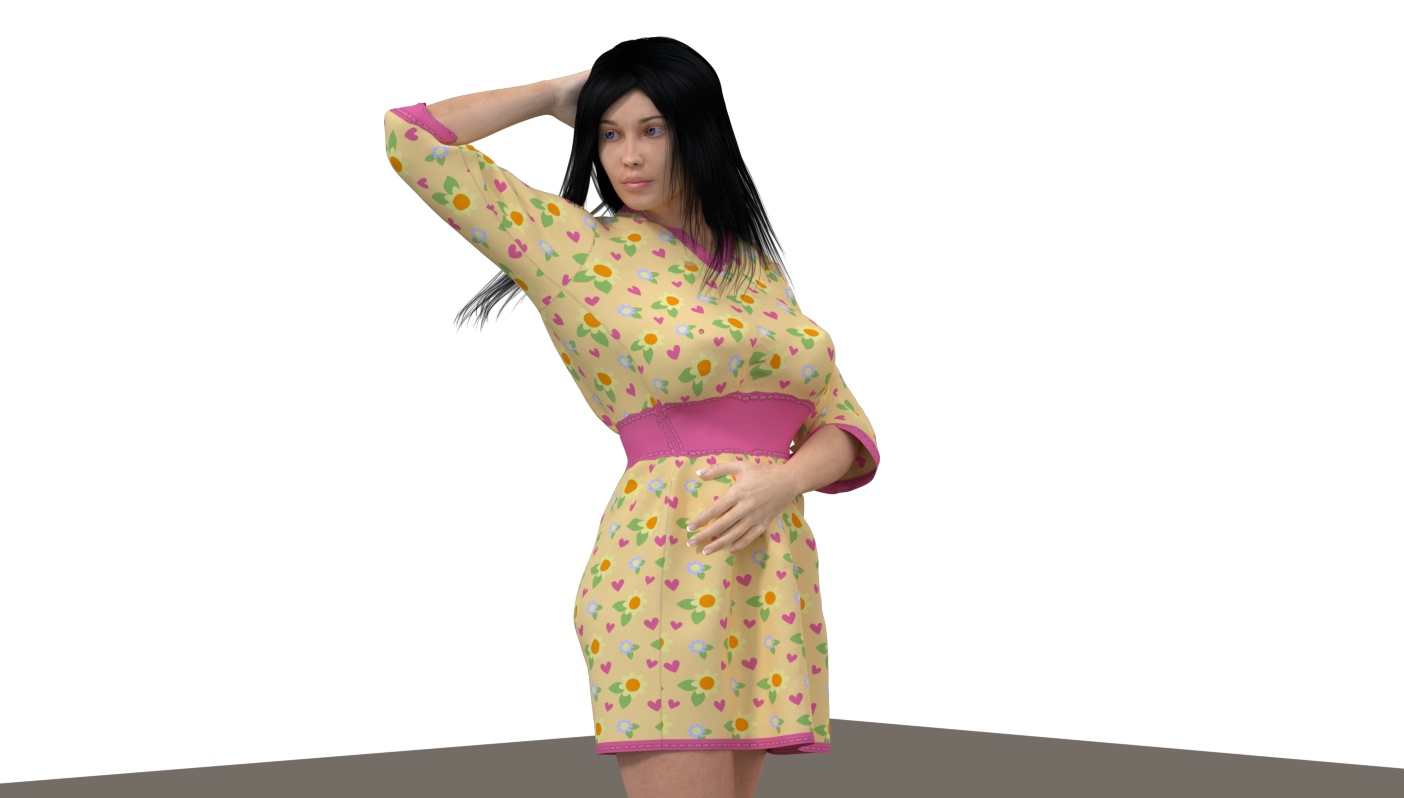

I feel like the new Poser Cloth is not quite out of the alpha stage. I think it has been released prematurely because there was so much concern about the removal of the cloth room tab and legacy cloth simulation capability. In short, it's not ready for use by the average user. I am hopeful that as work continues it will become more useable. I'll mess with it when it improves to the beta stage (the stage when I am accustomed to new features being released).
I appreciate that other bugs have been swatted in P14 and I may use it for rendering and am glad to have supported development by purchasing it. In the meantime, I will be using P13 mostly and watching P14 developments with great interest.
Teh Mollz
I feel like the new Poser Cloth is not quite out of the alpha stage. I think it has been released prematurely because there was so much concern about the removal of the cloth room tab and legacy cloth simulation capability. In short, it's not ready for use by the average user. I am hopeful that as work continues it will become more useable. I'll mess with it when it improves to the beta stage (the stage when I am accustomed to new features being released).
I appreciate that other bugs have been swatted in P14 and I may use it for rendering and am glad to have supported development by purchasing it. In the meantime, I will be using P13 mostly and watching P14 developments with great interest.
Teh Mollz
I think you're right. Maybe no one among the developers thought that removing the Cloth Room would trigger such resistance. And of course, they probably wanted to quickly find a solution to help those who need it. I agree with you on all points; it feels exactly the same to me. So let's wait and see what’s still to come :)
skybluerob posted at 4:05 PM Tue, 10 February 2026 - #4503904
Tim explains it here https://www.renderosity.com/forums/comments/4503738/permalinkI don't get why they didn't leave the old cloth room, and introduce this as a new feature should you wish to use it and/or while you get used to it.
Available on Amazon for the Kindle E-Reader Monster of the North and The Shimmering Mage
Today I break my own personal record for the number of days for being alive.
Check out my store here or my free stuff here
I use Poser 13 and win 10
skybluerob posted at 4:05 PM Tue, 10 February 2026 - #4503904
When I noticed that the Cloth Room was missing from Poser 14, I wrote to Poser support. Here is the exchange:I don't get why they didn't leave the old cloth room, and introduce this as a new feature should you wish to use it and/or while you get used to it.
"And you can't integrate the Poser 13 cloth room into Poser 14 ?"
"
Dear Annick,
The bad part of the joke is that Size 8 Software, the company that developed the plugin isn't developing the cloth plugin any more. We're actively looking for a replacement.
Happy Rendering
Charles Taylor (Nerd3D)"


A couple of questions for people who have Poser 14.
1. Is there a setting which allows you to make the cloth stiffer or silkier? For example in dforce I can in the Surface tab right click on the simulation section and it will give me an option that allows me to simply make the fabric stiffer, stretchier, silkier.
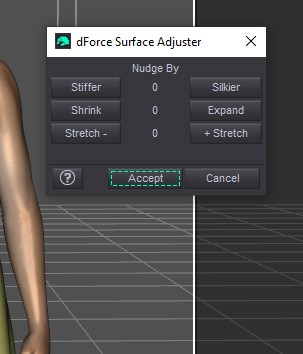
Nudging will adjust the settings in the surface tab. Which is my next question...does it contain ways to adjust the quality of the fabric?
Some of the images and comments I've seen relate to the type of fabric which will impact how it drapes. For example silk is much softer than leather and they drape quite differently.
So are there any settings like these?
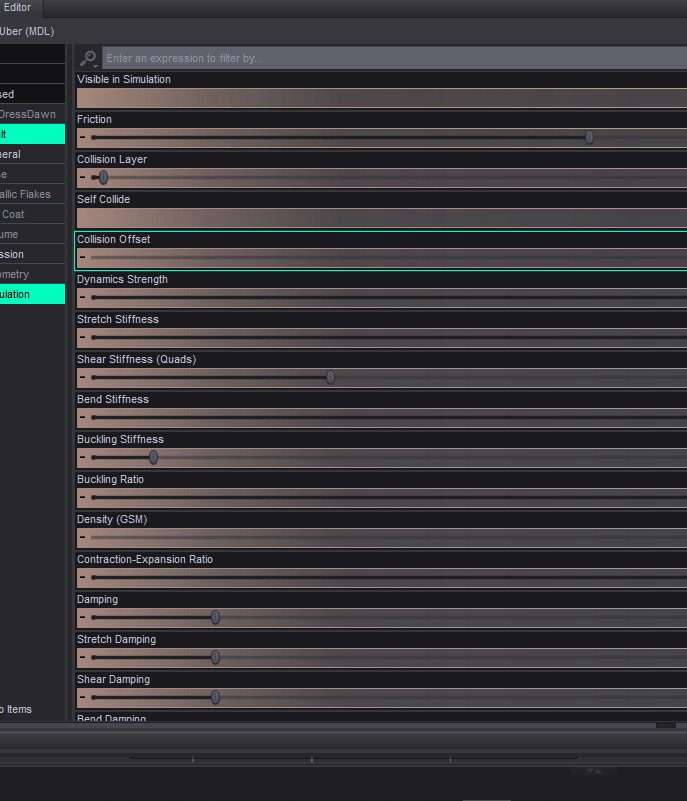
If there are the fabric can be adjusted to drape in different ways.
Another question that I've just thought of is can the setting be saved with the mesh or as a preset?
I really hope the answers to my questions are yes because if so I will upgrade from 11 to 14. I've always found the previous cloth room in Poser difficult. I'm hoping this will allow me to transfer dforce clothing that I make for Dawn and Dawn 2 to Poser and be easier to use.
Any new feature takes time to learn...at least from the sounds of it they have a manual already and plan on doing videos that's one step up from Daz when they released dforce.
The problem is that Poser 14's "cloth room" doesn't have the settings you're showing, which I think are essential for realism. And the second problem is that the fabric simulation doesn't account for all the body parts it's supposed to cover, resulting in gaps.A couple of questions for people who have Poser 14.
1. Is there a setting which allows you to make the cloth stiffer or silkier? For example in dforce I can in the Surface tab right click on the simulation section and it will give me an option that allows me to simply make the fabric stiffer, stretchier, silkier.
Nudging will adjust the settings in the surface tab. Which is my next question...does it contain ways to adjust the quality of the fabric?
Some of the images and comments I've seen relate to the type of fabric which will impact how it drapes. For example silk is much softer than leather and they drape quite differently.
So are there any settings like these?
If there are the fabric can be adjusted to drape in different ways.
Another question that I've just thought of is can the setting be saved with the mesh or as a preset?
I really hope the answers to my questions are yes because if so I will upgrade from 11 to 14. I've always found the previous cloth room in Poser difficult. I'm hoping this will allow me to transfer dforce clothing that I make for Dawn and Dawn 2 to Poser and be easier to use.
Any new feature takes time to learn...at least from the sounds of it they have a manual already and plan on doing videos that's one step up from Daz when they released dforce.
PendraiaFaeCreations posted at 11:42 PM Wed, 11 February 2026 - #4503927Thanks Tipol. Hopefully they will add to it in further updates. Without settings like those it will be really limited. I agree that they are essential.The problem is that Poser 14's "cloth room" doesn't have the settings you're showing, which I think are essential for realism. And the second problem is that the fabric simulation doesn't account for all the body parts it's supposed to cover, resulting in gaps.A couple of questions for people who have Poser 14.
1. Is there a setting which allows you to make the cloth stiffer or silkier? For example in dforce I can in the Surface tab right click on the simulation section and it will give me an option that allows me to simply make the fabric stiffer, stretchier, silkier.
Nudging will adjust the settings in the surface tab. Which is my next question...does it contain ways to adjust the quality of the fabric?
Some of the images and comments I've seen relate to the type of fabric which will impact how it drapes. For example silk is much softer than leather and they drape quite differently.
So are there any settings like these?
If there are the fabric can be adjusted to drape in different ways.
Another question that I've just thought of is can the setting be saved with the mesh or as a preset?
I really hope the answers to my questions are yes because if so I will upgrade from 11 to 14. I've always found the previous cloth room in Poser difficult. I'm hoping this will allow me to transfer dforce clothing that I make for Dawn and Dawn 2 to Poser and be easier to use.
Any new feature takes time to learn...at least from the sounds of it they have a manual already and plan on doing videos that's one step up from Daz when they released dforce.
Which is what I've decided after reading Tipol's post. Those are very limited options.Friction, damping, self-collision, and collision offset exist in one form or another, but I wouldn't quickly jump from Poser 11 to 14 until they resolve the overall problems. The techs haven't installed the calculate all dynamics feature yet into P14.
I opened a support ticket and reported the difficulties I'm encountering with the new Poser 14 cloth room to the Poser technical team. I included a link to this discussion on the Poser 14 forum. Initially, they sent me the tutorials and documentation that have already been posted here. After my persistence, they agreed to my request to send them some of my dynamic clothing so they could test their cloth room with it. I sent them five items this morning (French time), and I'm now waiting for their response. I'll keep you updated, of course.
I hope they can find some solutions, whether it's an update or better instructions for us. I love dynamic cloth and would rather not bounce back and forth between versions.
Available on Amazon for the Kindle E-Reader Monster of the North and The Shimmering Mage
Today I break my own personal record for the number of days for being alive.
Check out my store here or my free stuff here
I use Poser 13 and win 10

thank you Tipol for all you're doing.
one of the good things SmithMicro did with their Poser development was Poser Ambassadors---community members who got early access in exchange for testing features, posting renders, finding bugs & suggesting improvements & generally cheerleading development. many bugs got squashed that way plus it built up a lot of enthusiasm in the community. plus it was fun.
wish Bondware would consider doing the same. people like Tipol with extensive clothroom experience would have been obvious choices & so much of this mess & badwill might have been avoided. as it now stands community participation seems to be kind of an afterthought.
i am an avid poser fan (& former Ambassador, so biased :>) ) & look forward to trying the latest version but only if they get the new cloth method usable.
still lost in the wilderness
Poser 13 Superfly pretty much only these days
I can't seem to make this work propoerly either.
There's potential there, but no matter what I do, the legs are always poking through.
And the more I change the other dials, the worse everything else becomes. I followed the tutorial in this link Usage Tutorial
I think the developers need to take another look at the legs, but at least some form of cloth room replacement is being offered, and it's not too dissimilar to what we had before.
(I'm using La Femme 1 and the Mona Dress, both of which come with Poser 13 (I'm currently using the trial for Poser 14).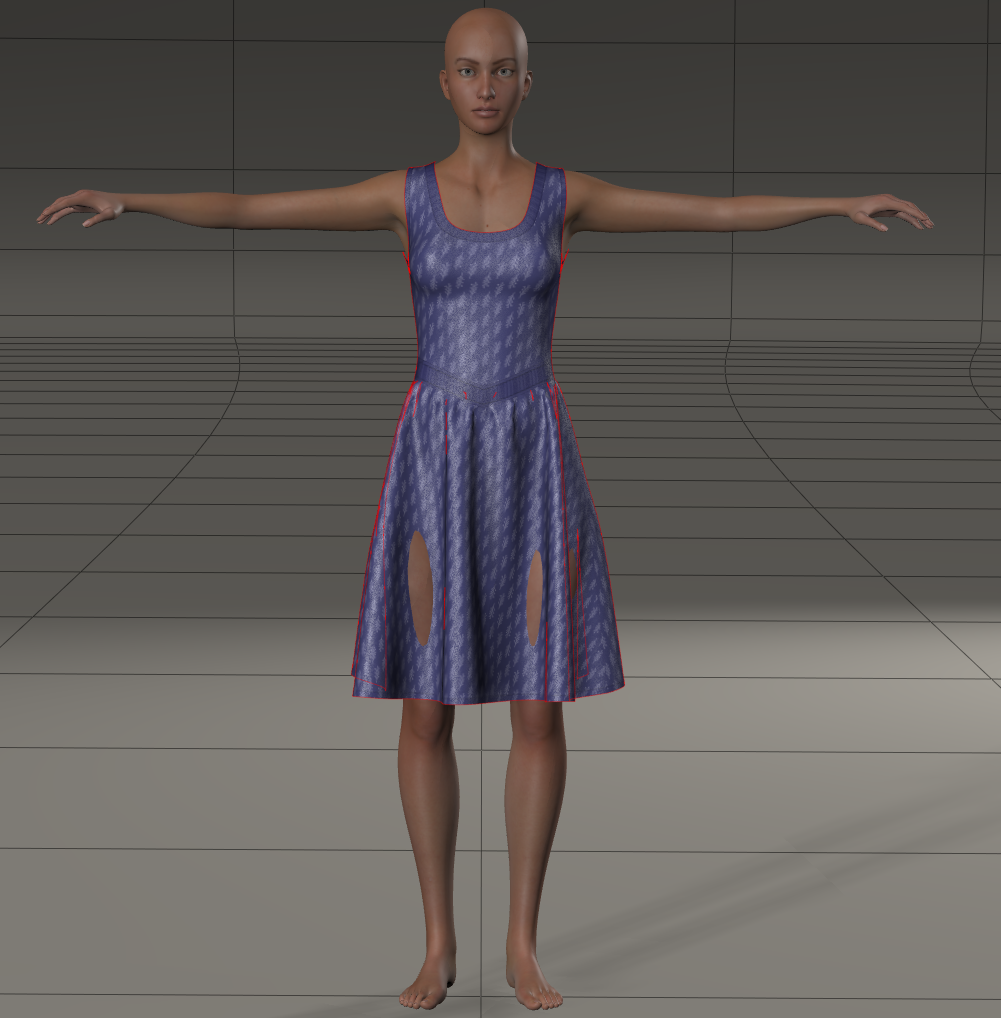

@skybluerob - be sure to include the Left & Right Thigh in the simulation under Objects... & increase their Collision Margin property to push dress off the thighs.
There should be a new free update out next week with improved simulation defaults & a Smooth Frame option to auto fix poke-thru, etc.
-Tim
tim posted at 10:25 AM Fri, 20 February 2026 - #4504119
Thanks Tim.@skybluerob - be sure to include the Left & Right Thigh in the simulation under Objects... & increase their Collision Margin property to push dress off the thighs.
There should be a new free update out next week with improved simulation defaults & a Smooth Frame option to auto fix poke-thru, etc.
-Tim
I tried doing that, and cranked it up a bit too high to see if it would resolve it, but the part where the leg is showing is still poking through. It's almost as if once the leg pokes through, it remains there no matter what. I've tried adjusting the glue too and that doesn't seem to help either.
Hopefully the update will help. As I say, it has potential and seems to be a fair bit quicker to calculate than the cloth room from what I can tell. If it can work on existing dynamic clothing then bingo.
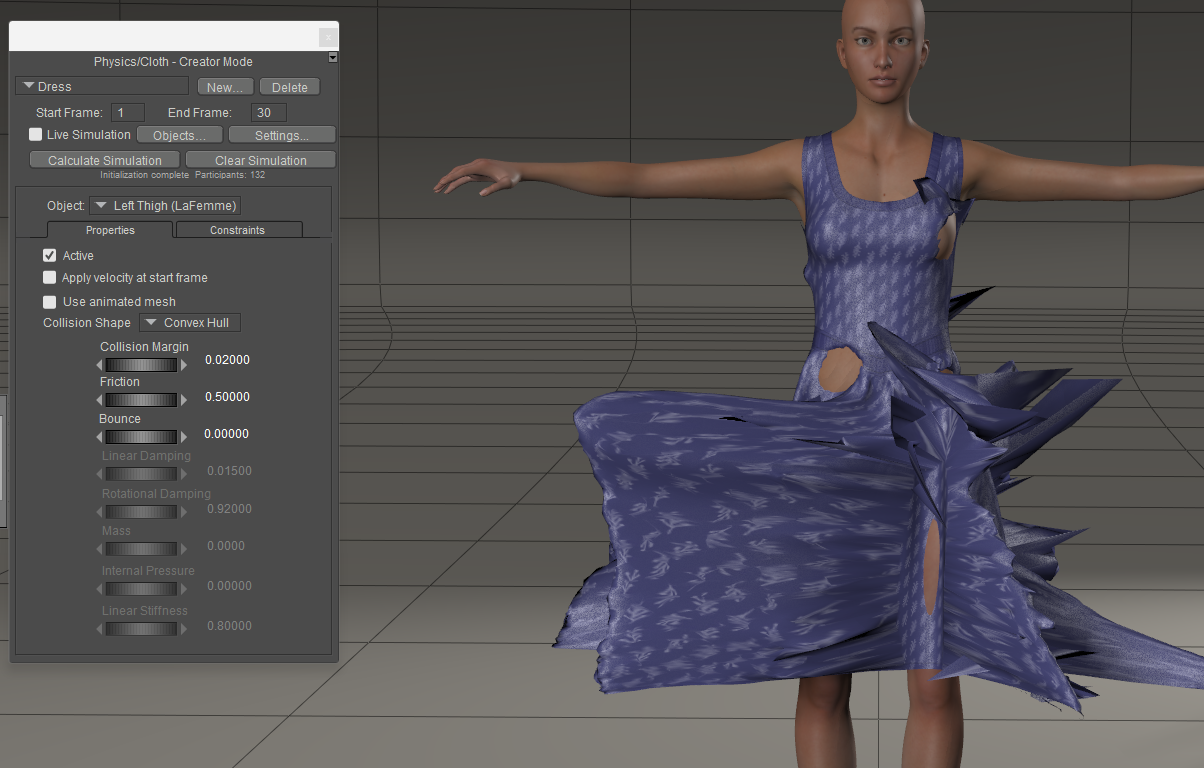
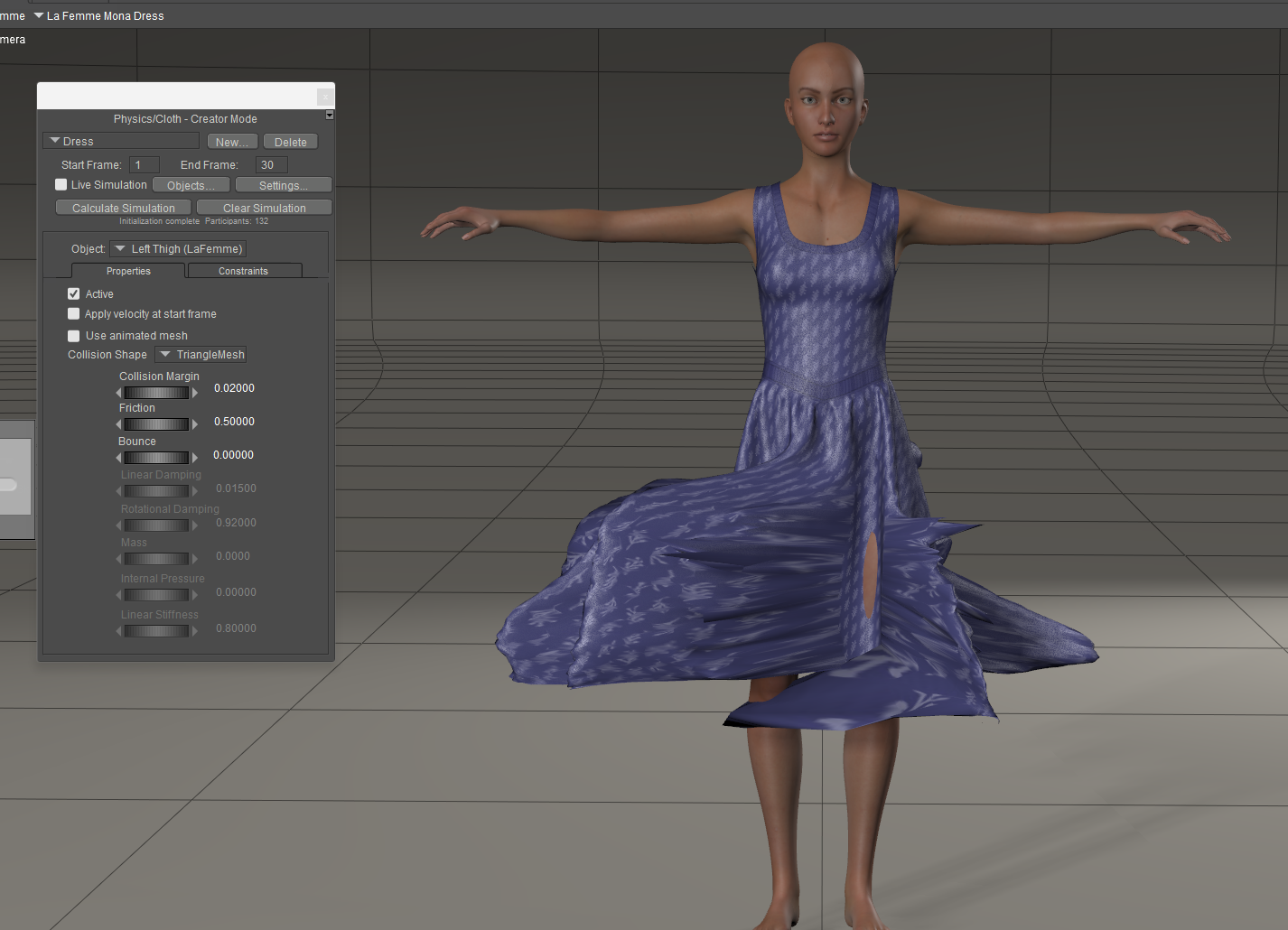

Hi,
i am not able to change settings.When i start to calculate the software freezes.
When i work after the tutorial and set the frames to 80 it starts calculating , but it counts itsself to death , so that i need to stop it.
That is really frustrating.
Will that cloth tool get an update ?
I miss a corner here, with more information from the Poser Team in relation to the cloth room.
greetings
karth
While waiting for the update, there's a workaround: simulate the clothing and pose in Poser 13 and then import it as a PZ3 file into Poser 14. The imported character retains the clothing simulation and pose, and everything is parented. All that's left is to integrate the character into the environment and render. The only problem is that you can no longer modify the pose in Poser 14 without the clothing simulations failing.

Privacy Notice
This site uses cookies to deliver the best experience. Our own cookies make user accounts and other features possible. Third-party cookies are used to display relevant ads and to analyze how Renderosity is used. By using our site, you acknowledge that you have read and understood our Terms of Service, including our Cookie Policy and our Privacy Policy.
hborre posted at 4:38 PM Sat, 7 February 2026 - #4503784
The problem with cloth was that it was not easy enough to use. So a lot of people just didn't.Making it dependent on an entirely separate feature that also has the problem that it is too hard to use is clearly not the answer.
The new system needs to be easier than the old system. Part of that is UX and part of that is having the right settings to start with. It's one thing for the user to want to tweak things to improve the result, and an entirely different matter to require them to spend a lot of time experimenting to even get anywhere close. People who have that experience will abandon it.
Dynamic cloth has the potential to solve a lot of problems, e.g., it should in principle make it easier to apply resources for one figure to a different figure. That in turn makes it easier for people to adopt newer, better figures. But it has to be easy to get a good result.